
Own-CNIC checks only · Reviewed 11 September 2026 · This site has no search box
SIM Owner Details in Pakistan: What Official Checks Do and Don’t Show
Can you check SIM owner details by mobile number in Pakistan?
No. PTA runs no owner lookup by number, and using another person’s identity information is an offence under PECA 2016 Section 16 — see the law, plainly, for the penalty. The only sim owner details you can check are the SIMs sitting on your own CNIC, checked through 668 or the cnic.sims.pk portal, where every reply comes back as a per-operator count, never a name. From your own SIM, the word MNP sent to 667 shows the name and the CNIC — often partly masked — that SIM is registered under.
Looking for how to check fresh sim owner details? This portal guides you through the official PTA-approved methods. Find out how many SIMs are registered on your CNIC using the 668 service, or check the owner name of your active SIM by sending an SMS to 667. We prioritize your privacy and do not store any personal data.
The only SIM owner details you can check in Pakistan are the SIMs registered on your own CNIC, and every official channel hands back a per-operator count, never a name.
Sources: PECA 2016 s.16(1), Pakistan Code consolidated text · PTA FAQ "SIM(s) Information" (pta.gov.pk, 22 Sep 2025): "Count of SIMs can be checked either through sending CNIC Number (without dashes) to short code 668 or by vising website cnic.sims.pk" · PTA's 668 notice: the reply gives the "number of SIMs issued against his CNIC with the mobile company name" · PTA MNP Porting Process Guidelines V7.9.15 (667 reply fields). Read 28 August 2026.
✗ A stranger's number
No. No PTA, NADRA or operator service returns a name, CNIC or address for a number you do not hold. Section 16 of PECA 2016: up to three years, Rs 5 million, or both — for the buyer as well as the seller.
✓ Your own CNIC
Yes. Text your 13-digit CNIC, no dashes, to 668, or enter it at cnic.sims.pk. You get how many SIMs sit on your CNIC, split by operator. Send MNP to 667 from a SIM in your phone to see its own registered name and part-masked CNIC; some replies also carry the activation date.
What you will not find here: a search box, a name, an address or a location. This site cannot show who owns a phone number, and neither can any website, app or “AI tool” in Pakistan: PTA's registry has no public lookup, and using someone else's identity information is an offence under PECA 2016 Section 16. What you will find: what each official self-check sends back, the 8-SIM limit, the rules PTA changed in 2024–2026, and how to remove a SIM that is not yours.
What each official reply actually contains
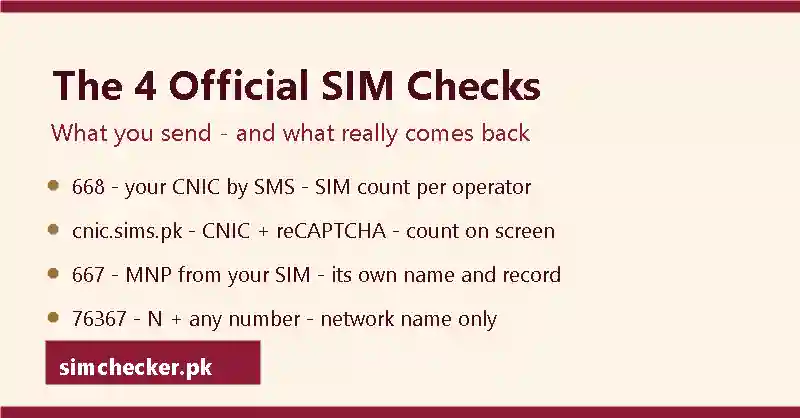
668 and cnic.sims.pk return a per-operator count of the SIMs on your own CNIC, MNP to 667 returns the sending SIM's own name and CNIC, and 76367 names a number's network only. Four official codes exist, and people mix them up, so this table shows what you send, what comes back, what it never shows, and where that fact comes from.
| You send | Where | What comes back | What it never shows | Source |
|---|---|---|---|---|
| Your CNIC, no dashes, by SMS | 668 — charges may apply (historically Rs 2 per SMS including taxes, per PTA's 2009 launch notice) | The "number of SIMs issued against his CNIC with the mobile company name" — a count for each operator | Anyone's name. Any phone number. Anyone else's CNIC. | PTA launch release for 668; PTA release of 10 Nov 2023 |
| Your 13-digit CNIC (or a Foreign ID) plus a Google reCAPTCHA | cnic.sims.pk — no fee shown on the portal | "The total number of SIMs registered against your CNIC" — a count per operator on screen | A name or number for any SIM | cnic.sims.pk page text, read 28 Aug 2026 |
| The word MNP, from the SIM in your hand | 667 | That SIM's own registered name and CNIC (part-masked), with some replies also carrying the activation date — sent only to the SIM that texted | Anything about a SIM you do not hold | PTA MNP Porting Process Guidelines V7.9.15, §4.1.1(b), 13 Feb 2020 |
| N, a space, then an 11-digit number | 76367 — Rs 2 + tax | The network that number belongs to | Who owns it | cnic.sims.pk footer line, read 28 Aug 2026 |
Read what each reply shows, line by line — or jump to what to do when a SIM on your CNIC is not yours.
Checked on 28 August 2026 against: PTA FAQ "SIM(s) Information" and PTA press releases on pta.gov.pk · the cnic.sims.pk page text · PECA 2016 s.16 in the Pakistan Code consolidated text · PTA MNP Porting Process Guidelines V7.9.15 · the Press Information Department release of 3 June 2025 (NCCIA helpline 1799). Nothing you type on this page is stored — there is nothing to type.
Contents: The short version · Which check do you need? · What the record holds · How a SIM is tied to a CNIC · Biometric verification · cnic.sims.pk step by step · 668, 667 and 76367 · Operator codes and your own number · The 8-SIM limit · Your record by CNIC · Checking by number · SIM data and databases · The law · SIM vs number vs CNIC vs IMEI · IMEI and DIRBS · Number portability · eSIM · By network · Transfer, disown, replace · Who to contact · Active scams · 2012–2026 timeline · Fraud or harassment call · Roman Urdu · اردو · What people search · FAQ · Glossary · Sources · How we check · What to do next
The Short Version: Ten Facts About SIM Owner Details
In Pakistan, the sim owner details you can lawfully see are your own, reached through three official routes: an SMS code, PTA's own portal, and a porting code sent from your own SIM. These ten facts settle everything that matters: what you can check, what nobody can, and where each rule comes from. Every fact links to the section that explains it in full, so start here and follow only the links you need.
- Only your own sim owner details are open to you. Section 16 of PECA 2016 closes the record to everyone else. See why the law says so.
- PTA's 668 SMS route hands back a SIM count only, never a name; charges may apply (historically Rs 2). The full steps are in the 668 method.
- The same count is free on PTA's own portal at cnic.sims.pk. The walk-through is in cnic.sims.pk step by step.
- Send MNP to 667 from your own SIM and PTA's guidelines return that SIM's own registration record, never a stranger's. See the full SMS method.
- An SMS to 76367 costs Rs 2 plus tax and confirms a number's network only, never sim owner details. What a number can and cannot tell you sits under checking by number.
- The ceiling is eight SIMs per CNIC (five voice, three data), as PTA's own FAQ states; that FAQ cites a Supreme Court ruling of November 2015. The exact split and the source sit in the eight-SIM limit.
- PTA also sets a 7-day wait before extra SIMs, a 365-day lock before a newly registered SIM can be disowned, and a midnight-to-6 AM sales ban. Every SIM must be in your own name. The dated rules are in the 2012–2026 timeline.
- Ask the operator to block a SIM you never registered, then have it removed from your card at the franchise. Report it to PTA at complaint.pta.gov.pk, or call NCCIA on 1799. See the real steps for reporting it.
- PTA and NADRA run no public lookup. So “pak sim data”, “live tracker” and “sim database” pages hold no real sim owner details. See why those pages have no feed.
- Every network has its own code for checking your own number: Jazz's is *99#, Zong's is *8#, Telenor's is *8888#, Ufone's is *780*3#, most recently confirmed 28 August 2026. None of them return a name or CNIC. The full list, network by network, is in every network's own-number code.
In Pakistan, only one SIM question is lawful: the one you ask about your own CNIC.
Which SIM Check Do You Need? A Decision Matrix for Every Situation
Checking your own CNIC or your own SIM is completely legal; pulling a stranger's identity out of a number is a criminal offence under PECA 2016. Eight everyday situations, one official route each, and every route reads a key you already hold, never a stranger's.
Three official routes, one line each
- cnic.sims.pk: PTA's own official portal, not a private site, free, a SIM count for your CNIC, operator by operator.
- SMS to 668: your 13-digit CNIC from your own phone, the same count; charges may apply (historically Rs 2).
- MNP to 667: texted from the SIM in your hand, roughly Rs 2 plus tax on Jazz (other networks may differ), for that SIM's own name and part-masked CNIC.
The matrix: situation, route, reply, cost
Find your row, then read across.
| Your situation | Official route | What comes back | Cost | Explained in |
|---|---|---|---|---|
| How many SIMs are on my CNIC? | 13-digit CNIC at cnic.sims.pk, or by SMS to 668 | Per-operator counts, voice-and-data plus data-only; no numbers, no names | Portal free; 668 charges may apply (historically Rs 2) | the count against the 8-SIM cap |
| Which name is the SIM in my hand under? | Text MNP to 667 from that SIM | That SIM's own registered name and part-masked CNIC; some replies also carry the activation date | About Rs 2 plus tax on Jazz | the 667 reply, field by field |
| Which network is a number on? | Text N, a space, the 11-digit number, to 76367 | The network name alone; porting can change it without changing the old prefix | Rs 2 plus tax | what porting does to a prefix |
| What is my own number? | Your network's own-number code, or the phone's Settings app | Your 11-digit number; never a name or a CNIC | No charge published; settings are free | every network's own-number code |
| Is a used phone PTA-approved? | Dial *#06# for the IMEI, text it to 8484 or check dirbs.pta.gov.pk | Handset status only, compliant, non-compliant or blocked; never a person | One SMS; the web check is free | the DIRBS handset check |
| Who is calling me? | No lookup exists: note the number, block it, call your operator, PTA or NCCIA for fraud | At most the network via 76367; law-enforcement agencies such as NCCIA can lawfully ask who holds the line | Free | recording, blocking and reporting a caller |
| A SIM on my CNIC I never bought | Original CNIC to the operator's franchise for biometric verification, then block and disown it | The line removed from your record | Visit free; a small disowning fee may apply | blocking and disowning a SIM |
| I am abroad; can I still check? | cnic.sims.pk from any browser; 668 and 667 need the message sent from the Pakistani SIM itself | The same counts table, or the same 667 record, once sent | Free on the portal; the usual small SMS charge otherwise | the portal, step by step |
How to read the matrix
Start from what you hold, not what you want to find: a CNIC opens rows one, seven and eight; a SIM in a handset answers rows two and four; an IMEI answers row five, and the SIM tracker guide goes deeper on that one. A stranger's number fits only rows three and six.
Important: no app, website or paid "SIM check" service in Pakistan hands back a stranger's name, CNIC or address. One that claims to is not reading PTA's system, whatever it calls itself.
If you find a SIM you never registered
Row seven is the fix, even if the CNIC was misused outright: run the count first, then take the original CNIC to the franchise to block and disown the line. If the line was used to call or message someone, report the caller too, and complain in writing to PTA or NCCIA if the counter cannot resolve it.
Which official check should I use — SMS to 668 or the cnic.sims.pk portal?
Use the portal with a browser and data: it is free, and shows the same counts table as 668. Use 668 with only call-and-text credit or weak data; charges may apply (historically Rs 2). Both draw on the same PTA record, so the outcome never differs.
What is the difference between the SMS (668) check and the web-portal (cnic.sims.pk) check?
668 needs a working Pakistani SIM and a small charge; the portal needs only an internet connection, works from any country and costs nothing. Speed is similar, usually seconds. Neither shows more than the other: both return counts only, never numbers or names.
What's the fastest lawful SIM owner check to run in 2026?
For your own CNIC, cnic.sims.pk or SMS 668 gives a count; for the SIM in your hand, MNP to 667 gives the SIM owner details, name and part-masked CNIC. No 2026 service returns someone else's details from a number; the law keeps it that way.
Every official SIM check in Pakistan reads a key you already hold: your CNIC, your SIM or your handset, and none of them reads a stranger's.
Sources: cnic.sims.pk portal and result screens, verified first-hand 30 Aug 2026 · PTA press release, 10 Nov 2023 (668 SMS charge; disowning fee and unauthorised-SIM waiver from 1 Jan 2024) · PTA MNP Porting Process Guidelines V7.9.15, 13 Feb 2020, with Jazz's own FAQ, for the 667 charge and reply fields · PTA's cnic.sims.pk page, for the 76367 network check · PTA DIRBS, dirbs.pta.gov.pk and 8484 · PECA 2016 s.16, Pakistan Code consolidated text.
What SIM Owner Details Are: The Record, Its Fields and Who Holds It
Your SIM owner details are one operator file opened the day a SIM is registered: the name and CNIC used at the counter, the activation date, the operator and the biometric result, plus a running count PTA keeps against every CNIC. PTA's SIM Information System reads out that count; only your operator holds the file behind it, and neither works backwards from a number to a stranger's name.
What the operator (and PTA) actually record
A SIM owner details record begins the moment a connection is registered: the shop takes the buyer's CNIC and fingerprint, opens a file with the operator, and adds one line to PTA's running count. Type it into a search bar as a sim owner details online check pakistan or as pakistan sim owner details; either phrasing lands at the same two places: PTA's own count and the operator's file, never a third database. The honest answer to a request for sim owner information is that same short file, set out field by field below.
The table below breaks that file into its eight parts, the complete answer behind any sims information or pakistan sim information search.
| Field | What it holds |
|---|---|
| Name | Taken from the CNIC shown at the counter; a nickname, a shop name or a WhatsApp handle never substitutes for it here. |
| CNIC | The 13-digit number the whole file turns on, entered with no dashes for every official check. |
| Registration (activation) date | The day the SIM went live against that CNIC, the detail that separates an old connection from one you never bought. |
| Operator | Jazz (Warid folded into Jazz), Zong, Telenor, Ufone (with Onic) or SCO; the file is split by company, so one network never sees another's records. |
| Number | The eleven-digit number the connection was issued, in the standard 03 plus 11-digit format. |
| Connection type | Whether the SIM counts as a voice line or a data line under the per-CNIC cap. |
| Biometric result | The pass recorded once the buyer's fingerprint matched NADRA's record at the counter, not published anywhere. |
| PTA's SIM count | How many connections, of any type, sit against that CNIC right now, added up across every operator. |
What 'SIM owner details' actually includes
SIM owner details means one thing: the file behind a single connection, complete with the name, CNIC, activation date, operator, number and biometric result recorded when it was sold, plus PTA's running count of every SIM on that CNIC. A sim detail check, sim info check or sim owner info search all point at that same file, not a separate public database.
What the telecom operator records (subscriber data, hardware identifiers, audit trail)
Inside the operator's own file, a little more sits behind those eight fields: the IMSI tied to that SIM and the exact activation date, both stored in the company's own registration system rather than on any public server — a SIM-side identifier, not the handset's IMEI, which the IMEI and DIRBS section covers separately. None of it reaches a public page.
What the operator records at biometric verification (customer demographics, technical identifiers, verification metadata, biometric exemption)
At the counter, the file also carries a biometric result: a pass once the buyer's fingerprint matches NADRA's record, recorded alongside the name and CNIC rather than as a separate document. Older applicants and people with amputations who cannot complete a fingerprint scan can still be registered through verification by administrative means at customer service centres and selected franchises, a route the biometric section covers in full.
Why the record is one-way (CNIC to SIM), not SIM to CNIC lookup
Registration only ever runs in one direction: a CNIC opens a file for a SIM, never the other way round. PTA's public tools read a CNIC or a SIM back to the person holding it; none of them accept a bare number and hand back the name and CNIC behind it, because the record was never built to work that way — a design Section 16 of PECA 2016 backs with criminal penalties for anyone who tries.
Why the public system is strictly one-way (audit capability, privacy protection, restricted two-way access)
Access to a file is narrow by design. The subscriber hears their own record in person at a franchise. A police officer or investigation agency can require the operator to hand over subscriber information about someone under investigation, and a court can separately order disclosure; nobody else's request opens the file. Everyone else, including any app or site calling itself a sim checker, sits outside that list, whatever it charges.
Legal accountability, security architecture and fraud prevention as reasons the record is one-way
PTA treats the registered CNIC holder as responsible for a SIM's misuse, from false criminal implication to compromised privacy, so opening the file to strangers would only spread that liability further rather than contain it. That is also why PTA advises checking the SIM count for elderly female relatives, a fraud pattern the biometric section covers in full.
Why the record architecture is one-way (privacy and anti-doxxing, zero-knowledge architecture, citizen audit ability, reverse-lookup exclusivity)
Privacy drives the one-way choice as much as fraud control does: a system working backwards from a number to a name would let anyone attach an address to it, the harassment risk this design avoids. The system works nothing like a people-search engine — a number stays a number, and an identity travels back for the person it belongs to, or for a court, the police, PTA or the NCCIA.
Who holds SIM registration data, and who never will
Two bodies hold this record between them, and nobody else does. PTA runs the SIM Information System and keeps the count standing against every CNIC. The operator that sold each connection holds the file behind it, kept inside the company's own registration system and read only at the counter, never through a public search box.
Can I check on whose name my SIM is registered?
Yes, but only for the SIM in your hand: texting MNP to 667, one of the short codes covered step by step in the codes section, returns that SIM's own registration record — the registered name and a part-masked CNIC, with some replies also carrying the activation date — to the same handset. It cannot be pointed at a number that is not yours, and it never reaches a stranger's file. Ask it as owner sim detail or sim detail owner and the answer is still the same one SIM, the one that sent the text.
Registering a SIM against a CNIC is not the same as opening a public owner lookup. NADRA licenses its Verisys service to banks, telecom operators and government departments, letting them confirm a CNIC once the citizen approves it by OTP; ordinary members of the public have no door into that system, and no SIM record passes through it at all. Pairing a CNIC with a SIM at the counter creates one operator file, not an entry in a directory anyone can search, and the full shape of that file is set out at the SIM information page.
How to check your own SIM owner details
Every version of that question, from a plain sim details online check to a fuller sim details online check pakistan or a quick sim info details search, comes back to the same three routes below.
How can I check my SIM owner details in Pakistan in 2026?
Three routes are open in 2026, all pointed at your own CNIC or your own SIM: PTA's portal and SMS short codes for a count, the SIM in your hand for its own record, and a franchise counter for the full list read out in person. None of them reaches a number that is not yours; that question has its own honest answer at the by-number section. Run it as a sim details check online and the same three routes still answer it.
| Route | What it shows | Cost |
|---|---|---|
| PTA's SIM Information System (the portal) | How many SIMs, of any type, sit on your CNIC, split by operator | Free |
| 668 by SMS | The same operator-by-operator count, sent to your own phone | Charges may apply (historically Rs 2) |
| 667 by SMS | The registered name and part-masked CNIC of the SIM in your hand, and only that SIM; some replies also carry the activation date | About Rs 2 plus tax on Jazz; may differ elsewhere |
| 76367 by SMS | The network a number belongs to, nothing more | Rs 2 plus tax |
No site in Pakistan, whatever it charges, will trade a name, a CNIC or an address for someone else's number.
Working out what each of those four routes hands back, and how a 668 reply differs from a 667 reply, is exactly where the confusion starts, so the next two questions spell out the difference plainly.
What does the 668 / cnic.sims.pk reply actually contain?
A counts table, nothing else. Both the portal and 668 return the same shape: each operator listed with its voice-and-data SIM count, its data-only count and a total, under the CNIC checked and the date. Neither carries a phone number, an activation date or a name; the name (and, in some replies, the activation date) only ever comes back for the SIM in your hand, through 667.
Which operators appear in the cnic.sims.pk / 668 result — does SCO or Onic show up?
Four networks print every time: Jazz, Telenor, Ufone and Zong appear even when a CNIC shows zero SIMs with that operator. Onic and SCO never get their own row, and the missing parameter behind Onic fits it counting inside Ufone's own total, which also fits Onic's lines being migrated to Ufone. A legacy Warid line still lives in the backend, and one indexed snapshot of the result page even shows it printed on screen as its own 'Warid (0)' row.
How to check SIM owner details?
Start with what is in your hand. A CNIC checks its own count through the portal or 668; a SIM in your hand checks its own record through 667; either way, a franchise reads the full file back to you in person. If the number in question is not yours, no version of this check exists, whatever a page promises.
How to see SIM details?
Two screens show it. The portal's result screen shows your CNIC's count, operator by operator, the moment you submit it. A franchise counter shows the full list, one line per SIM, with its activation date, once staff have confirmed who you are. Neither screen, anywhere in Pakistan, shows somebody else's list. Phrase the search as sim details owner or sim owners details and the same two screens are still the whole answer.
Whichever way the search is worded, check sim details, sim details online or online sim details, the destination is the same: your own CNIC or your own SIM, reached through the routes above. Flip the words around to sim online details and the answer still does not change.
Questions people ask about SIM owner details
“Sim database check”: is there a public SIM database in Pakistan?
No. PTA's registry of SIM-to-CNIC links is a closed government system with no public API, no partner tier and no paid access. Every “sim database check” site is either inventing results or showing old breach data, and both are offences to sell and to use under PECA 2016. The lawful check of your own record is the count from 668 or cnic.sims.pk. Full explanation: “SIM database” and SIM data, explained.
How can I get SIM owner details?
Only for your own CNIC, or for the SIM sitting in your phone. PTA gives you the count of connections on your card; the SIM in your hand can report the record it was registered under; a franchise reads out your full list in person. There is no route to another person's record, paid or free.
How to get details of a SIM owner?
Start by asking whose card the SIM was bought on. If it was yours, the methods section and the codes section finish the job in minutes for almost nothing. If it was somebody else's, no office, site or app in Pakistan will hand you their sim owner details, and paying a seller for them carries the legal risk described below.
How to know SIM card owner details?
You know them by holding either the CNIC or the SIM itself. For a CNIC, read the count first, then confirm each connection at the franchise, where staff check who you are before anything is shown. For a SIM in your possession, its own registration reply names the person it was bought under. Anyone else's sim owner details stay with the operator.
How to check SIM owner?
Check the SIM you are holding, not a number somebody sent you. The SIM in your own phone can report the record it stands on, and the count on your own CNIC comes from PTA. That covers every lawful meaning of how to check sim owner in Pakistan; a stranger's sim owner details stay out of reach, whatever a page charges for them.
How do I find my SIM details?
Your own sim details come from two sides. PTA gives the number of SIMs standing on your CNIC. Your operator gives the list itself: a franchise shows every connection with its activation date, once you have identified yourself at the counter. Between them you get the whole picture for very little.
PTA and your operator hold two halves of one file; nobody else holds a whole copy of it, and no fee makes a stranger's half yours to read.
Sources: PTA SIM Information System, first-hand check 30 Aug 2026 · PTA Biometric Verification page, 30 May 2023 · NADRA Verisys page, 7 Jul 2026 · PECA 2016, Section 16.
How a SIM Gets Registered to Your CNIC in Pakistan
A SIM is registered the instant your fingerprint matches NADRA's record for your CNIC: an authorised outlet takes your original card, captures up to two thumb or finger impressions on its biometric device, and writes your name into the operator's file the moment the check clears. From that second the line counts against your CNIC, and you answer for it.
How a new SIM is registered (step-by-step)
PTA's own Biometric Verification page names this system MBVS, covering six kinds of SIM transaction, not just a first purchase — every occasion is set out here.
- Bring your original CNIC to an authorised outlet — Onic's terms (15 February 2026, written before PTA halted Onic's new activations) spell out what happens next: that CNIC goes to the mobile company for NADRA verification before activation.
- Give your print on the device, the same two-print cap named above, matched live to NADRA's record.
- A match activates the SIM: PTA's wording is "activated and handed over" at once; a failure gets a stated reason.
- The file records your name and CNIC, and PTA's count rises by one, under the 8-SIM cap.
A SIM withheld with no reason given is a PTA complaint: complaint.pta.gov.pk/RegisterComplaint.aspx, the PTA CMS app, or 0800-55055; confirm the result after.
Pre-requisites of SIM sale (valid CNIC required)
An outlet sells a SIM only against an original CNIC; a photocopy fails, since the scanner checks a live print against that card. A foreign national follows a separate verification route at the counter, since the whole check is built around a CNIC and the print NADRA holds for it. An "Old Age" applicant or a "Person with Amputation" who cannot give a print, in PTA's own wording, can still register at a CSC or Selected Franchise, "after Verification through Administrative Means."
Live scanners, the NADRA check and SIM limits at biometric verification
The scanner works within the same two-print cap, never a photo or a photocopy. A pass opens the record but never raises your ceiling; every line still counts toward the 8-SIM cap. PTA's own warning is blunt: "No Prize/Gift Scheme Requires Biometric Verification." Fraudsters posing as scheme officials take prints "on different machines or even on simple paper," away from any real sale; this scam is covered further down.
The 2026 biometric registration process (data entry, live capture, transmission, match/no-match, activation)
The mechanism is the steps above, nothing more exotic: CNIC entered, fingerprint captured live, sent for a NADRA check, then the same pass/fail activation as above. No face scan and no second database are part of it; that stays a proposal, not today's rule.
When can I register a new SIM immediately versus after a 7-day wait?
Your first new SIM activates the moment your fingerprint passes. Any subsequent new SIM registered against the same identity card waits seven days, set by PTA's SOP clarification titled "PTA Clarifies Amendment in SOP on Increasing Buffer between SIM Sale Sessions for Enhanced Security," dated 18 January 2024, and reportedly paired with an eight-hour gap between biometric checks. A duplicate, an ownership change or a ported line skips the wait; none of them counts as a new SIM.
What the record makes you responsible for
Registration ties responsibility to a name, not a phone. PTA said it plainly on Facebook, 24 May 2026: "PTA reminds telecom consumers that all mobile SIMs must be registered strictly against [the user's own CNIC]." A SIM opened on your card stays yours until a franchise changes that record, and PTA lists five risks it carries: false criminal implication, harassment liability, financial-loss liability, compromised privacy and national-security misuse.
Fraud on a line you never opened sits on your name until disowned. Every registered line fills one of your eight slots. And once active, a line is yours for a year before it can leave, under the 365-day rule.
| How it got its name | Who answers | The fix |
|---|---|---|
| You bought it, then lent it out | You, for as long as the record says so | Change of ownership, if permanent |
| Opened on your CNIC without asking | You, until disowned | Block, disown at the franchise, then complain |
PTA advisory on handing your SIM to another person
PTA has repeated this warning across 2025 and 2026 rather than once: a Facebook video titled "giving your SIM card to someone else is a legal offense," a report in The Nation on 5 June 2026, and coverage from the Associated Press of Pakistan. The point is always the same: the record decides who answers, not whoever holds the phone.
The July 2026 SIM-sharing advisory: the core rule, context and the legal route
The core rule: lending a SIM does not lend the liability; whatever happens on the line stays attributed to the registered CNIC. A widely repeated "24 July 2026" date traces to no single PTA notice. For a permanent loan, the lawful route is a change of ownership at the franchise, where both sides complete the transfer procedure together.
Additional anti-fraud rules (live finger detection, midnight-to-6am sale ban)
PTA's enforcement orders of 16 June 2026 (Jazz and Zong's CMPak) and 13 July 2026 (PTML) tightened the SOP: activation now needs multi-finger verification with live finger detection, catching a lifted or copied print before it reaches NADRA. The other rule sits in the sale window: no outlet may sell a SIM between midnight and 6 AM, dated 19 May 2026.
Why the design runs one way: a CNIC opens the record, a number never does
The CNIC is the only key because it is the only thing an outlet checks against NADRA; a number is just a field filled in afterward, one that can be ported or handed to a stranger a year on, never confirmed at any counter. Reading a record from a number instead means obtaining someone's identity information without consent: a demand PECA's Section 16 criminalises for whoever asks and whoever answers.
A SIM belongs to the CNIC and the fingerprint that opened its file, not to whoever is holding the phone, and that is true from the moment it is switched on.
Sources: PTA "Biometric Verification" page, 30 May 2023 · PTA press release, 31 December 2025 (own-name rule) · PTA Facebook post, 24 May 2026 · PTA enforcement action against Jazz, CMPak and PTML, 16 June and 13 July 2026 · Onic Terms & Conditions – General, 15 February 2026 · PTA SOP clarification, 18 January 2024, and PTA press release, 22 January 2024 (7-day rule from 24 January 2024) · PTA direction, 19 May 2026 (no SIM sales midnight to 6 AM) · The Nation, 5 June 2026
To find a genuine, authorised outlet for that registration and tell it apart from a fake one, see the franchise-finding guide.
SIM Biometric Verification (BVS) in Pakistan: What It Checks, When You Need It and What the Status Codes Show
Biometric verification, BVS, matches the fingerprint you give at the counter against NADRA's record for your CNIC; only a pass lets the operator open or change a file in your name. PTA's MBVS covers six kinds of SIM transaction, purchase to disowning. Four listed codes, Jazz's 6001, Zong's V to 7911, Telenor's blank SMS to 7751 and Ufone's *336# menu, report only whether a SIM passed, never a name.
What the fingerprint check actually verifies
The scanner at the counter sends your print to NADRA, which answers pass or fail; only a pass lets the operator open a record under your name, covered in full under SIM registration. The check began for new sales in 2013, with every existing SIM re-verified by August 2015, when today's status codes were built.
When biometric verification is required
PTA's own biometric page names six transactions that need a fingerprint.
| Transaction | Whose fingerprint | Detail |
|---|---|---|
| Buy or activate a new SIM | Yours | Your first is instant; a further one on the same CNIC waits seven days |
| Duplicate SIM | Yours | No 7-day wait; the lifecycle section has the counter visit |
| Change of ownership | Seller's and buyer's | Moves the record to another CNIC once the SIM turns 365 days old |
| Re-verification | Yours | Confirms an existing line when PTA or the operator asks |
| MNP (porting) | Yours, at the new operator | The gaining operator issues its own SIM on your CNIC; what MNP changes |
| Disowning | Yours | Clears the line from your CNIC for good, on its own charge and cooling-off window |
Can I do biometric verification online?
No. The check matches a live fingerprint to NADRA's record, so no app, website or call can complete it. Every transaction above needs an in-person visit to an authorised outlet.
Checking your SIM's biometric status
PTA lists a code for four of the five networks; send it from the SIM you want checked, and the reply concerns that SIM alone.
| Network | What you send | To | What comes back |
|---|---|---|---|
| Jazz (listed as Mobilink) | Your CNIC, from a SIM on that CNIC | 6001 | Whether that SIM is verified |
| Zong | The letter V | 7911, free | Verified-or-not status for the numbers on your CNIC |
| Telenor | Any SMS, blank included | 7751 | BVS-verified or not; 7750 gives the nearest office |
| Ufone | Dial *336#, then choose option 1 from the menu | Menu | Status of the number you dial from |
Jazz, Zong and Telenor's codes match PTA's list, unchanged since June 2023; Ufone's is that *336# menu, not a text to a five-figure number. SCO sits outside the list and Onic shares Ufone's network with no code of its own; a silent reply usually means a franchise visit, not a fault — the SIM ownership check guide walks that visit.
How do I know if my SIM is biometric verified?
Send the message for your network from the SIM itself; the reply gives a status, verified or not, nothing more. It is not a new fingerprint scan, a transfer or an owner lookup — only a pass or fail already on file, with no name or CNIC attached. Ask at the franchise if nothing comes back.
What happens at the counter, pass or fail
An authorised outlet, franchise, registered retailer or CSC, shows its terms before taking your CNIC and print, and allows at most two impressions per attempt, PTA's own rule. A pass ends with the SIM handed over on the spot; a fail means the agent must say why, not turn you away.
What happens if the sale agent withholds your SIM after biometric verification?
PTA's rule is that a passed check ends with the SIM handed over on the spot; an agent who keeps it back has to state the reason. If none is given, take the complaint to PTA rather than accept it; the authorities section has the channels for exactly this.
When biometric verification isn't possible: elderly and amputee customers
A fingerprint scan is not possible for everyone. PTA lets those it labels "Old Age" or "Person with Amputation" register instead at a CSC or Selected Franchisee, through what it calls Verification through Administrative Means.
Facial and iris verification: status as of September 2026
A SIM in Pakistan is still issued on a CNIC and a fingerprint, nothing else, as of 11 September 2026. A Senate committee heard facial or retina verification proposed as a fallback in mid-July 2026, and a National Assembly committee went further on 3 September, urging facial and iris recognition plus an instant alert on every new SIM: direction, not rule.
Is facial verification required to buy a SIM in Pakistan?
No. The counter check today is still a fingerprint matched to your CNIC through NADRA. Two parliamentary committees have urged a move to facial and iris recognition, in July and again on 3 September 2026, but no PTA rule has followed either proposal yet.
Guard your fingerprint like a signature
Your print cannot be reissued. Given once outside an authorised outlet, it can register SIMs against your CNIC for years, and the named holder answers for what those SIMs do, which is why accurate registration matters; the scams section catalogues the free-SIM version in full. PTA warns that fraudsters have taken prints on ordinary machines, even plain paper, posing as prize-scheme staff — a scheme that never needs one.
Do
- Hand your print over only when you are buying a SIM yourself, at an authorised outlet.
- Treat more than two impressions, or a print for a SIM or CNIC you never asked for, as the red flag.
- Count your SIMs on cnic.sims.pk afterwards, so an extra line shows in the total.
Avoid
- A thumb for a "free SIM", a survey, a lucky draw or a stranger's "verification".
- A print for a SIM someone else will use; the liability stays on your CNIC.
- A SIM you do not mean to keep; once active it cannot be disowned for a year.
Can someone register a SIM on my CNIC using my fingerprint?
Yes, if they captured a print from you outside a genuine sale — exactly what the fake-prize scam is for. It shows up as an extra line in your count. Have that operator's franchise block and disown it, keep the written reference, then report it to PTA.
A fingerprint activates a SIM and a status code only confirms it passed; neither one, on any network, ever prints a name.
Sources: PTA's Biometric Verification page, pta.gov.pk (checked 11 Sep 2026) · PTA's page on checking a SIM or CNIC's verification status, pta.gov.pk, dated 1 June 2023 · Telenor Pakistan's own FAQ on SIM-BVS, telenor.com.pk · National Assembly Standing Committee on Interior and Narcotics Control, press release dated 3 September 2026 · press reports of a Senate committee briefing on facial and retina verification, mid-July 2026, not independently confirmed.
cnic.sims.pk Step by Step: The PTA SIM Information System
cnic.sims.pk is PTA's SIM Information System, the official web page that tells you how many SIMs sit against your own CNIC. Enter your 13-digit CNIC without dashes, solve the reCAPTCHA beside "Verify", and click Submit. The result is your own sim owner details: a SIM count, operator by operator, with no name, no address and never another person's record. It is free and needs no account.
What the SIM Information System is
The SIM Information System is a web page run by PTA, the Pakistan Telecommunication Authority, the regulator for every mobile operator in Pakistan. It does one job: it tells a cardholder how many SIMs sit on that card. It lives on PTA's own address, cnic.sims.pk, no private company runs it, and everything it prints belongs to the CNIC you typed: your own sim owner details and nobody else's.
If you searched for mobile sim information or sim information online, this page is where that search ends. The phrases people type — “online check sim number through cnic pakistan”, “pak sim information”, “pta sim information system website”, “pta sim information system online” — all point at this one portal. A site using those words but not sitting at cnic.sims.pk cannot reach your sim owner details. In plain terms, the PTA sim information website is cnic.sims.pk itself, and every look-alike address is a copy.
What the page is titled and what it says on screen
The page is titled SIM Information System. PTA's own instruction on it reads: "To find out the total number of SIMs registered against your CNIC, enter your CNIC and click Submit. In case of Foreign Nationals, click on Foreign ID." That sentence, read on 28 August 2026, is the whole service. There is no phone-number field; your own count is the only sim owner details on offer.
What the result shows: your sim owner details as a count
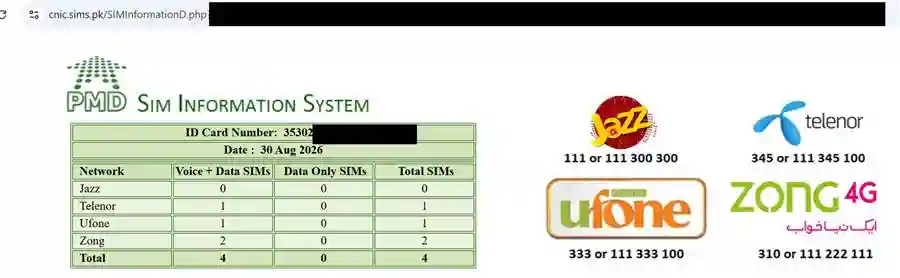
A count, split by company: one row per network — shown even at zero — with voice-plus-data and data-only columns and your total underneath. No name, address or phone number appears anywhere on that screen. Step 6 below reads those lines one by one.
Before you start: the three things you need
Three things: your own CNIC, a connection (mobile data is enough, the page is light) and a current browser. You do not need an account, a password or a payment of any kind. Anyone hunting for a PTA SIM information system login is hunting for something that does not exist: the portal has no accounts and nothing to sign into. Nothing else stands between you and the sim owner details PTA holds against your card.
Your own CNIC number, all 13 digits, with the dashes left out
Read the 13 digits off the card in your hand. The card prints them in three groups with two dashes, like 61101-2345678-9, but the dashes are for people, not for the form: the portal wants your 13-digit CNIC as digits only, no dashes. One wrong digit returns a count that is not yours, and those sim owner details are not yours to read.
A browser that opens the page, on a phone or on a computer
Any current browser will do, on a handset or a laptop, and the page is light enough for a weak signal. You install nothing and sign up for nothing: PTA publishes no app for the SIM Information System, so a “pta sim information” app in any store did not come from PTA. The sim owner details you want sit on PTA's page, not in a download.
Check your own CNIC on the portal, step by step
Seven taps from start to finish, under a minute on an ordinary phone. Every step below happens on PTA's page, not on ours: simchecker.pk hosts no form and no Submit button. Run it on the card in your own hand, and the sim owner details it hands back are a count per operator and nothing more.
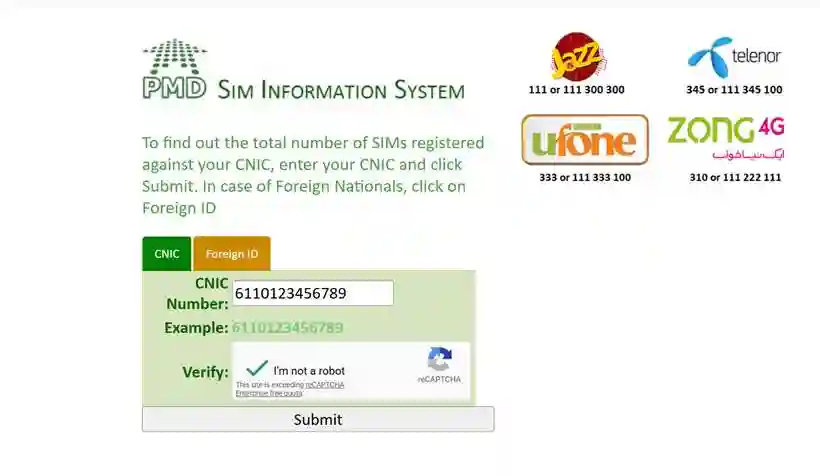
Step 1 — Open cnic.sims.pk in your browser
Type the address by hand: cnic.sims.pk, with a dot between cnic and sims, because search results are crowded with copycats. The real page, cnic.sims.pk, shows the title SIM Information System and two tabs, CNIC and Foreign ID. A page asking for payment is not PTA's, and has no sim owner details to give. A search typed as cnic sims pk, with spaces instead of dots, only brings back result lists, so give the address both dots before you press Enter.
Step 2 — Stay on the CNIC tab and tap the CNIC box
The page opens on the CNIC tab, the tab for every Pakistani cardholder. Tap once inside the box beneath it. One box, one purpose: it accepts only the 13 CNIC digits, and on most phones a number pad opens as a hint. A mobile number has nowhere to go on this form, so it can only ever show your own sim owner details.
Step 3 — Type all 13 digits with no dashes
PTA's own page shows the format with a sample CNIC written as digits only. Type your thirteen digits straight through, with no spaces and no dashes; twelve or fourteen digits fail at Submit with a "valid CNIC" message. If you mistype, clear the box and type the whole number again, because the sim owner details only come back for a complete CNIC.
Step 4 — Solve the Google reCAPTCHA next to the word "Verify"
A Google reCAPTCHA sits beside the word Verify: the "I'm not a robot" box that proves a person, not a script, is using the page. Tick it; if a picture puzzle appears, pick the squares it asks for, then press the puzzle's own Verify. A green tick means it passed, and only then will Submit release your sim owner details.
Step 5 — Click Submit
One button. Your CNIC goes to PTA's page and to nowhere else; no copy passes through simchecker.pk. On a slow signal the page can take a few seconds, so click once and wait. The result appears on the same page, with your sim owner details listed by operator.
Step 6 — Read your SIM count, operator by operator
The total arrives with a line per company: Jazz (Warid rides on Jazz), Zong, Telenor, Ufone, Onic and SCO. That per-operator count is everything the portal puts on screen: SIM numbers, never a name or an address. Compare the total with the SIMs you actually hold, dongles and spares included; the legal cap is 8 SIMs per CNIC, and the limit section has the rules.
Step 7 — Screenshot the result, then close the page
Press your phone's screenshot buttons and keep the image: dated proof of what PTA's portal showed, useful at a franchise counter if you ever dispute a line you never bought. Keep it private, because it shows your CNIC number, the key to your sim owner details. Then close the tab, and on a shared computer clear the browser history too.
Foreign nationals: the Foreign ID tab, step by step
A foreign national living in Pakistan holds a passport or a foreign ID instead of a CNIC, and PTA's page carries a second tab for that case, labelled Foreign ID, with its own field and its own reCAPTCHA. The answer is the same kind of count: the sim owner details belong to the document you typed.
Step 1 — Click the Foreign ID option beside the CNIC tab
It sits beside the CNIC tab on the same form. One click switches the field to a longer box that accepts letters as well as numbers, and a full keyboard opens instead of a number pad. Nothing else changes: same title, same reCAPTCHA, same Submit button, and the same kind of sim owner details, a count per operator.
Step 2 — Type the document number exactly as it is printed
Copy the string straight off the document, keeping the same capital letters, with no spaces, dashes or slashes, and leave out your name and the country code. The box takes 3 to 50 letters and numbers; the sample entry printed on the page is written as letters followed by digits, the shape of a passport number. PTA's page lists no document types; type exactly what your own document shows. One wrong character brings back nothing useful, not your sim owner details.
Step 3 — Solve the second reCAPTCHA, click Submit and read the result
The Foreign ID tab carries its own Google reCAPTCHA; the one on the CNIC tab does not carry over, so tick the box again, then click Submit. The result appears on the same page, and those sim owner details are a count and nothing else. If it looks wrong, the fix is the same as for a CNIC: the operator's franchise, with the original document in your hand.
The exact field rules
The rules are exact: 13 digits and no dashes in the CNIC field, 3 to 50 letters and numbers in the Foreign ID field, and reCAPTCHA solved before Submit works. Most failed checks are a field rule broken by accident. The table sets out each rule and what the page does when you break it; the reCAPTCHA row matters most, because it is what stops machines pulling results in bulk. Read it once and your sim owner details come back on the first try.
| Field | Rule | What happens if you break it |
|---|---|---|
| CNIC | Exactly 13 digits | Twelve or fourteen digits will not pass |
| CNIC | No dashes, no spaces | The dashed form is rejected |
| Foreign ID | Between 3 and 50 letters and numbers, copied exactly as printed, in the letters-then-digits shape of the page's own sample entry | A changed or missing character will not match the document |
| reCAPTCHA | Must be solved first | Submit does nothing until it is ticked |
| Phone number | No field exists for it | A mobile number cannot be typed anywhere on the form |
| Where it goes | To PTA's own page | Nothing is typed on simchecker.pk; your sim owner details stay on PTA's page |
When it does not work: fixes that actually help
Most failures fall into a handful of patterns, and nearly all are fixed in seconds. The one that is not — a count that looks wrong — means the sim owner details on your card need a franchise visit, not another try at the page. The table gives the short version; the notes under it, the longer one.
| What you see | Why | What to do |
|---|---|---|
| "Please enter a valid CNIC" | Dashes typed, or the wrong digit count | Retype 13 digits with nothing between them |
| reCAPTCHA reloads forever | Weak connection or a stale browser cache | Switch to mobile data, or clear the cache |
| Page will not load | Heavy traffic on the portal | Wait a few minutes and reopen the page |
| The count looks wrong | An old or unrecognised connection | Take your original CNIC to your operator's franchise, where the full sim owner details are read |
| Nothing renders at all | An outdated browser | Update the browser and reopen the page |
| A list of search results, never PTA's form | A space where the first dot belongs, so “cnic sims.pk” is not an address at all | Type cnic.sims.pk by hand, dot and all, then open it |
| No box for a phone number anywhere on the page | Searches like “cnic.sims.pk with number”, “pk sim information” and “pak sim info” expect a field this form does not have | Use the CNIC tab, or the Foreign ID tab, and read your own count |
"Please enter a valid CNIC" — you typed dashes or the wrong digit count
Delete everything in the box and retype the thirteen digits in one run. The message appears for dashes, spaces, a missing digit or an extra one; it is a format check, not a statement about your card or your sim owner details. If it appears again with a correct number, close the browser fully and try in a fresh tab.
Submit does nothing when you press it — the tick has not gone green yet
The button stays quiet until the reCAPTCHA beside Verify has passed. Look at the box: with no green tick, press it again and finish any picture puzzle it hands you. On a slow signal the tick takes a moment to settle, so wait for it before reaching for Submit again, because a second press can reload the form and clear what you typed.
The reCAPTCHA keeps reloading, or nothing renders — switch network, clear the cache, update the browser
Move from Wi-Fi to mobile data, or the other way round, and reload. If it still loops, or nothing renders at all, clear the browser's cache and cookies, then update the browser or try a second one; the reCAPTCHA is Google's, not PTA's, and an old handset browser often fails at that step alone. Your sim owner details are waiting once it clears.
The page will not load — wait a few minutes, then reopen it
Heavy traffic sometimes slows the portal, so wait a few minutes and open it again. If it stays down, retype cnic.sims.pk by hand instead of following an old search result, because the results for that address are crowded with copycats. The SIM details by CNIC section walks through the same check at more length, and your sim owner details are waiting when the portal answers again.
The count looks wrong — go to your operator's franchise with your original CNIC
Go to the franchise of the company whose line you do not recognise, with your original CNIC. Staff read the record at the counter and can block a line you never bought; that counter screen holds the full sim owner details behind your count. Our page on SIM ownership transfer covers what the counter can change for you.
How can I check my SIM information online with PTA?
Open cnic.sims.pk, PTA's SIM Information System, in any browser. Enter your 13-digit CNIC without dashes, clear the reCAPTCHA and click Submit; the screen shows how many SIMs each operator has registered on your CNIC. If you searched for sim information with cnic online, this is it: free, with no name or address in the sim owner details it shows.
How can I check my SIM information?
Only through an official door, and only for the card in your own hand. PTA runs the web check at cnic.sims.pk: free, no login, no app, and nothing you type leaves PTA's own page. A paid page or a store listing is not an official door, and the sim owner details that come back are a count, never a directory.
How do I check my registered SIM under my name?
SIMs are registered against a CNIC, not against a name, so there is no name search anywhere on the page: you check the card, not the person. cnic.sims.pk reads the CNIC you type and reports what each company holds against it. That's the full record on offer here — your own sim owner details, written as numbers.
How can I check my SIMs on cnic online?
Open cnic.sims.pk and stay on the CNIC tab, the one for Pakistani cardholders. Type the digits, clear the reCAPTCHA, press Submit, and the answer appears on the same page rather than in a new tab or an email. That is PTA's sim information system with cnic, and reading your own sim owner details on it costs nothing at all.
Is it possible to check SIM ownership via cnic?
Yes, for your own CNIC, and only as a count. The portal tells you how many SIMs each operator has registered on your card; it does not list the numbers themselves. If you searched pta sim information with cnic, this is the service that phrase points to. No page, public or paid, shows a stranger's sim owner details.
Is cnic.sims.pk free to use?
Yes. PTA charges nothing for the SIM Information System: no fee, no subscription and no paid tier; the only cost is your normal data. Anyone asking for money to show your sim owner details is selling a free page, and anyone promising more than a count per operator is selling something that does not exist.
What is the difference between 668 SMS and cnic.sims.pk?
Same record, different door. cnic.sims.pk is a free web page you read in a browser, while 668 answers the same question by SMS, with charges that may apply (historically Rs 2) — its own section sets out those steps. Both doors stop at your own sim owner details as a count.
How can I check the details of a Pakistani SIM card owner in 2026?
You cannot look up another person's details, in 2026 or in any year. No public service returns a stranger's name, CNIC or address, and no paid site can produce one. The lawful option is your own sim owner details: cnic.sims.pk for the SIMs on your CNIC, as a count per operator, taken straight from PTA's own page.
Is there a “pmd sim information system” or a “live finder sim information” page?
No to both. The initials people mean are PTA; “pmd sim information” and “pdm sim information” are the same slip of the keyboard, and “sim information system pakistan” points to the one system, cnic.sims.pk. A “live finder sim information” page shows nothing reliable, because there is no public database of SIM owners to search; a stranger's sim owner details are not on any page.
Is there a “sim owner details online check pta” page?
Yes — that is cnic.sims.pk, PTA's own page, and the phrase describes what it does: your own sim owner details as a count, with no name, no address and no phone-number field on the form. Searches for “sim information with number online pakistan” or “pta sim information with number” want a page that does not exist, because a number is not something this form takes.
What the portal result never shows
The portal is a counter, not a directory. It answers for the CNIC in the box and prints a count per operator, so no other person's record, no address and no call history ever appears on that screen. NADRA runs no public lookup either (see NADRA and your CNIC), so every site promising more is promising sim owner details nobody publishes.
DIRBS is a separate system, for devices and not for SIMs
DIRBS is PTA's separate device register, not a SIM lookup — the IMEI and DIRBS section covers what its codes mean. It answers for a handset, never for sim owner details.
The portal reads only the CNIC you type, so it can never return another person's record.
Send Your CNIC to 668: The Full SMS Method (Plus 667 and 76367)
668 is PTA's SMS shortcode: text it your own CNIC and it tallies the SIMs standing on that card. Send your 13-digit CNIC, no dashes, from your own phone, and the reply counts your SIMs per operator; charges may apply (historically Rs 2 including tax). Send MNP to 667 instead and back comes the registration record for the SIM in your phone. 76367 returns a number's network only. None of the three opens a stranger's SIM owner details.
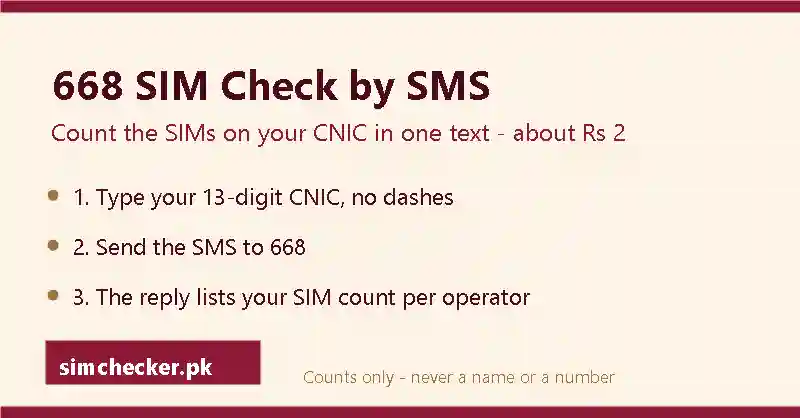
668 SIM check: send your CNIC to 668, step by step
Send 668 your own 13-digit CNIC, no dashes, straight from the Messages app, and the reply counts the SIMs on your card; charges may apply (historically Rs 2 including tax). PTA, the Pakistan Telecommunication Authority, regulates every mobile network in Pakistan, and 668 is its SMS window onto the SIM register. People type “sim check online” into a search box and expect a web form; 668 answers the same question on the cheapest keypad phone, with no data connection at all. What lands is your own SIM owner details in their shortest form: a number per company.
“Sim information system 668” is a fair way to put it: 668 is the SMS half of PTA's SIM Information System, and the browser half is walked through in the portal section, though neither half opens anybody else's SIM owner details.
Step 1 — Open the Messages app on your phone
Use the ordinary SMS app that came with your phone, where your network's own texts arrive: not WhatsApp, not Messenger and not a downloaded “sim info” app promising SIM owner details. 668 is a plain text-message service, so only a real SMS reaches it. Any handset works, keypad or smartphone, and no internet is needed.
Step 2 — Start a new message
Tap the pencil, the plus sign or “New message” to open a blank text. Leave any signature empty, and do not reply inside an old thread or forward a saved message. Extra words or a second line can stop the service reading your CNIC, and then no SIM owner details come back.
Step 3 — Key in your own 13-digit CNIC, no dashes
Type the thirteen digits of your own CNIC in one run, digits only: no dashes, no spaces, nothing else in the message. Count the digits before you send. The CNIC must be yours, because 668 exists so that a card holder can read their own SIM owner details, and the answer travels back only to the handset that sent the text.
Step 4 — Put 668 in the “To” box
Type 668 as the recipient: three digits, no zero in front and no +92. Short codes take no prefix, and adding one sends your CNIC to a wrong number instead. On a dual-SIM phone, pick the SIM you want to use before you send, because your SIM owner details come back to that SIM and the charge comes off its balance.
Step 5 — Press Send
Send the message. PTA's 2009 launch release priced 668 at Rs 2 inclusive of all taxes, and PTA's 10 November 2023 release says “charges apply”, so expect a small charge, historically Rs 2 including tax, off your balance. That is the whole price of your own SIM owner details by SMS; if the text will not go, check your balance first.
Step 6 — Wait for the reply SMS to arrive
The answer comes back as an ordinary text message from 668, landing in the same inbox as your network's own messages, so there is nothing to open and nothing to install. If no reply arrives, count the digits again and resend: a wrong digit brings an error or silence, never another person's SIM owner details.
Step 7 — Read the SIM count for each operator
The 668 SIM information reply gives one line per operator — Jazz, Zong, Telenor, Ufone, Onic and SCO — with a figure beside each name. Read the figures, not the order they come in. That per-operator line-up is everything PTA hands back over SMS: counts, never names, never the numbers themselves.
Step 8 — Add the operator lines together to get your total
Add the lines to get the number of connections standing on your card today, then set that total against the legal ceiling of 8 SIMs per CNIC across all operators, which is explained with the rules around it in the 8-SIM limit section. If the total is higher than you expect, a connection you never bought sits in your SIM owner details, and the count beside that operator's name tells you which company to take it up with.
Why 668 answers only for the CNIC holder and never for a stranger
668 is built around a card number, not a phone number, and it returns a count, not a name. It reads the CNIC in the message and replies to the handset that sent it. There is no field for a stranger's mobile number and no output that names a person, so no arrangement of digits turns it into a lookup for somebody else's SIM owner details.
Typing somebody else's mobile number instead does nothing at all
Send an 11-digit number to 668 and you get an error or silence. The service reads exactly thirteen digits from a CNIC, full stop. The reply goes back only to the SIM that sent it, with no setting to redirect it. That is not a policy some site has found a way around; it is wiring. Any “sim owner details” a page promises for a number are a guess or an old copied list.
“668 sim check code” and the other ways people search for this service
Searches reach this service under many names: a 668 sim check code, a 668 sim check Pakistan-wide, a 668 PTA sim information request, or simply 668 sim number online. Whatever the wording, the same thing happens. 668 is not a code you dial but an SMS address, and no 668 sim number comes back: what lands is a count per operator, not a list of numbers.
Two more spellings, 668 sim check number and 668 sim number Pakistan, ask the same question in a different order, and the answer does not change. Even the shortest search of all, number check CNIC, gets its answer here — how many numbers stand on the card, with the numbers themselves left unprinted.
667: send MNP to 667 to see the name your own SIM is registered under
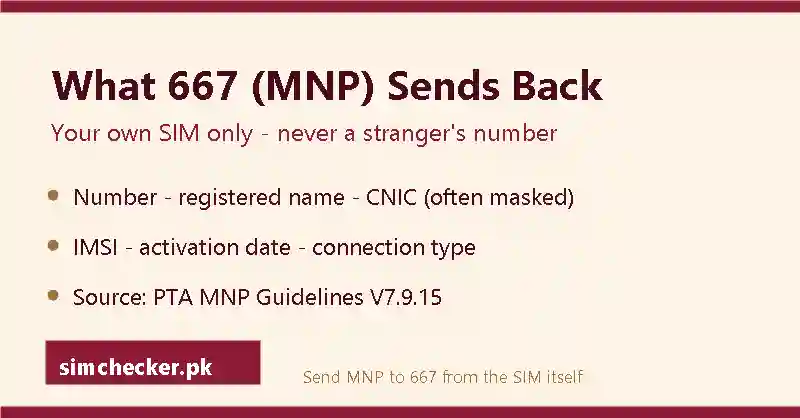
Send MNP to 667 from the SIM in your phone and the reply names the person that SIM is registered to. 668 tells you how many SIMs sit on your CNIC; 667 tells you whose name the SIM in your phone sits under, the second half of your own SIM owner details. 667 is the Mobile Number Portability code: MNP, or porting, means keeping your 11-digit number while moving to another network, and before a port the operators must confirm who a SIM is registered to. The request and the reply both live on your own SIM; no version of 667 takes another person's number.
PTA's MNP Porting Process Guidelines (version 7.9.15, 13 February 2020) explain why: before a port, operators need that pre-porting confirmation, so the reply carries the sending SIM's registered name and part-masked CNIC, not merely a porting status. Jazz's FAQ describes the same reply.
What 667 sends back, field by field
PTA's MNP Porting Process Guidelines confirm two fields: the registered name and the CNIC, part-masked. Some replies also carry the activation date. Anything further — an IMSI or a connection type — is not pinned down in the guidelines, so treat it as an operator extra rather than a fixed list. Jazz's FAQ prices the message at Rs 2 plus tax; other operators may charge differently. Read the reply as your own SIM owner details in one message, and check that the name is yours.
What to do if the name on the 667 reply is not yours
If 667 shows your SIM under someone else's name, take your original CNIC to the operator's franchise, meaning its own service centre, and ask the operator to correct the record. Until that is done, the SIM owner details you just read point at someone else, and that person, not you, is the registered user the record names.
76367: check which network any number is on, step by step
76367 takes any number and answers with the network only. The third code is different in exactly that way: the one lawful SMS on this page that asks about a number rather than a card. PTA publishes it on cnic.sims.pk: send ‘N 03XX-XXXXXXX’ (the letter N, a space, then the number) to 76367 for Rs. 2 + tax. The network name is the entire answer; it carries no SIM owner details.
Step 1 — Open the Messages app and type N, one space, then the full 11-digit number, for example N 03001234567
Use the phone's ordinary SMS app, exactly as for 668. Type a single capital N, press the space bar once, then write the number you are asking about: start with 03 and write all eleven digits, with no dashes, no spaces and no +92, exactly like PTA's example. The N means network. This is the only step on this page where someone else's number is typed, and no SIM owner details follow it.
Step 2 — Send it to 76367 and accept the Rs. 2 plus tax charge
Put 76367 in the “To” box, five digits and nothing else, and press Send. On a dual-SIM phone, the charge comes off the balance of the SIM you send from and the reply returns to it. PTA prices the message at Rs. 2 plus tax, so keep at least that much balance on the SIM. The money buys the network name, not the SIM owner details behind the number.
Step 3 — Read the network name in the reply
The reply names the network the number sits on today: Jazz, Zong, Telenor, Ufone, Onic or SCO, with Warid shown as Jazz. A 0300 number sitting on Zong is normal, because porting lets a person carry the same eleven digits to another operator, so the prefix records where the number started rather than where it lives now. Closing that gap is the whole reason 76367 exists.
Step 4 — Remember the reply names a network, never a person
No name comes back. No CNIC comes back. No address comes back, and no follow-up message adds them. The SIM owner details behind that number stay with the operator that issued the SIM, and the network name is the only thing about a stranger's number that anyone can lawfully check. It is a label on the connection, not a label on a person.
The three short codes side by side
668 reads a card, 667 reads the SIM already in your hand, and 76367 reads a number's network. The table sets each code against what you send, what comes back and what it costs, so the three jobs stay separate in your head. Not one of them opens anybody else's SIM owner details; the CNIC routes to your own record are compared in the SIM details by CNIC section.
| Short code | What you send | What comes back, and to whom | Cost |
|---|---|---|---|
| 668 | Your own 13-digit CNIC, no dashes | Your SIM count per operator (the SIM owner details PTA gives over SMS), to the sending handset | Charges may apply (historically Rs 2 including tax; PTA releases, 2009 and 2023) |
| 667 | The word MNP, from the SIM you want to check | The sender's own SIM owner details: the registered name and part-masked CNIC, with some replies also carrying the activation date, to the same handset | About Rs 2 plus tax on Jazz (Jazz FAQ); other operators may charge differently |
| 76367 | N, one space, an 11-digit number | The network that number is on today, to the sending handset; no SIM owner details | Rs. 2 plus tax (PTA, cnic.sims.pk) |
Every reply lands on the handset that sent the message, and nothing is sold on top: a site charging a fee for a stranger's “sim owner details” is selling something none of these three codes provides.
What is the SIM verification code 668 used for?
668 replies once you send it your own 13-digit CNIC, no dashes: PTA's SIM Information System counts your SIMs, operator by operator. Charges may apply (historically Rs 2 including tax). It does not verify anyone else's number and returns no names: a self-check of your own SIM owner details, nothing more.
What is the PTA 668 SIM information system?
The PTA SIM information system is the regulator's record of how many SIMs stand against a CNIC, and 668 is its SMS window onto that record. Send the thirteen digits and the reply gives a count for each operator; charges may apply (historically Rs 2 including tax). It answers in figures, never with a name or a number: your own SIM owner details as PTA defines them.
How to use PTA 667 service?
Open the Messages app on the phone holding the SIM you want to check. Type MNP and send it to 667 from that SIM. The reply comes back to the same handset with that SIM's registration record: the registered name and a part-masked CNIC; some replies also carry the activation date. It reads only the SIM that sends the text: your own SIM owner details, never another person's.
How can I check my SIM status?
Text MNP to 667 from the SIM you are asking about: the reply names the person it is registered to, with a part-masked CNIC, and some replies also carry the activation date. Text your 13-digit CNIC to 668 to count every SIM standing on your card. Both read your own SIM owner details. To see your own number, your operator has a dial code, covered in the codes section.
How to check PTA SIM verification status online?
Online, use cnic.sims.pk's own walkthrough; by SMS, start here: text your 13-digit CNIC to 668 for a count per operator, or send MNP to 667 for the registered name and part-masked CNIC behind the SIM in your hand (some replies also carry the activation date). Neither code shows anyone else's SIM owner details.
668 tallies the SIMs on your card, 667 names the SIM in your hand, 76367 names a number's network — none hands back a stranger's name, CNIC or address.
SIM Number Check Code for Every Network — and How to Find a Forgotten Number
Jazz answers to *99#, Zong to *8#, Telenor to *8888#, Ufone to *780*3# — four short strings that hand back the number of the SIM sitting in your phone, free, within seconds. Only Jazz's string is printed on the operator's own website; the rest are steady, community-confirmed codes that Zong, Telenor and Ufone now route customers away from, toward an app or a helpline instead.
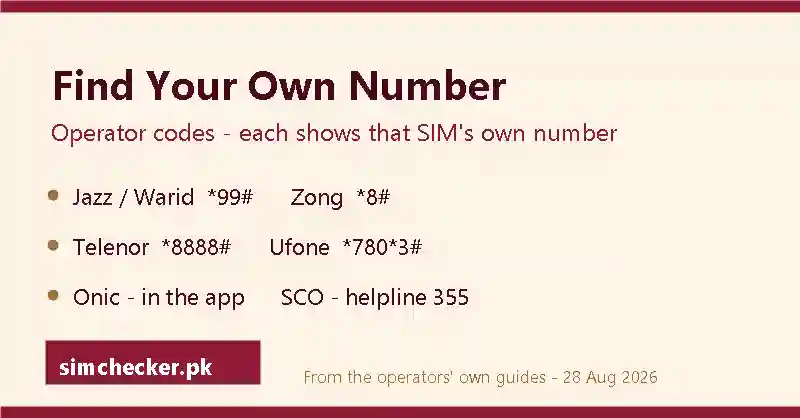
What happens when you dial one of these codes
These strings are USSD requests — a star, some digits, a hash — handled entirely by the network your SIM sits on. Punch in the code exactly, hit call, and a small reply box appears instead of a connecting call; nothing downloads and nothing gets logged as a missed call. A phone with two SIM trays reads whichever slot sent the request, so picking the right tray matters more than the phone's default line. Miss the closing hash and the handset just dials it as an ordinary number instead of sending anything.
The box carries eleven digits and nothing else, no name, no CNIC, no date, because the request itself never asked for those fields. An error instead of a number, or a message about an unsupported code, almost always points to a mismatched string rather than a broken SIM; check the code against the table below before trying again.
Cost is not the obstacle either — no operator publishes a price for an own-number query, and every guide reports it working on an empty balance. Worth remembering before anyone offers, for a fee, to reveal a number: reading your own SIM needs no payment at all. One more limit worth flagging early: these codes need a live connection to a Pakistani network, so airplane mode or a foreign roaming profile with data-only settings can leave the box empty even on a perfectly working SIM.
Every network's code, and how sure we are of it
Six Pakistani networks, six different answers. Jazz, Zong, Telenor and Ufone each run a USSD string; Onic reads its number off an app screen until its lines migrate to Ufone; SCO has published nothing at all, so a phone call carries the load instead. Screenshots and full walkthroughs for the four dialled codes sit alongside this table; the right-hand column below marks how solid each source actually is, because a code confirmed on an operator's own page is a different thing from one that merely keeps working.
| Network | Code | Fallback | Verification grade |
|---|---|---|---|
| Jazz (and Warid) | *99# | None | Operator-published — jazz.com.pk's Smart Tips pages |
| Zong | *8# | *2# on older connections | Community-confirmed — no operator page prints *8#; Zong's 310 Smart IVR helpline page, by contrast, is a first-party confirmation |
| Telenor | *8888# | None | Community-confirmed; telenor.com.pk's homepage shows only a WhatsApp link |
| Ufone | *780*3# | *1#, legacy lines | Community-confirmed; ufone.com prints its 333 helpline instead |
| Onic | In-app only | App home screen, or helpline 051-111-339-111 | Confirmed on onic.pk; runs on Ufone's network, with its lines migrating to Ufone |
| SCO | None published | Helpline 355, round the clock | SCOM channels confirm the helpline, not a code |
For the full guide to every network’s string, its fallback and the app or helpline route when nothing comes back, see SIM number check code.
Which own-number USSD codes are officially documented versus community-standard?
Only *99# lives on an operator's own site, inside Jazz's Smart Tips support pages; Jazz's homepage separately prints helpline 111 for prepaid customers and the UAN 0 111 300 300. The other three strings keep working and turn up across independent guides, yet none of Zong, Telenor or Ufone prints its own code anywhere on its own domain — each now points customers toward an app or a phone line instead. Treat the four in the table as the safe set; older strings floating around assorted forums carry no comparable backing.
The gap matters because a code that only ever worked “unofficially” can quietly stop working, while an operator-documented one is far less likely to change without notice. It also explains why a search for an own-number string sometimes turns up a verification-status code by mistake: the two families look similar, four digits or a short USSD string, but they answer completely different questions, and only PTA's own status codes carry the same level of official backing as Jazz's *99#. Assorted other strings and short numbers get shared as “own-number” tricks in forum threads and app reviews; none of them turns up in an operator's own documentation or in the independent guides behind the four above, so this page sticks to those four alone. Jazz's *4*6*1# or *6001#, Zong's *100#, an SMS to 7421 on Telenor, Ufone's bare *780# or *336*1# or an SMS reading V to 7911, and SCOM's *999# all turn up in searches yet sit in none of that documentation; treat every one of them as a string to skip.
How to check jazz number?
*99# is Jazz's string, shared with Warid since Warid numbers now ride the Jazz network; dial it from the Jazz tray and a reply lands within moments, whatever the balance. It is the one own-number code any operator prints on its own support pages. For everything else Jazz-related, the app, the helpline, the recycled strings to ignore, the Jazz sim owner details guide has the rest.
A “Jazz sim owner details” search wants something this string cannot give: no registered name travels down a USSD reply, on any network. On a SIM you hold, that name comes back only through a 667 self-check (see the 668 and 667 section); 668 gives a SIM count, never a name. For a Jazz number belonging to somebody else, no app, code or helpline supplies a name at all. A data-only SIM answers the same way: *99# reads its number exactly as it would a voice line, though the SIM itself still counts toward the per-CNIC limit covered elsewhere on this page.
Zong's own-number code: *8#, and its older *2# fallback
Dial *8# from the Zong tray, or *2# if the line predates that string, and the reply lands within a few seconds. Zong prints neither code on its own homepage; what it does confirm first-hand is a 310 helpline, whose Smart IVR page briefly went dark in late August and answered again when rechecked on 11 September 2026. Whichever string a Zong SIM answers to, the reply is still only ever a number, never a package balance or a registration date.
The app, the helpline and every status code Zong runs are collected together in the networks hub; the operator's own service details, including 667 and disowning steps, sit inside a dedicated Zong sim owner details guide.
Telenor's own-number code: *8888#, free at any balance
Four eights, star to hash, dialled from the Telenor tray, and the number lands on screen at no cost. Telenor's own homepage carries no code at all today, just a WhatsApp customer-care link and the UAN 051-111-345-100, so *8888# rests on independent operator guides rather than a first-party page. The Telenor brand, its network and this string all kept running unchanged after Telenor folded into PTCL's mobile arm, the same group that also runs Ufone. What else a Telenor SIM can show, step by step, gets its own write-up in a separate Telenor sim owner details guide.
Ufone's own-number code: *780*3#, with *1# as a fallback
*780*3# is the current string; the older *1# still answers on many lines and works as a fallback. Ufone's own homepage skips the code as well and instead prints “Helpline (From Ufone): 333” alongside a landline, 033-11-333-100. Dial from the Ufone tray and the reply is the number only. A separate string, *336#, gets confused with this one online, but it belongs to a different family entirely: dial it and choose option 1 from the menu for verification status, not a number. The Ufone sim owner details guide covers the app route and the rest of what Ufone can show.
Onic and SCO: an app in place of a code, a phone line in place of both
Onic skips USSD altogether. Sign in to its own app and the number appears near the top of the account screen, onic.pk says so directly, and the app runs on the same underlying network as Ufone; for anything the app cannot answer while its lines migrate to Ufone, Onic's helpline is 051-111-339-111, listed on onic.pk/faq. SCOM goes a step further and publishes no own-number route of any kind; the working answer is a call to 355, staffed around the clock, or a visit to a franchise counter with your original CNIC in hand. SCOM itself represents the state operator across Azad Jammu and Kashmir and Gilgit-Baltistan, but other networks also issue numbers in those regions; a single guide to Onic and SCOM SIM owner details walks through both networks together (Onic's own routes are already covered alongside Ufone's, since the two share a network).
Where can I check the network of any mobile number (76367)?
Text N followed by any 11-digit Pakistani mobile number to 76367, and PTA's own line answers with the network alone — no SIM owner details ride along, since a network name isn't the kind of detail that needs protecting. The full SMS format and cost sit with the 668 and 667 walkthrough. It settles a question that trips people up after porting: the network a prefix once suggested is no longer reliable once a number has moved operators.
A different set of short codes checks something else again, whether a SIM has cleared biometric verification, not what its number is. Jazz, Zong, Telenor and Ufone each run one, tied to a fixed short code per network rather than a shared string. The full rundown, plus why facial recognition remains a proposal rather than a rule, lives in the biometric verification section.
How do I check my own number on Jazz, Zong, Telenor or Ufone?
Dial the string for your own network, *99# on Jazz, *8# on Zong, *8888# on Telenor, *780*3# on Ufone, from the SIM in question, and read the number off the reply box; it costs nothing and needs no credit. When a code misfires, the phone's own settings screen, a message to somebody nearby, or the operator's app all land on the same eleven digits.
Four routes, roughly in order of speed:
- The dialled code — pick the correct tray on a dual-SIM handset, key the exact string from the table, and press call; the number appears on screen almost at once.
- The phone's own settings — on Android, the SIM status entry sits inside the About Phone menu; on an iPhone, the number lives under the Phone settings screen. Both work offline, though a SIM that never had its number written shows nothing but “Unknown”.
- A message to someone close by — one SMS or a missed call reveals the sending number on their screen, which is the number your SIM genuinely uses regardless of what the handset itself claims.
- The operator's own app — Jazz, Zong, Telenor, Ufone, Onic (until its lines move to Ufone) or SCO's app puts the number on the home screen next to your balance, once you sign in on that SIM; install it only from the operator's own site or an official app-store listing, never from a file shared on WhatsApp.
None of the four needs fresh paperwork, and none hands back a registered name, a CNIC digit, or a running SIM tally, only the number already written to the card in front of you.
What these codes cannot do
Every USSD exchange runs in a single direction: an active SIM asks its own network a question and gets an answer back for itself alone. Four limits fall directly out of that design, and they hold for a verification-status code exactly as they hold for an own-number one.
No reading a handset that isn't yours
A request built by one SIM has room for that SIM's identity and nothing more, so a plastic card sitting in a drawer, or a line inside a phone you have never touched, gives the network nothing to reply to. Pages and downloads offering a stranger's record through some hidden code are working from guesswork, because no such feed exists for them to read.
They cannot return a name or a CNIC
Every reply on every network is eleven digits, full stop; nowhere does a name or a card number ride along, because that side of the record sits with the operator and PTA rather than travelling over a USSD exchange. The one lawful route back to your own registered name is a 667 self-check sent from that same SIM, covered earlier on this page.
They cannot check a SIM that isn't in the phone
A live tray and an active connection are non-negotiable; a SIM on paper, one left in a drawer, or one seated somewhere you cannot reach has no open session for a network to answer through. Knowing the eleven digits by heart changes nothing about what the code itself is able to reach.
They say nothing about your IMEI
*#06# belongs to a different question altogether, identifying the handset rather than the line running inside it, so no own-number string can stand in for it and no own-number reply carries an IMEI back either. Device identity matters elsewhere, for a used phone, a lost one, or an import, and the IMEI and DIRBS section is where that lives.
More questions readers ask about these codes
These are the phrasings that come up again and again, and every one of them settles on the same point: a dialled string speaks only for the SIM that sent it.
How do I check my SIM number?
Dial the code matching your network, *99#, *8#, *8888# or *780*3#, from the SIM in question, or open the phone's own settings screen if dialling isn't possible. Neither route needs a data connection or a balance. A SIM whose number was never written to the card shows “Unknown” regardless of method, and the code stays the quicker fix of the two.
How to check all SIM number codes?
No single string spans every network; each operator keeps its own: *99# on Jazz, *8# on Zong, *8888# on Telenor, *780*3# on Ufone. Onic answers through its app or its 051-111-339-111 helpline instead, and SCOM has published nothing, leaving its 355 helpline as the working route. Match the code to whichever SIM is actually sitting in the tray.
How to check SIM details by code?
A dialled string returns exactly one detail: the number written to that SIM. Nothing about a name, a CNIC or an activation date rides along, because the request never carries fields for them. That record sits in the operator's closed system, reachable only through a 667 self-check from that SIM (the registered name and a part-masked CNIC, sometimes with the activation date) or a 668 count check (SIM totals only) — never through a star-and-hash string.
Can I check my SIM card number?
Yes, in any of three ways: dial the network's own-number code, open the phone's settings menu, or sign in to the operator's app, each shows the digits within moments, at no cost. A missed call or a single SMS to someone nearby does the job too, since a SIM's number rides along with every message it sends.
Can I check someone else's SIM number this way?
No. Every one of these codes only ever answers about the SIM that sent the request, so dialling from your own phone can never surface a friend's, a stranger's or a family member's number. The nearest legitimate workaround is simply asking that person to check their own phone and tell you.
How to check a SIM number without a code?
Skip the dialler and use the phone's settings screen, a quick text to somebody standing nearby, or the operator's own app; all three land on the same eleven digits as the USSD route, just at a slightly slower pace. The settings screen is the one option that works with no signal at all.
Is there a charge for these own-number codes?
No. All four, *99#, *8#, *8888# and *780*3#, run as free self-care queries, and every operator guide reports the same on a completely empty balance. If a text message ever asks for payment to reveal a number, it has nothing to do with any operator's real service.
What if the code shows the wrong number?
A mismatch almost always means the number was never written to that SIM at activation, not that the code has failed; the settings screen usually shows the same gap as “Unknown”. Genuinely wrong digits are rare enough to be worth a call to the operator's own helpline rather than a retry.
How to check Zong sim number?
*8# is the string, with *2# standing in on older connections; either way the reply lands within seconds and costs nothing. An empty box usually means the request left the wrong tray on a dual-SIM handset rather than the wrong code.
How can I check my Ufone SIM number?
*780*3# is the string, dialled from the Ufone tray; the older *1# still answers on some lines as a fallback. Neither string costs anything, neither needs a balance, and neither reaches a line sitting inside a different handset.
Does an eSIM answer to the same own-number codes?
It does. A phone lists an eSIM as its own entry in the SIM menu, a stored profile rather than a plastic card, and dialling from that entry reaches the network exactly as a physical SIM would (more on eSIM registration and security sits in the eSIM section). Pick the eSIM line, dial its network's string, and the digits that come back belong to that profile alone.
Zong aur Telenor ka apna number check karne ka code kya hai?
Zong ka code *8# hai aur Telenor ka *8888# — jis SIM ka number maloom karna ho, usi slot se dial karein aur seedha screen par number aa jayega. Kisi doosray ka number, naam ya CNIC in codes se kabhi nahi milta.
Accuracy note: keeping this table current
Every string above traces back to a dated check. The core four codes and Jazz's first-party page were confirmed in late August 2026; a follow-up pass on 11 September 2026 reconfirmed rather than changed them, Zong's Smart IVR page came back online after a brief outage, Ufone's homepage today shows a landline beside its 333 helpline, and Telenor's homepage today shows a WhatsApp-only contact block. None of that altered *8#, *8888# or *780*3# themselves, and Jazz's Smart Tips listing for *99# was unchanged on both visits.
Does the code change year to year?
A search like “zong sim number check code 2025” or “...2024” is really asking whether *8# still works, and it does. Every operator guide checked still prints the same four strings, with *2# and *1# as the only fallbacks worth noting; a year tag changes nothing about what a dialled string returns.
When nothing comes back on your handset
Start with the fallback listed for that network, then re-enter the string slowly, hash included, on the correct tray. Still blank? Move to the settings screen, a nearby friend's phone, or the operator's app; a franchise visit, original CNIC in hand, remains the last resort for reading a number straight off the connection.
A SIM number check code only ever answers for the line it was dialled from, which is the whole reason it can hand back your number and nobody else's.
Sources: jazz.com.pk Smart Tips page and homepage, read 30 Aug and 11 Sep 2026 · zong.com.pk 310 Smart IVR page, read 28 Aug and 11 Sep 2026 · ufone.com homepage, read 28 Aug and 11 Sep 2026 · telenor.com.pk homepage, read 11 Sep 2026 · onic.pk own-number guide, read 28 Aug 2026 · operator-published guides for Zong *8#, Telenor *8888#, Ufone *780*3#, checked 28 Aug 2026 · SCOM operator channels (helpline 355) · PTA, cnic.sims.pk 76367 network-check line · PTA's verification-status page, 1 Jun 2023 · press reports of the Telenor–PTML merger, 1 Jul 2026
How Many SIMs Are Registered on My CNIC? The 8-SIM Limit, Not 6
The legal limit is 8 SIMs on one CNIC in Pakistan: 5 voice SIMs and 3 data SIMs, counted across every operator together. PTA's own FAQ states this ceiling and cites a Supreme Court ruling of November 2015 for it; no official source says six. Your own count comes back from the portal or 668, as a figure per operator, never a name or a number.
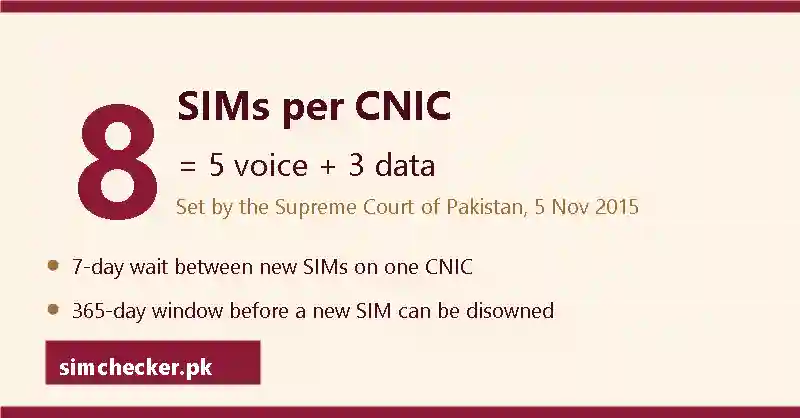
How the 8-SIM limit works
One card, eight connections, split into two kinds. Voice SIMs are the ordinary SIMs you call and text on; data SIMs are internet-only connections for a dongle, a router or a tablet. PTA, the Pakistan Telecommunication Authority, counts each kind separately and then adds them together. The table shows the whole rule; your own sim owner details count is measured against its last line.
| SIM type | Limit | What it covers | Scope of the count |
|---|---|---|---|
| Voice SIMs | 5 | Ordinary calling connections | All operators added together |
| Data SIMs | 3 | Internet-only SIMs in a dongle, router or tablet | All operators added together |
| Phones and IMEIs | Not counted | Handsets are registered separately by IMEI, not in your sim owner details | Not part of the SIM total |
| Total | 8 | Every connection on the card, voice and data | One CNIC, one national total |
5 voice SIMs
Five is the ceiling for calling connections on one CNIC. A voice SIM is any SIM that can make calls and send texts, prepaid or postpaid. Every operator's lines add into the same five in your sim owner details. A spare SIM you keep for a second phone counts exactly the same as the one you use every day.
3 data SIMs
Three is the ceiling for internet-only connections on the same card. A data SIM cannot make ordinary calls; it lives in a dongle, a Wi-Fi router or a tablet, and people forget it because nobody dials it. An old 4G device in a cupboard still fills one of your three slots and still shows in the sim owner details count PTA returns.
The total is 8, not 6
Five plus three is eight, and eight is the ceiling your sim owner details sit under. The two halves do not swap: three unused data slots do not buy you a sixth voice SIM, because each cap stands on its own. So a person with five voice lines has hit the voice ceiling even with every data slot free, and the next calling SIM is refused.
Where the six-SIM figure came from
No PTA notice and no court order says six. The number survives on repetition: one guide states it, the next copies it, and the fiftieth copy starts to look like confirmation. Measure your sim owner details against eight, never six, and treat any page that quotes six without naming a court order or a PTA notice as a page that has not read its own source.
Why some apps and guides say five
Five is the voice half of the cap, not the whole of it. One CNIC may hold five voice SIMs plus three data SIMs, eight in total, and an app or guide that stops at five has read half of PTA’s rule. When an answer says five, check the split here against your own count from 668.
The count runs across all operators together, not per operator
Two Jazz SIMs, two Zong SIMs and one Telenor SIM make five voice connections, not five on each network. Every company's lines add into one national total, and PTA's portal shows that total operator by operator. A franchise sees only its own company's part of your sim owner details; only the PTA count shows the whole picture.
The source: PTA's FAQ, which cites a Supreme Court ruling of November 2015
The first-party source is PTA's FAQ, which states the limit and attributes it to a Supreme Court ruling of November 2015. It is a regulator-held ceiling, not an operator's sales rule, so no shop can raise it for you. Nothing in 2025 or 2026 changed the number; what changed are the rules on buying, disowning and transferring the SIMs in your sim owner details, set out below.
Getting your own count and reading it against 8
Two official routes return the same operator-wise count: the portal and 668 by SMS — the check people mean by a sim number check by cnic online or a cnic sim data check. What matters here is not how you get the figure but what your sim owner details say once you set that figure against eight.
What a count of 7, 8 or more means for you
Add every operator line together and read the sum against eight; neither route shows numbers or names, only the count. Below eight you have room for another connection, subject to the 7-day rule below. At seven, one slot is left, so think twice before signing for a data SIM you will not use. At eight the card is full: the next sale is refused until you disown a line or pass one on by change of ownership, and either step changes your sim owner details the same day.
Rules that changed in 2024–2026
The 8-SIM ceiling itself has not moved since 2015. What changed between January 2024 and August 2026 is how SIMs are sold, disowned and transferred, and what those steps cost; every dated rule sits in one place, the 2012–2026 timeline, so that this section can stay about the count itself.
What to do if the count is higher than you expected
Go to that operator's own franchise the same day with your original CNIC, and ask for the unknown line to be blocked and disowned; the visit itself costs nothing. A surprise line may be an old connection you forgot, or a SIM issued on your card at a shop counter without your knowledge. The steps below sort one from the other and close it down, so your sim owner details hold only the SIMs you chose.
- Write down every SIM you actually recognise: the numbers you use, the spare in a drawer, the SIM in an old dongle. A line you keep that sits on another person's card can move to yours; see SIM ownership transfer.
- Subtract that list from the operator-wise count. If Jazz shows three and you know two, the third Jazz line is the one to chase; that gap is the only part of your sim owner details you need to act on.
- Take the original CNIC, not a photocopy, to that operator's own franchise; a Zong centre cannot touch a Jazz record.
- Give your thumb impression for biometric verification and ask for the unknown line to be blocked and disowned, with written confirmation. Ask whether the Rs 200 charge or the 365-day period applies before the line can leave your sim owner details.
- Keep the confirmation and every reference number with the date and the franchise location; it is your proof if the same line reappears in your sim owner details.
Helpline numbers, PTA's complaint portal and the NCCIA cybercrime line are listed under unknown SIMs and how to report them. No paid website can show you the number behind an unknown line, because none holds the operator records that carry your sim owner details.
The questions below come up most often about the count and these 2024–2026 rules. Each answer applies to your own sim owner details only, and none of them can name the holder of somebody else's number.
How do I check how many SIMs on my CNIC?
Use the portal route or the 668 route to get your own count. Both are run by PTA with the operators, not a private site, and both answer for the card you type only. Neither shows the numbers themselves, and neither opens another person's sim owner details.
How to check total number of SIMs on ID card?
The ID card and the CNIC are one and the same thing, so the same two routes answer: the portal or 668. There is no separate ID-card record anywhere. Your sim owner details hang off the 13 digits printed on that card, and those digits are the only thing an operator matches you by.
How many numbers are on my CNIC?
The honest answer is how many, not which: both routes return a figure and never the digits behind it. To read the numbers themselves, use the codes that show a SIM's own record in the codes section, or go to the operator's franchise, the only counter that can open your sim owner details in full.
What is the legal limit of SIM cards per CNIC?
Eight in total: 5 voice SIMs and 3 data SIMs added together across every operator, a ceiling stated in PTA's own FAQ, which cites a Supreme Court ruling of November 2015 for it; no 2025 or 2026 change has altered it. When your sim owner details reach eight, the next sale is refused until a line is disowned or passed on by change of ownership with both people present.
What is the 365-day rule for new SIMs?
Under PTA's Public Advisory of 24 May 2026, a newly activated SIM can only be disowned after 365 days — the wait was stretched from 60 days to a full year. It settles one thing only: when a new line is allowed to leave your card, so a slot you fill today stays filled until the year is up. PTA advises extreme caution when giving biometrics, and this is why — a SIM you regret is yours for twelve months.
Why did PTA block my SIM?
February 2026 news reports describe blocking of SIMs inactive for 180 days, or held on expired, cancelled or deceased CNICs — reported causes, not PTA-verified. So ask your operator for that line's verification-status code before you guess; the code is worth more than guesswork. Then confirm it in person, original CNIC and a thumb impression in hand, at that franchise; only staff there can read the real status of a line in your sim owner details.
For the full step-by-step of both checking routes, what a wrong-looking count usually means, and what applies to foreigners, see the complete SIM-count guide.
The legal ceiling is 8 SIMs per CNIC, not 6.
Sim Owner Details Online Check by CNIC Pakistan: Your Own Record, Step by Step
A sim owner details online check by CNIC in Pakistan works for your own CNIC only and returns a count of SIMs, never a name. PTA, the Pakistan Telecommunication Authority, gives that count free at cnic.sims.pk and by SMS to 668, where charges may apply (historically Rs 2). Your operator's franchise adds the list of your own lines after a fingerprint check. No route returns anyone else's name, address or call record.
| Route | Speed | Cost | Detail you get |
|---|---|---|---|
| cnic.sims.pk portal (PTA SIM Information System) | Under a minute | Free | Count of SIMs on your CNIC, one line per operator; no numbers, no names |
| SMS your CNIC to 668 | Seconds to a couple of minutes | Charges may apply (historically Rs 2) | That count again, split by operator, on the phone that sent it |
| Operator franchise (in person) | A short queue | Free to see your list | Your own lines on that network — your sim owner details as that operator holds them — after biometric verification |
“cnic information sim” and “cnic sim number check online” are the same question asked in different words, and the table above answers both, along with every “cnic check sim number” search worded back to front.
Pick your route by what you have in hand: a browser for the portal, any phone with balance for 668, and a franchise visit for the day a count looks wrong. All three start from your own CNIC or your own thumb, so the sim owner details they open are always your own. That is the whole answer to how to check sims on cnic: portal, SMS or counter, each reading the same record.
Route 1 — The portal: SIM information with CNIC number in under a minute
When a browser is already open, the portal walkthrough covers cnic.sims.pk field by field, reCAPTCHA and all; this is the sim owner details check people mean by “how to check sim on cnic”.
Route 2 — SMS to 668: the same count with no internet
With no internet at hand, the 668 walkthrough covers the exact digits, the field rules and the cost, message by message.
Route 3 — Your operator's franchise: the full sim owner details list, step by step
A franchise is the operator's own service centre and the only route that gives more than a count. When the portal or 668 shows more SIMs than you can name, this is where the extra line becomes a number you can read. The price is a short queue, your original card and a thumb on the biometric machine.
Step 1 — Take your original CNIC with you
Carry the plastic card itself. A photocopy or a photo on your phone will be turned away, because the counter matches your thumb against NADRA's record for that exact card. Bring the card you checked online, so the sim owner details you are shown belong to that record. If the card is lost, get a replacement through NADRA's Pak-ID app or a NADRA office first.
Step 2 — Go to a franchise of your own network
Each operator holds its own file. A Jazz franchise reads Jazz lines and a Zong franchise reads Zong lines, so your sim owner details on three networks need three visits. Choose a franchise, not a retailer's kiosk: only the franchise runs biometric verification and the disowning process a stray line needs.
Step 3 — Ask for the list of SIMs registered to you
Say it plainly: “Please show me the SIMs registered on my CNIC on your network.” It is a routine request and the list is free. If all you want is the number of the SIM in your hand, the operator dial codes in the codes section do that without a visit; the franchise is for the full sim owner details list.
Step 4 — Give a thumb impression on the biometric machine
The Biometric Verification System, or BVS, matches your thumb against NADRA's record; PTA requires that same check for a sale, a disowning, or a change of the registered name alike. NADRA, the National Database and Registration Authority, issues the card and confirms the match; it holds no SIM list and no sim owner details of its own. The NADRA CNIC verification section shows where NADRA stops.
Step 5 — Read the list the staff member shows you
The staff member shows the lines registered on your CNIC on that network — your sim owner details as your operator holds them. Compare the list against the SIMs you actually use, including one sitting in an old phone or a child's tablet. Note anything you do not recognise, including a line you sold years ago but never disowned; it still counts as yours.
Step 6 — Ask for anything you do not recognise to be blocked or disowned
Blocking stops the line; disowning removes it from your CNIC record, so your sim owner details show only the lines you still hold. Both need biometric verification at the counter, so ask for a written reference before you leave. The fees, waiting periods and 2024–2026 rule changes around disowning and change of ownership are set out in the limits band.
Why the check runs one way only
The check runs one way because the record lives inside the operator's closed system, used at the counter under PTA supervision, with no public window. All three routes point the same direction: a CNIC opens a count of SIMs, while a mobile number opens nothing about any card. That answers most of what people bring here, including every “cnic sim check with number” search that hopes to turn a number into sim owner details.
CNIC to SIM count is allowed for your own CNIC
PTA releases the count to the cardholder: the portal and 668 both answer, and your operator adds the full list at the franchise after biometric verification. Each route starts from a card number you hold or a thumb that matches that card, so the answer goes to you alone. Your own sim owner details come out as a count, and nothing about other people comes out at all. Anyone typing “which sim number on my cnic online” into a search box gets the honest version here: the portal counts the lines, and only the franchise names them.
SIM number to CNIC is not allowed for anyone
No portal, no SMS code and no franchise counter turns an 11-digit mobile number into a card number or a name. Any website or app promising it is guessing, recycling an old copied list, or collecting the number that was typed into it. That is why a stranger's sim owner details never appear on an honest Pakistani page.
CNIC information and “sim owner details by nadra”: what NADRA holds and what it never shows online
NADRA, the National Database and Registration Authority, issues the card and confirms identity. It holds your name, photo, address and family record, but it runs no public lookup: no page takes a CNIC and returns a name or photo to whoever typed it. So “nadra cnic information with number” and “cnic information with photo online” describe a service that does not exist, and a sim owner details online check NADRA never built cannot be bought from anybody else either.
At the counter, NADRA has one job: the machine confirms that your thumb matches the card, and NADRA stops there. The count itself comes from PTA, through cnic.sims.pk and 668, which is why searches like “sim cnic information”, “sim information cnic” and “nadra sim owner details” land here. NADRA says who you are; PTA says how many SIMs sit on your card. For sim information, CNIC digits are the key: PTA's routes accept nothing else.
Two NADRA services exist, and neither one is a lookup. Pak-ID, NADRA's own app at id.nadra.gov.pk, lets you apply for a card, renew it and follow its status after you log in. Verisys is the consent-based check that licensed organisations run on a customer's card, and the questions further down set out exactly how it works. Where a screen cannot settle a matter, NADRA's e-Sahulat centres do fingerprint verification in person.
Three more phrases deserve a plain answer. “cnic information app” means NADRA's Pak-ID, which handles your own card and shows nobody else's record. “cnic information system” usually means PTA's system at cnic.sims.pk, which gives a count and never a name; it is not DIRBS, PTA's device system, which the methods band covers. “cnic information with name” points at your own record inside that same app and nowhere else.
Searches for “id card information by cnic number”, “check id card by cnic number online pakistan” and “check id card details with photo” all get the same answer. Card details sit with NADRA and are shown to the cardholder, in Pak-ID or at a NADRA office. A page that promises a name or a photo for a typed CNIC has no NADRA feed, so it shows a guess or an old copied list, never real sim owner details.
How to check cnic sim number
Two official routes answer it: the PTA portal at cnic.sims.pk, and the 668 short code that the codes band covers in full. Both return the number of SIMs on your card, never the numbers themselves, so “find phone number by cnic pakistan” ends at the franchise, where staff show your own numbers after a thumb check — the fullest sim owner details anyone can get. Reading sim owner details by CNIC online, then, means reading this count, and nothing on any website means more than that.
“Cnic sim check with number” — can I use the mobile number instead of the CNIC?
No. The system runs one way. A CNIC returns a count of SIMs; a mobile number returns nothing about any card, on any portal or at any counter. The number-based short codes are explained in the 668 instructions, and not one of them turns another person's number into sim owner details.
“Id card number check sim” — is the ID card number the same as the CNIC?
Yes. The 13 digits printed on your ID card are your CNIC number, so an id card sim check is simply a CNIC check under another name. Every id card sim number check online Pakistan offers uses those digits at PTA's cnic.sims.pk portal or on the same 668 short code, and returns the count of SIMs on that card. There is no separate ID-card database for SIMs, and the card number opens your own sim owner details and nothing else.
“Cnic information check”, “check id card by cnic number” and “cnic number details” — what does a CNIC number open online?
Only two things, and both belong to the cardholder. PTA gives the count of SIMs at cnic.sims.pk and on 668. NADRA holds the rest — “cnic number information” in the sense of name, father's name, address or photo — and shows it to you in Pak-ID or at one of its offices. Someone else's card opens no sim owner details at all.
CNIC details with NADRA: the questions people ask
NADRA shows CNIC details to the cardholder alone, through the Pak-ID app or id.nadra.gov.pk, with helpline 1777 for help. Searches for “cnic sim owner details” and “cnic owner details pakistan” end at the three routes above; the questions below cover the NADRA side of the same record, where a different set of rules decides what you may see and who is allowed to ask.
How can I check my CNIC details online?
Use NADRA's Pak-ID app or id.nadra.gov.pk and log in with your own CNIC. There you can apply for a card, renew it and follow its status. For the SIMs on your CNIC, use PTA's cnic.sims.pk or SMS 668 instead; NADRA publishes no count and no sim owner details. Neither service shows anyone else's record.
How to check cnic full details?
Full details — name, father's name, date of birth, address, family record — make up NADRA's record of you. You read them on your own card or inside your own Pak-ID account. No website shows the full details behind someone else's CNIC, and no SIM service does either: cnic.sims.pk and 668 return a count, not sim owner details with names.
How to use the Pak-ID app for NADRA verification?
Install NADRA's Pak-ID app or open id.nadra.gov.pk and create an account with your own details. Follow its steps to apply for, renew or check the status of a card, and call NADRA's helpline 1777 if the app gets stuck. It manages your own documents only: it verifies nobody else and shows no sim owner details.
How can I verify my CNIC details with NADRA?
As a citizen you confirm your own card through Pak-ID, at a NADRA office, or with a fingerprint at a NADRA e-Sahulat centre. Organisations that must verify a customer use NADRA's Verisys service, which works only with the citizen's OTP consent and is licensed to banks, telecom operators and government departments. It is not open to the public and says nothing about SIMs.
Can I check CNIC details online?
Your own, yes — in NADRA's Pak-ID after you log in. Anyone else's, no: no public page takes a CNIC and returns a name, photo or address to whoever typed it. The one public CNIC service is PTA's SIM count at cnic.sims.pk and 668, which answers the cardholder with a count rather than sim owner details.
How can I check my NADRA CNIC information including family details?
Family details sit in NADRA's record and are handled through NADRA's own channels: a NADRA office, the Pak-ID app, or NADRA's helpline 1777. If you searched “nadra cnic information with family details”, that is the place, and it covers your own family only. Nothing about family records appears on cnic.sims.pk, which shows the count of SIMs alone.
A CNIC check runs in one direction only, from your own CNIC to your own SIM count.
Checking SIM Owner Details by Number: What a Mobile Number Can and Cannot Tell You
No. Feeding a phone number into any lawful Pakistani service will not surface an owner's name, CNIC or home address. Eleven digits give up exactly two things: which network carries that number today, found through PTA's paid text to 76367, and whether those eleven digits even form a valid Pakistani mobile number in the first place. Everything beyond that sits on the CNIC in your own hand.
Most people land here after a suspicious call, a threatening text, or a payment sent to the wrong account, wanting eleven digits to hand back a name. It will not happen: no PTA channel, no NADRA window and no operator helpline turns a number into a person. What follows shows what a lookup site actually delivers when tried, and closes with the phrasings this search takes most often.
| What you actually have | What comes back | Where |
|---|---|---|
| Your own CNIC | A SIM count per operator, no names | cnic.sims.pk or SMS to 668 |
| The SIM sitting in your own phone | That SIM's own registered name and part-masked CNIC | SMS "MNP" to 667 |
| Someone else's mobile number | The network it sits on, nothing else | SMS to 76367 |
Why the SIM record runs one way
Every promise to check sim owner details by number breaks against the same wall: the register was built to answer one question, and it is not this one. Five things about its design explain why.
The register runs from CNIC to SIM, never from a number back to a name
At the moment a SIM is sold it gets tied to the buyer's CNIC, and from then on the system knows one fact about that card: the total number of SIMs registered against it. Feed in eleven digits instead and ask which CNIC they trace back to, and no such lookup exists anywhere. That reverse path, the one behind every "sim number to cnic details" search, was simply never built.
A phone number is a routing address, not the name on a file
Eleven digits tell a network where to route a call; they carry no information about whose file sits behind the connection. Port that same number to a rival operator and the digits travel with it, while the underlying registration stays anchored to whichever CNIC first opened it. A label mobile enough to switch carriers on request was never fit to serve as a key to someone's identity.
The record sits with the card, so only the cardholder can open it
Every lawful route starts from something already in the requester's hand, a CNIC or the handset holding the SIM, as official methods walks through. No box on the portal takes a mobile number, and each SMS check answers only the phone that sent it. Whoever holds the card gets the record; whoever merely dials the number does not.
No public number-to-name database exists anywhere in Pakistan
That fuller file lives only inside the operator's closed registration system, reachable at the counter and overseen by PTA, never opened to outside search. Nothing in it is published, sold or indexed anywhere a search engine could reach, so a number typed into any public page finds nothing waiting on the other end.
The same design that blocks strangers also protects your own number
It is tempting to read this design as one-sided, but it cuts both ways. Since no service converts eleven digits into a name, nobody who merely holds the number, a shopkeeper or a stranger online, can take it and trace your address from it. The barrier that blocks you from naming a caller is what keeps a caller from naming you.
What a number does return: network and format
A mobile number is not entirely blank. Two facts can be read off eleven digits, one of them free, and neither names a person. No third fact sits behind them, whatever a lookup page adds to its list.
The network, through a paid text to 76367
PTA's own instruction on cnic.sims.pk is plain: send “N 03XX-XXXXXXX” to 76367 for Rs 2 plus tax, and back comes today's carrier for those digits. That single company name is the ceiling on what the check gives you: it describes a connection, not the human being at the other end. Knowing the operator still matters, because it names the right complaints desk, collected under reporting a harassing or unregistered number.
The 11-digit format, checked for free before you spend anything
A Pakistani mobile number opens with 03 and runs exactly eleven digits; dialled from abroad, the leading zero is dropped for +92. Counting the digits costs nothing and catches trouble before an SMS does: ten usually means a keystroke went missing, while thirteen or more usually means a country code got added by mistake. A string that fails this count is not a working Pakistani line, and no network check will make sense of it.
Porting history, the one thing even a 76367 reply cannot tell you
Mobile number portability lets a subscriber keep their digits after switching networks, which is exactly why no reply names porting history: 76367 names only today's carrier, never where a number started. Matching that reply against an old prefix chart assumed the first four digits still marked the network — porting broke that assumption, so a live number ends up reported on the wrong one instead. The mechanics of porting are covered in full under MNP.
Even PTA's own portal, built around an actual identity document, holds to the same limit: submit a CNIC on cnic.sims.pk and back comes a count per operator, shown even at zero, never a name, an address or a phone-number field — see the full walkthrough of that screen for every column it does carry. A page that asks for a phone number instead of a CNIC is running something else, covered next.
What happens on a lookup site: the four outcomes
Type a number into any page that promises sim details by number — check sim details by number on a “sim database” or a “live tracker” — and the screen ends one of four ways. Not one of the four is a genuine record, since Pakistan has no public store of SIM ownership for such a page to draw from in the first place.
| What appears | What is really behind it |
|---|---|
| A blank screen or "no record found" | The page holds nothing, and says so in the quietest way it can |
| A name appears | Text lifted from a stale copied list, or simply made up, not a live record |
| A payment wall | A charge before a "full report" that does not exist behind it |
| An APK file offered as the answer | An installer from outside the Play Store, asking for contacts and SMS on install |
A blank screen, or a name that belongs to nobody
A blank result is the most honest of the four: the site never held a real record, which is why its search box comes up empty. A name is worse. Two people testing the same number often get two different names back, giving the source away: a script printing plausible text, not an operator's file.
A payment wall promising the "full" record
A fragment shows, then a screen asks for a few hundred rupees to reveal the rest. Nothing sits behind that wall: a real subscriber record is held only inside the operator's own closed system, with no public window. The "full report" after payment is the same guesswork in a longer layout.
An APK file offered as the answer
What arrives instead of an answer is an installer, offered through a link that bypasses Google Play or Apple's own store. Once it lands on the phone it demands the contact list, text messages, call history and file storage, the whole reason the file exists. Uninstall it if already on your handset, then update your banking passwords.
Why a wrong name appears at all
Three ordinary sources produce that wrong name: a stale list copied between sites for years, a number moved to another operator through porting, or a line reissued to a new holder. None involves a live connection to an operator, so a copied list can print a name without saying who actually holds the number today.
Three tests that expose a fake site in ten seconds
No technical skill is needed for this, only three questions aimed at the page itself. A site that fails even one is not running anything official, whatever its search box appears to promise.
Test 1: It asks for a phone number instead of a CNIC
A genuine CNIC number check online, the SIM Information System PTA actually runs, takes a CNIC and nothing else, with no field for a mobile number. Any online number check that opens by asking for eleven digits has already stepped outside that system, and this single test alone weeds out most pages promising a SIM's owner by number.
Test 2: It promises a name and a home address
Not PTA, an operator or NADRA will hand over a home address, or anything past a network name, for a phone number. A site titled around "name and address" has already told you, in its own headline, that it reads from no genuine system.
Test 3: It pushes an APK file or a chat handoff
No government service asks a visitor to sideload software, or wraps up a check inside WhatsApp or Telegram. Moving the exchange to a private chat number is how a guess gets sold as an answer, and whoever is typing has no operator terminal to consult.
What "free" really buys you
Nothing lawful in this space runs above a couple of rupees, and most of it costs nothing at all, provided the record you are chasing sits on your own CNIC. A page offering a stranger's sim owner details "for free" is not skipping a fee: it is charging in a currency other than money.
| Route | Cost |
|---|---|
| cnic.sims.pk portal | Free |
| SMS to 668 | Charges may apply (historically Rs 2 including tax) |
| SMS "MNP" to 667 | Roughly Rs 2 with tax on Jazz; other networks may set a different rate |
| SMS to 76367 | Rs 2 with tax, per PTA's published figure |
| Franchise counter, with your original CNIC | No PTA-set fee |
Exact keying instructions for each text sit under 668 and 667. Nothing on this list has a paid tier sitting above it, and not one of these routes releases anyone's sim owner details but your own.
A page offering a stranger's details free of charge collects three things instead of money. Your CNIC, typed into a site with no named owner, cannot be taken back once sent. An “APK” download, pushed as the only way to see the "full" result, asks for contacts and SMS on install. Every click on "Search" earns advertising money regardless of the screen: the visitor is the product, not the customer.
The questions people type
The same demand for a stranger's sim owner details arrives in dozens of phrasings, in English and in Roman Urdu. None ends differently from the verdict above, so the answers below stay short and point to wherever the fuller detail already lives.
Can You Check Owner Details By Entering a Mobile Number?
No. Entering a mobile number into any lawful Pakistani service returns, at most, the network it sits on, never an owner's name, CNIC or address. The register runs from a CNIC to a SIM count, not from a number back to a person; it logs a tally against a CNIC and never a name against a number. The wording or the page you try does not change that.
How to track the owner of a SIM card?
There is no tracking service for a SIM's owner in Pakistan, official or otherwise: no app or website, and no star-and-hash code, shows where a card is or who holds it. What exists instead are two self-checks: a tally weighed against your own CNIC, and whatever registration the handset in your hand carries. Why a SIM cannot be located online is covered in full separately.
How to check SIM ownership name?
Only for a SIM already in your possession. Texting "MNP" to 667 from that handset brings its own registration back to the same screen; a stranger's ownership name simply has no lawful path onto yours, whatever an online form or a paid agent promises otherwise. No fee and no "premium" tier changes which name comes back.
How to check online SIM owner name?
No browser-based check in this country hands over somebody else's SIM owner name; every page claiming to run one is printing a guess or a recycled list, with no operator behind it. Ask the same thing about your own SIM instead: texting MNP to 667 from that handset, or an operator's franchise with your CNIC, answers it properly.
How to check SIM owner name?
Only your own. The name behind a SIM you hold comes back by texting "MNP" to 667 from that handset, or at an operator's franchise after a fingerprint check against your original CNIC. For any other SIM, no website or paid agent has a lawful way to answer this.
How can I find the details of a SIM card owner in Pakistan?
A SIM card owner's details in Pakistan can only be confirmed by the owner themselves, or by a court or investigating agency acting under the law. A private search, by number, by name, by any lookup site, has no lawful path to those details, whatever a site's design suggests otherwise.
How to detect the owner of a SIM card?
"Detect" implies a search running quietly in the background, and no such search exists. A SIM's registration is confirmed only when its holder proves who they are, through a text from that SIM or a fingerprint check at a franchise counter. Nothing detects it for a stranger, from a number or any other route.
Can I find out who a SIM card belongs to?
Not through its digits, no. Neither PTA nor any operator opens that information to the public, and no paid listing gets around that wall. Where the card is genuinely yours, though, its file is already yours to open, exactly as the CNIC that registered it belongs to you alone.
How do I know the owner of a SIM number?
The digits will not tell you; sites promising otherwise return an empty field, or a name pulled from some years-old leak. What the number reveals is its current carrier, and from there the sensible move is passing it on to whichever office has legal standing to act, covered under unknown numbers.
Is there any way to identify the owner of a SIM card by name?
A private individual has no lawful path to this. Sites charging a fee for it hand over a receipt, not a name, because none is plugged into an actual operator system. Filing a report is the route that works: the investigating officer pulls the record from the carrier directly, a route covered under the law, and that step never requires you to see it.
Can anyone find out where a SIM card is?
No. Location sits outside every lawful reply Pakistan offers, including the checks on your own record. No dial code publishes a SIM's whereabouts, and no app or website does either. A page or APK styling itself a “live tracker” and promising a map is either faking the result or quietly harvesting your data.
Can we check SIM card owner name?
Only where the handset holding that SIM is yours. Texting "MNP" to 667 from it returns its registration, part-masked CNIC included, while a CNIC sent to 668 gives back a bare operator count instead of a name. Beyond your own SIM, the door is not there.
How to check sim owner name by number
Nobody has a lawful way to answer this, paid agent or not: Pakistan has built no lawful path that starts with somebody else's eleven digits, and no mobile number check, however marketed as a way to check sim owner name by mobile number, changes that. Where the number in question is your own, the routes described earlier already open that record to you.
Can I check my SIM card owner's name?
Yes, since that record belongs to you and the routes above are built to open it. One possibility: should a name surface that is not your own, the connection is still registered to whoever held it before, and moving it across requires a formal transfer of ownership, not another check.
How to find sim owner name
No search engine finds a name; only the person the SIM is registered to can confirm it, and only after proving their own identity through that SIM or the matching CNIC. Type the query however you like, in whatever wording, or offer money for a faster answer: unless the file is yours, the result stays empty.
How to check SIM owner details online in Pakistan?
Two routes carry PTA's backing: a CNIC submitted at cnic.sims.pk, the regulator's own SIM Information System, or those same digits texted to 668. Either path hands back a per-operator tally tied to that one CNIC, and neither takes or answers a mobile number.
Is there a PTA SIM check online?
There is: cnic.sims.pk, run by the regulator, costs nothing and opens in any browser. Whatever CNIC gets typed is the only one it answers for, handing back an operator-by-operator tally, not a name. Texting 668 pulls the same figure by SMS.
Can I check SIM owner details using an app?
No app takes this further than the browser check already does: cnic.sims.pk or a text to 668 covers it, while a network's own app shows a signed-in customer their own connections and stops there. Any app offering somebody else's record is not wired into PTA or an operator, and risks carrying malware.
Does a sim number check online tell you who a number belongs to?
Not for a number outside your own hand. Every online route stops at counts and your own SIM's registration; nobody's identity or address comes back attached to somebody else's digits. That fuller file sits with the operator, sealed from public view.
Sim number ka data online check Pakistan mein ho sakta hai?
Sirf apne CNIC ka data check ho sakta hai. cnic.sims.pk par CNIC daal kar, ya wahi digits 668 par SMS kar ke, operator-wise SIM count mil jati hai, is se zyada kuch nahi. Kisi doosray number se naam, CNIC ya address nikalna kisi bhi website ke bas ki baat nahi.
Can I find SIM owner details online for free?
Provided the CNIC is your own, yes, and that particular door has never charged a rupee. Beyond that one card, price stops mattering: nobody in Pakistan, charging or not, can produce a stranger's record, since the ownership file itself was never built as something the public gets to browse.
Free sim owner details by number: what does a mobile number give you?
Just the carrier, nothing further. Texting 76367 gets you that single fact for a couple of rupees, and the reply is always a company name, never a human one. If it is your own number you have forgotten, the fix is your operator's own dial code, not a search on a "free" lookup site.
"sim owner details online check pakistan 2025 free": does the year change anything?
No. A year typed into the search box changes nothing: PTA's count against your CNIC remains the only free record on offer, this year same as any other. Labelling a page "fresh" or dating it 2026 adds no field to the screen, only a new coat of paint on the same blank result or recycled guess.
How to check number details online
This check narrows to a single card: your CNIC, weighed against PTA's tally of SIMs standing on it. A phone number is not a valid input anywhere in that system, whatever number check details a visitor is really chasing, and no site hands back sim number information beyond that CNIC-based tally. Number details explained covers the fuller picture of what that phrase can and cannot mean.
How to find number details in Pakistan
Two lawful doors cover whatever number details Pakistan actually has on offer: a text to 76367 naming the carrier a number sits on, and your own SIM or CNIC for whatever is registered to you. The question underneath most searches for Pakistani number details, a stranger's name attached to their number, is not one the law lets either door answer.
How to check CNIC number with mobile number
It cannot be done. The register runs only from a CNIC to a SIM count; no service reverses that and reads a CNIC off a mobile number, because a number carries no identity fields to begin with. The nearest lawful move is the reverse of what the question asks: submit your own CNIC to cnic.sims.pk or 668, where the reply is a per-operator count, the only pairing that exists for that CNIC.
Can a website show Pakistan number details for a stranger?
It cannot, whatever the homepage claims. No site anywhere is connected to PTA or an operator's records to hand back genuine Pakistan phone number details, sim number owner details included. What lands on screen instead is a prefix-based guess, a stale copied list, or a form built to harvest the visitor's own CNIC.
Does the Foreign ID tab change what comes back?
It changes which tab you use on cnic.sims.pk, not what the portal does; neither tab turns the screen into a source of number information Pakistan can rely on for a stranger's line. A foreign national sees the same shape of screen as a CNIC holder: a total and a split by operator, with no phone number details with name online hiding in either result.
Is a "sim number details online check pakistan" the same on every network?
It is. This check belongs to PTA rather than any one carrier, so a single submission pulls figures across every network at once. Nobody needs a second visit to a Jazz-specific page or a Zong one; one screen carries the whole answer.
How to check the mobile network of any number in Pakistan?
Send the letter "N" followed by a space and the eleven digits, from your own handset, to PTA's short code 76367; expect a charge of a couple of rupees plus tax. What comes back is a single company name, current as of today, with no identity detail riding along beside it.
Can I check sim information by number online for free?
Not for somebody else's line: a site claiming to run this for a stranger's number produces an empty field or an invented name, sometimes with a checkout screen bolted on. Run it on your own connection and it costs nothing, though the input needed is your CNIC, not the digits themselves.
Eleven digits will tell you a carrier for a couple of rupees; no service in Pakistan will let them tell you a name.
Sources: cnic.sims.pk, PTA's SIM Information System, on-page text read 22 Aug 2026 and 11 Sep 2026 · cnic.sims.pk results screen, verified first-hand 30 Aug 2026 · PTA MNP Porting Process Guidelines V7.9.15, 13 Feb 2020 · PTA press release, 10 Nov 2023 (668 charges) · PECA 2016, Section 16, pakistancode.gov.pk
“Sim data”, “sim database” and “pak sim data”: one search, answered once
Sim data means the record your operator keeps for one SIM: a name, a CNIC, an activation date. “Sim database” and “pak sim data” are the same search written two other ways, and none of the three names a real Pakistani service — no public list has joined names to numbers. The only working checks read your own CNIC or your own SIM, through cnic.sims.pk and the 668/667 SMS codes.
What “sim data” actually means, and the check you can run
Almost everyone typing one of these phrases has the same evening in mind: a missed call at an odd hour, a number saved under no name, a message promising a prize that smells wrong. The search feels reasonable: surely a phone company somewhere can put a name to a number. That is exactly the gap “sim data”, “sim database” and “pak sim data” pages are built to sit in. None of them closes that gap, because no lawful Pakistani service was ever built to close it from a number alone.
Sim data is not a separate product. It names the record your operator keeps against one SIM, down to the fields inside it, and every spelling of the search, “sim data”, “pakistan sim data”, with or without a space, points back to that same file. Typed with a number instead of a name, the same want becomes “sim data information with number”, and what a bare number can actually return is answered in full in our by-number section. Nothing about the underlying file changes; only the search term does.
What you can actually run is two checks, not one imagined lookup. The first is a count: how many SIMs sit against your CNIC, split by operator, read free from the portal or for about two rupees by texting your own thirteen digits in an SMS. The second is a record, but only for the SIM already in your hand, and it comes back the moment that SIM itself sends the right message. An online sim data check that promises more than these two things, a name, an address, someone else's file, is promising something no operator has ever built, at any price.
None of this works the other way around, either. A file does not refresh itself because a website calls itself current, and “sim data update” describes no live service anyone can buy; a record changes only at the counter, when a SIM is bought, transferred or disowned in person. Where a count shows something you did not expect, the fix still runs through that same counter, not through a second search.
Can someone get information from a SIM card?
A physical SIM chip stores little beyond its own network identifier and whatever contacts or messages were saved onto it, not the name or CNIC it was registered under. That registration detail sits on the operator's server, and the only way to read it back is to have the SIM active in a phone and send the right message from that exact handset yourself.
Why no public SIM database exists
No public sim database exists in Pakistan, whatever the spelling: “simdatabase”, “database sim”, “sim database pakistan”, “pak sim database” and “online sim database” all land on the same wall. SIM owner details sit inside two systems that were never built to open onto each other: each operator's own subscriber file, and PTA's SIM Information System, which counts SIMs against a CNIC without ever holding the names behind them. Nobody has built a combined list, because neither system was designed to hand its side over. Our explainer on the “sim database” and sim data question goes further into how the two stay apart.
Merging the two would not be a small technical step. An operator's file identifies a person; PTA's portal deliberately does not, returning a count precisely so the count can be free, instant and public without turning into a name lookup. Building a joined list would mean handing operator subscriber files to a system built for a narrower job, something PTA has never done and has no mandate to do. That gap is not an oversight waiting to be closed; it is the reason the free count exists at all.
Flip the words around, “database sim” instead of “sim database”, and the search still lands in the same place, because word order does not create a new system. The operator's own file identifies which SIM belongs to which CNIC; PTA's own system counts SIMs without identifying anyone. A search box treats both word orders as one query, and so does the system behind it: neither opens to the public however the two words are arranged.
Search “sim database” with intent to buy and one of two things loads, and an operator sits behind neither. The kinder outcome is an empty panel: a search box that never returns anything, built only to catch the search term and hold a visitor's attention for a few seconds. The other outcome is a copied or invented list, sold as though it were current stock. Three Android app listings say as much about themselves, in their own words, without anyone needing to test them first. The Google Play page for “Pak Sim Owner Details 2026” (Night Blue Apps, updated 23 August 2026, over 500,000 installs) tells its own installers: “This app does not use any government database, government API, or official government source.” Two more listings, “Sim Owner Details 2026” (updated 3 September 2026) and “Sim Owner Details: Pak Sim” (updated 8 September 2026), add, in their own words, that they are “not affiliated with, authorized, or endorsed by any government department, authority, or telecom provider of Pakistan.” Half a million installs sit on a name that only sounds official.
Set the two sides next to each other and the gap is plain.
| Channel | Search input | Data returned | Accuracy | Cost |
|---|---|---|---|---|
| cnic.sims.pk or SMS to 668 | Your own 13-digit CNIC | A count of SIMs, split by operator | Read straight from PTA's own system | Free on the portal; by SMS charges may apply (historically Rs 2) |
| MNP sent to 667 | Sent from the SIM itself | That SIM's own registered name and part-masked CNIC; some replies also carry the activation date | Read straight from the operator's own file | Standard SMS rate |
| A “sim database” or “pak sim data” page or app | A stranger's number, or nothing at all | A blank panel, a guessed name, or an old copied list | Not connected to any operator or PTA system | Often called free; sometimes a paid download for the same empty result |
DIRBS answers a different question than any of these searches, because it reads a handset's IMEI, not a CNIC. What DIRBS actually checks belongs to the device side of things, not the SIM side.
An empty page gives itself away before you type anything into it. It names no operator and shows no PTA reference, because it holds neither. It asks first for a stranger's mobile number, when no lawful Pakistani check has ever run that direction. It dangles a name, a CNIC number or a home address as the reward for typing something in. And it re-dates itself every year: “sim database 2024” becomes a fresh year on an unchanged empty page, often sitting at a look-alike address such as sims.ceo or a newly bought “.pk” domain built to catch exactly this search. Pages like this still rank well: simsowner.org.pk, for instance, ranked first organically for “check sim owner details in Pakistan”, “pak sim data” and “sim database online pakistan” as of 8 September 2026, describing the same imagined feed in confident, search-friendly language, with no operator logo, no PTA citation and nothing behind it but an empty search box.
Why are third-party SIM tracking databases banned or fake
They are fake because no operator or PTA feed sits behind any of them: there is nothing for a listing to be true to. They are banned because platforms act once that becomes clear — one lookup app, discussed below, has already been pulled from Google Play over a copyright complaint. What survives instead is an Android APK passed around outside the Play Store, still under the same name today.
What third-party “SIM owner details” sites/apps really do
Most ask for contacts, storage or SMS permissions before anything loads; the permissions and the ad views are the real product, not an answer. What appears on screen next is already covered on our by-number page: a blank field, a mismatched name, an old copied row. These names run as apps as often as websites, and several admit, on their own store listings, that no government source sits behind them.
“Pak sim data” and the family of names behind it
“Pak sim data” is the same file people mean everywhere else on this page, a SIM's registration record held only inside the operator's own file, searched under a country-flavoured name. “Pak sim owner details”, “pak sim details” and “pak sim data cnic” all want the identical thing: a name or a CNIC pulled from a stranger's number. So does “pak sim data sim owner details”, which stacks two versions of the same request into one search box. A “pak sim data online check” does exist, but it is the same portal count covered above, not a separate service, and it still answers only for the CNIC typed into it. One correction belongs here too: registration allows the 8-SIM cap, eight SIMs on a CNIC, five voice and three data, not the five some pages still quote. How these lookup sites present themselves, one by one, is covered at greater length on our “pak sim data” lookup sites page.
Every name below changes the wrapper, never the contents. A “pro” tier, a “.ga” ending, a biometric-sounding word, a government-sounding phrase: each one is a different door painted onto the same wall. Behind all of them sits the identical fact: no operator has ever handed its subscriber file to a website, so no website behind any of these names can hand it to you.
“Live tracker”
“Live tracker”, “sim tracker online” and “cnic tracker” all promise a moving feed of someone's SIM activity, as if a subscription bought a live map. Nothing under any of these names is live, or a tracker in the sense implied: no service watches a SIM in real time and reports back to a stranger. If what you actually want is a device-side check rather than a person, that is the IMEI/DIRBS question already flagged above, not a “live tracker”.
“Minahil”
“Minahil SIM Tracker”, also searched as “minahil sim data”, is an app name, not a data source. It circulates as an Android APK on Softonic, listed there on 3 December 2025 and again on 11 January 2026 at five to twenty-two megabytes, free and ad-supported; its own Google Play listing now shows as removed, and a takedown notice against it sits on file at lumendatabase.org. Installing it buys ads and permissions, not a stranger's record. The only record the SIM in your own hand can produce still comes back through the SMS codes above.
“Pak sim pro”
“Pak sim pro” and its spelling variants sell the idea of a paid upgrade over a free lookup. There is no free version to upgrade from, because neither tier is connected to an operator's file. A “pro” badge changes the price, not the emptiness behind it.
“Paksim ga”
Written as one word or two (“paksim ga” or “pak sim ga”), this is a domain ending, not a feature. The site behind it holds no more than any other name on this list: a search box with nothing wired to it. Adding “pro”, “ga” or any other suffix to “pak sim” does not create a connection that was never built.
“Sims bio”
“Sims bio” sounds like it names the biometric step every SIM goes through at sale, but no page under that name is wired to a biometric result. That field exists only inside the operator's own file, confirmed at the counter, never published on a search page. A name borrowed from a real step in the process is still just a name: a different label over the same closed door.
“Cnic shop”
A “cnic shop” listing sells the opposite problem: not a lookup, but a SIM already activated on somebody else's CNIC, or a copy of a CNIC itself. Both sides of that trade break the rule that a SIM must be registered in its actual user's own name, and both sides carry the legal exposure set out further down this page.
“Pak e services”
“Pak e services” reads like the name of a government portal, and that is the point of choosing it. Pakistan's actual e-government services sit under their own separate names and mandates; none of them is a SIM lookup. The government's own routes to your record are the portal and the SMS codes covered above, and neither is published under this name. An official-sounding name borrows trust it has not earned; it is not the same thing as an official service.
“Skysimdata”
“Skysimdata” follows the same pattern under a different word, a branded domain standing in for a feed that was never built. The “sky” adds nothing beyond a memorable sound; whatever loads at an address like this is, at best, an old list nobody has checked against a current operator file, and at worst nothing at all beyond a form that collects your own CNIC for no working reason.
Why a bulk name-and-CNIC list is unlawful to hold
Even a “clean” list, real names matched to real CNICs, gathered from wherever, is not a grey area: holding such a list is already an offence under PECA's Section 16, whatever happens to it next — the wording and the penalty sit in our legal section.
Can you give me a list of scammer phone numbers?
No, and not because the motive is bad. Building any list that ties numbers to identities, even numbers believed to belong to scammers, is the same obtaining-and-possessing act the law describes, whoever ends up on it. The lawful move is narrower: report the one number that troubled you rather than compiling a list of your own, and the reporting route for a single number is covered on its own.
The lawful checks instead
Two lines cover it, both already explained above. Your own CNIC's count comes from the portal walkthrough or the 668 and 667 SMS codes, and your own SIM's full record comes from the second of those two on its own. No third channel exists, whatever a search result implies. Where the SIM causing the trouble was bought at a counter under someone else's name, the franchise route settles it faster than any search box ever will, and it is the only route that ends with the record corrected rather than just read.
No spelling of “sim data”, “sim database” or “pak sim data” opens a file that was never built to be searched — only your own CNIC and your own SIM ever were.
Sources: Google Play listings for “Pak Sim Owner Details 2026”, “Sim Owner Details 2026” and “Sim Owner Details: Pak Sim”, read 11 Sep 2026 · Softonic “Minahil SIM Tracker” listings, 3 December 2025 and 11 January 2026 · lumendatabase.org takedown notice, “Minahil SIM Tracker” · Google organic search results for simsowner.org.pk, 11 Sep 2026 · PECA 2016, Section 16, pakistancode.gov.pk · PTA cnic.sims.pk, 668 and 667, first-hand check 30 Aug 2026.
Is It Legal to Check Someone Else's SIM Details? PECA 2016, Section 16
Checking someone else's SIM details without their authorisation is a criminal offence in Pakistan. Section 16 of PECA 2016, the Prevention of Electronic Crimes Act, makes it an offence to obtain, sell, possess, transmit or use another person's identity information without their authorisation. A conviction can carry up to three years in prison, a fine of up to Rs 5,000,000, or both, for buyer and seller. Reading your own sim owner details is lawful.
What Section 16 actually covers
Section 16 covers five separate acts — obtaining, selling, possessing, transmitting and using another person's identity information without authorisation — and a person can fall inside it without ever touching a database. What the law protects is identity information: a name, a CNIC number, an address, the sim owner details behind a number.
Section 16 of PECA 2016 treats it as an offence when someone else's identity information is obtained, sold, possessed, transmitted or used without that person's authorisation. The penalty is up to three years in prison, a fine of up to Rs 5,000,000, or both. It applies to buyer and seller, and it does not cover reading your own record. This is a reader's summary, not the statutory wording.
Obtaining identity information without authorisation
Paying a page or a seller for a stranger's name and CNIC is an attempt to obtain identity information, and the section names the attempt, not only the result. You carry the risk whether or not anything comes back. The only record you can lawfully obtain is your own sim owner details count.
Selling or offering it
Advertising counts. A price list for “sim details” or “fresh sim data” is an offer, even if nobody pays and the seller holds nothing real. A forwarded message quoting a rate is an offer too. No operator sells its sim owner details file, so the offer is a leak or nothing.
Possessing or storing it
A file of names and numbers in your downloads folder is possession, and holding it is enough. That covers a spreadsheet a friend shared, an “apk” that keeps a list on your phone, and a chat backup. The only list you can lawfully keep is your own sim owner details count.
Transmitting it to another person
Forwarding a screenshot of someone's name and CNIC to one friend is transmission. So is pasting it into a group or a shared drive. The section does not ask how many people received it. Your own record is different: it holds your sim owner details count, and sharing it is your choice.
Using it against the person it belongs to
Calling someone by a name you were never given, or pressing them with their own CNIC number, is use. So is registering a SIM with another person's details. If someone has used your identity this way, the section protects you, and the first step is to read your own sim owner details count.
Why checking your own record is completely lawful
Checking your own record is completely lawful because nobody's authorisation is missing: Section 16 covers another person's identity information, not yours. PTA, the Pakistan Telecommunication Authority, runs self-checks that are bound to you: the CNIC you type, or the SIM that sends the message. None takes a stranger's number. They are set out in the methods section, with the 668 reply in the codes section.
Authorisation is the whole difference
Section 16 turns on one word: authorisation. When you type your own 13-digit CNIC, the person being read is you, so nothing is missing. When you type a stranger's, that person never agreed. So your own sim owner details are always lawful to read, and no page promising somebody else's can be.
SIM registration lives inside a closed operator system that no commercial site can reach, so a page charging for a stranger's record hands over nothing genuine — a guess, or a leak somebody copied and relabelled. Keeping that copied file is possession, the third act in the section. Here is where everyday acts fall.
| Act you might take | How the law treats it |
|---|---|
| Read your own record through PTA's own self-checks | Lawful, and outside Section 16. Nobody's authorisation is missing, and each reply is bound to your own sim owner details. |
| Pay a page or a seller for a stranger's name and CNIC | Obtaining, and using too if you act on it. No public record of a stranger's sim owner details exists, so you pay for nothing. |
| Advertise or price “sim details” for sale | Selling or offering. The offer itself is the act, whether or not anybody pays. |
| Keep a leaked list of names and numbers on any device | Possessing. Holding the file is enough, however it reached you. |
| Forward a screenshot of somebody's name and CNIC | Transmitting. One friend, one group or a shared drive all count; motive is no defence. |
| Call or press somebody using details you were never given | Using. It harms the named person most directly, and it protects you when it is done to you. |
| Register a SIM for someone else, or hand yours over informally | Not Section 16, but it breaks PTA's own-name rule, one of the current rules. |
The five-question test before you check anything
Ask these five questions before you type anything into any box. They turn the five acts of Section 16 into plain decisions about whose sim owner details you are about to read. If even one answer troubles you, close the page.
Whose CNIC is this?
If the card is not in your hand, the sim owner details behind it are not yours to pull. Your own CNIC belongs in PTA's box; a friend's or a stranger's does not. Let them run the check from their own phone, so the reply lands on their SIM and stays with them.
Whose handset is this?
Checking the SIM in your own phone is self-audit, because the record on it is yours. A borrowed phone is different: the reply shows the registration that SIM sits under, which is the owner's information, not yours. Ask first. Curiosity about their sim owner details is not authorisation.
Did the owner ask me to check?
Helping your mother with her card beside you differs from checking her neighbour. Authorisation is the word Section 16 turns on, and a person sitting next to you, asking for help with their own sim owner details count, has given it. Someone who does not know you are checking has not.
Am I being asked to pay for someone else's data?
Money changing hands for identity information is the clearest sign of trouble. PTA's own checks cost nothing or a small SMS charge (historically Rs 2), and they only ever answer about your own sim owner details. A page or an “apk” that charges for a stranger's name is selling something no operator releases.
Would I be comfortable if PTA saw this search?
Your own sim owner details count sits on a page PTA publishes, so there is nothing to hide. A search for somebody else's name behind their number is the thing the section forbids. If you would not say it out loud at a franchise counter, do not type it into a page.
What to do if you already have someone else's data
Possession is one of the listed acts, so the first move is to stop holding it. Perhaps a friend forwarded a list, an app kept a file, or a seller sent a “sample” of somebody's sim owner details. Four steps, in this order, take you back outside Section 16.
Stop using it immediately
Do not call, message or confront anybody with what you have. Use is the act that harms the named person most directly, and that includes a friendly note to say you know who they are. If the file concerns you, read your own sim owner details count instead.
Delete every copy you hold
Downloads, gallery, chat backups, the file you emailed yourself, and the app that stored it. Deleting from one place leaves copies in the others, so work through each one, then uninstall the app. Keep only your own PTA reply and a dated screenshot of your sim owner details count.
Do not forward it, even to warn someone
Forwarding with a good motive is still transmitting, because the section names the act, not the motive. To warn a friend about a scam number, send the number and what it did, never the name or CNIC you were shown. Your own sim owner details count is the one record you can pass on freely.
Report the source, not the data
Handing the source to the state takes you out of the section and puts the seller in front of the right agency. Give the page address, the seller's number and your screenshots; identifying the seller is the state's job, so you never need anybody's sim owner details. The routes are in the reporting section.
Is it legal to check my own SIM details, and how often?
Yes, without limit. Section 16 covers another person's identity information, not your own, so reading your own record never needs anyone's permission. Check after every SIM purchase and keep a dated screenshot: if a SIM you never bought appears later, that record of your sim owner details count is evidence.
Are “sim info” and “sim details” websites legal to use?
They carry legal risk for a stranger's record and give nothing real for your own, because none of them connects to PTA or any operator. For a name or CNIC that is not yours, Section 16 names obtaining and using identity information without authorisation, and that record is never open to the public in the first place.
Does Section 16 protect me if someone registered a SIM on my CNIC?
Yes: using your identity information without your authorisation is the fifth act in the section. Confirm it by reading your own sim owner details count and taking a dated screenshot of the reply. The section names that use as an offence against you, not by you, so the record you gather counts in your favour.
Handling another person's identity information without authorisation is what Section 16 of PECA 2016 punishes, and the penalty is up to three years in prison, a fine of up to Rs 5,000,000, or both.
SIM vs Mobile Number vs CNIC vs IMEI: What Each One Identifies
A SIM, a mobile number, a CNIC and an IMEI are four separate identifiers in Pakistan, each with one official check: cnic.sims.pk or 668 read the CNIC, MNP to 667 reads the SIM in hand, 76367 reads a number's network, 8484 reads an IMEI. No check crosses into another's file.
What is the difference between a SIM, a mobile number, a CNIC and an IMEI?
Each is issued by a different body, in a separate file: NADRA issues the CNIC, the operator the SIM and its number, the handset maker the IMEI. No single check reads more than one.
What does each identifier represent: SIM, mobile number, CNIC, IMEI?
The SIM represents one active connection; the mobile number represents where it is reached; the CNIC represents the person it is registered to; the IMEI represents the handset carrying whichever SIM sits inside it. Four files, four owners, one check each.
| Question | SIM | Mobile number | CNIC | IMEI |
|---|---|---|---|---|
| What it is | The physical or eSIM chip that activates a connection | The 11-digit number, starting 03, that calls and texts reach | The 13-digit number on a national identity card | The handset's own 15-digit serial |
| Who issues it | The operator, through its closed registration system used under PTA supervision | The operator, at activation | NADRA | The handset maker |
| What it identifies | One connection on one network | Where a call reaches | The person that connection is registered to | The physical handset, whichever SIM is inside |
| Which official check reads it | Its dial code gives the number; MNP to 667 from that same SIM gives its own record | 76367 names its network, which can shift once ported to another operator | cnic.sims.pk or 668 give a SIM count per operator, in the portal walkthrough | 8484 or dirbs.pta.gov.pk give a status, in the IMEI and DIRBS section |
| Can it be changed | Yes, a lost SIM is replaced with a new chip, same number | Only by porting or surrendering it | No, issued once, for life | No, only replacing the phone changes it |
Which official check reads which identifier?
Four checks exist, each locked to one identifier, shown in the table above.
What search results keep implying, a number turning into a CNIC, exists in no PTA or operator system: a number's only reply is its network. The route that prints a CNIC runs the opposite way, from the SIM itself, as the by-number section sets out in full.
What is a SIM (Subscriber Identity Module) and what does it identify?
A SIM, Subscriber Identity Module, is the chip a network reads to activate a connection, carrying its own identity, the IMSI, apart from the number attached to it. It reaches you only after your CNIC and fingerprint are matched at the operator's counter, and it identifies the connection, not the person.
What is a mobile number (MSISDN) and what does it identify?
A mobile number is the 11-digit address, starting 03, that calls and texts reach, called the MSISDN in PTA's own documents, as the number details page sets out. It identifies where a connection can be reached, not who holds it or which network carries it today; that needs 76367 instead.
What is a CNIC and what does it identify?
A CNIC is the 13-digit number NADRA prints on a citizen's identity card, identifying the person a connection is registered to, not the device or the number. PTA's SIM Information System reads only this identifier: cnic.sims.pk or 668 count the SIMs on that card, by operator. The record's other fields sit in what a SIM record holds.
What is an IMEI (International Mobile Equipment Identity) and what does it identify?
An IMEI, International Mobile Equipment Identity, is a unique 15-digit number built into a handset at manufacture, carrying a GSMA Type Allocation Code that identifies the device model; MSISDN is kept as an entirely separate term for the mobile number. Dial *#06# to display it. It identifies the handset, whichever SIM sits inside it.
What is the difference between a SIM card and an IMEI number?
A SIM identifies a connection, tied to a CNIC through the operator's registration. An IMEI identifies the handset, fixed at manufacture and unrelated to who uses it. Swap the SIM and the IMEI stays the same; swap the phone and the SIM's record stays with the SIM.
What is the difference between an IMEI and an EID number?
An IMEI identifies the handset itself, fixed at manufacture and unrelated to which SIM is inside it. No source used on this page defines a separate eSIM chip identifier under the name EID, so none is claimed here: the only identifier this answer covers, and the only one Pakistan's checks read, is the IMEI.
Is IMEI connected to SIM card or phone?
To the phone, not the SIM. An IMEI is fixed into the handset's hardware at manufacture and never changes when a SIM is swapped or replaced. The SIM's own identity, the IMSI, lives on the card and moves with it, not with the phone.
Does a SIM card have its own IMEI number?
No. A SIM carries its own identity, the IMSI, not an IMEI; only the handset has one, and a dual-SIM phone shows one IMEI per slot regardless of which card is inserted. DIRBS reads the phone's IMEI, never a SIM's IMSI.
How does an IMEI check compare with a SIM/CNIC check?
An IMEI check answers whether a handset may use Pakistani networks, through 8484, replying compliant, non-compliant or blocked. A SIM or CNIC check answers how many connections stand on a card, or whose record a SIM carries, through cnic.sims.pk, 668 or 667. A compliant phone can still carry an unregistered SIM.
Four identifiers, four files, four checks: nothing in Pakistan's telecom system turns a mobile number into a CNIC, or an IMEI into a name.
Sources: PTA DIRBS FAQs, dirbs.pta.gov.pk, read 11 September 2026 (IMEI, MSISDN and *#06# definitions) · PTA SIM Information System, cnic.sims.pk (portal, 668 and 76367 wording), read 30 August 2026 · PTA MNP Porting Process Guidelines, V7.9.15, 13 February 2020 (667 reply fields) · NADRA, nadra.gov.pk, read 22 August 2026 (CNIC issuance)
IMEI and DIRBS: The Handset Check PTA Runs, and What 8484 Actually Tells You
An IMEI is the handset's 15-digit serial number, shown at *#06#; DIRBS is PTA's system deciding whether it may run on a Pakistani network. Text the digits to 8484 and the reply names one device status only: compliant, not-yet-registered or non-compliant, never a name, a CNIC or a SIM record.
What an IMEI is, and where else it shows up
Every phone carries an International Mobile Equipment Identity, a 15-digit number identifying the handset, not the line (that term is MSISDN). PTA names *#06# as the code that shows it.
Does *#06# show the IMEI?
Yes. Dialling *#06# on any phone, Pakistani network or not, displays its IMEI, no SIM or credit needed. A dual-SIM or eSIM handset shows two, IMEI1 and IMEI2, since DIRBS checks each separately.
Can I check my IMEI without a SIM card?
Yes, the IMEI sits in the hardware, not the card. Its DIRBS status differs: the SMS route needs a working Pakistani SIM, while dvs.pta.gov.pk needs only a browser.
What DIRBS does
DIRBS is PTA's Device Identification, Registration and Blocking System: SMS to 8484 or dvs.pta.gov.pk reads a handset's status. PTA's 1 December 2018 release told subscribers to text their IMEI to 8484; registering the device runs through the Device Registration System, drs.pta.gov.pk, now reached at dirbs.pta.gov.pk/drs.
The 8484 SMS: four taps, and what comes back
- Open the messaging app.
- Start a new message.
- Type only the 15-digit IMEI, no spaces or dashes.
- Send it to 8484.
| Reply | What it means | What to do |
|---|---|---|
| Compliant | Already registered | Nothing; works everywhere |
| Valid, not registered | Genuine, not yet registered | Register at dirbs.pta.gov.pk/drs |
| Non-compliant | Not GSMA-standard; unregisterable | Do not buy |
| Blocked | Refused, by report or 60 unregistered days | Raise it at complaint.pta.gov.pk if wrong |
What does 8484 actually return (Compliant / Non-Compliant / Blocked)?
A single word naming the device's status, shown above, never a name, CNIC or SIM detail: that register sits apart from the SIM one, per SIM versus number versus CNIC versus IMEI.
How to check if IMEI is blocked by PTA?
Dial *#06# to confirm it matches the box, then send it to 8484 or dvs.pta.gov.pk; both read the same record. A blocked reply means the device is refused service.
Imported phones: the 60-day window, the 120-day exception, and whose duty it is
An imported phone isn't blocked immediately: 60 days pass before an unregistered or non-compliant IMEI is refused, up to 120 days for overseas Pakistanis and visitors registering temporarily. FBR, which collects the duty separately, calls DIRBS a system identifying non-compliant devices on local mobile networks. Since 30 June 2019, no device registers without that duty paid first.
| Route | Window | Who it is for |
|---|---|---|
| Standard grace period | 60 days from first connecting | Any imported or gifted phone |
| Temporary registration | Up to 120 days, against FIA arrival records | Overseas Pakistanis and visitors, one SIM |
How many days does temporary registration give overseas Pakistanis and visitors?
Up to 120 days from arrival, letting a personal phone run duty-free. Applying late does not reset the clock: a widely reported PTA SOP example gives someone registering 30 days after landing only the 90 days left.
How to apply for PTA temporary registration 120 days?
PTA lists it as the 120 Days FBR tax-free Mobile Registration Facility for Overseas Pakistanis: apply via the Device Registration System's Foreign ID tab with a passport, mobile number, IMEI, email, and arrival and departure dates, confirmed per-visit.
How to check PTA mobile registration tax online?
No separate tax checker exists: registering on dirbs.pta.gov.pk/drs works out what is owed and issues a PSID, a payment slip. FBR sets the rate; PTA only runs the registration.
How to register a foreign phone with PTA DIRBS?
Three routes: the Device Registration System at dirbs.pta.gov.pk/drs, USSD *8484#, or any operator's franchise or service centre, no airport counter. A phone bought abroad is registered after arrival.
Non-compliant, blocked, and using a phone without approval
What should I do if my IMEI is non-compliant?
Stop before paying: a non-compliant IMEI fails GSMA's standard and cannot be registered. PTA's disclaimer tells a buyer to get the PSID and duty slip from the seller first; a mismatched IMEI gets blocked, not fixed on paper.
How to unblock IMEI number from PTA?
Register and pay FBR's duty if the IMEI is valid but unregistered, or raise it at complaint.pta.gov.pk if the block looks wrong, say one dual-SIM slot. That same 2019 rule rules out a tax-free unblock; a non-compliant IMEI has none at all.
SIM owner details versus IMEI: two registers that never meet
Two registers sit behind every phone call: DIRBS reads an IMEI and a status, while the SIM file holds a name, CNIC and activation date, tied to a fingerprint. A blocked IMEI stops the device; the SIM works again in a different phone.
When the IMEI actually matters
Buying a used phone is the case PTA warns about: check every IMEI it carries, physical and eSIM, by texting each to 8484, and ask the seller for a PSID and duty slip too.
Losing the phone differs from losing the SIM: DIRBS blocks a stolen or lost IMEI rather than locating it, with steps on the SIM tracker guide; a lost SIM belongs instead to the SIM lifecycle section. A caller threatening to block your SIM over an IMEI fee is fraud, reportable via the reporting steps.
Device Registration & DIRBS Complications: what changes with an eSIM
An eSIM does not remove a device from DIRBS, it adds a second identifier: a phone with a physical slot plus an eSIM profile carries two IMEIs, both needing registration. Moving a profile to a new phone does not carry that registration; the destination device still needs its own compliant IMEI.
Can I use eSIM without PTA approved (device)?
No, not past the 60-day or 120-day window: an eSIM profile loads a connection onto a device whose own IMEI, or separate digital IMEI, still needs registering. The eSIM section covers moving the profile itself.
DIRBS decides only whether a handset connects; who owns the SIM inside it never enters that decision.
Sources: PTA DIRBS FAQ, dirbs.pta.gov.pk, read 11 September 2026 · PTA DIRBS home page (SMS steps, DVS branding), read 11 September 2026 · PTA press release, 1 December 2018 (8484 launch; named the Device Registration System, drs.pta.gov.pk) · PTA SOP FAQ PDF · FBR, fbr.gov.pk, "Mobile Devices Regularization - DIRBS" · PTA, "120 Days FBR tax-free Mobile Registration Facility for Overseas Pakistanis" page and PTA Facebook confirmation (per-visit), read 11 September 2026
Mobile Number Portability (MNP) in Pakistan: What Changes, and What Doesn't
Mobile Number Portability, MNP, lets a subscriber keep the same eleven digits while the SIM moves to another network: the card changes, the number does not. That breaks the old habit of reading a network off the first four digits, since only an SMS to 76367 names the operator serving a number today, and only MNP texted to 667 from that SIM returns its own registered name and part-masked CNIC.
1. What MNP actually moves, and why the prefix trick died
A port keeps the number and swaps the card underneath it: the new network issues a fresh SIM while the number keeps its birth prefix. Two SMS codes fill that gap: N, a space and the eleven digits to 76367 names any number's network today, detailed in the number details guide, while MNP to 667 answers only for the SIM in your hand, with every field it returns listed in the 668, 667 and 76367 walkthrough. Check 667 before porting, or before naming an operator in a complaint.
2. Sending “MNP” to 667: function, details returned and the next step
Texting MNP to 667 is the first move in a port: it confirms the SIM's own record, then you forward that reply to begin the move.
What is the procedure for portability of a SIM card?
Four steps: send MNP by SMS to 667 from the SIM being moved and check the reply; forward it to your new operator's code; give a fresh fingerprint against your CNIC at that outlet; then wait out the processing window.
What is MNP to 667?
MNP is the word texted to 667 from the SIM you plan to port. PTA's porting guidelines have the reply confirm that SIM's registered name and part-masked CNIC; some replies also carry the activation date. It answers for the SIM in your hand, never someone else's line.
How to send MNP to 667?
Open the SMS app on the handset carrying the SIM you plan to move, type the three letters MNP, and send them to 667; the reply lands on that same handset within moments.
What does MNP to 667 do?
It confirms which CNIC the SIM you want to move is registered to. The recipient operator copies that CNIC into its biometric screen, so a wrong entry in the reply gets corrected at your current operator's franchise first.
| Network | Forward to |
|---|---|
| Jazz | 76300 |
| Zong | 76313 |
| Telenor | 76345 |
| Ufone | 76333 |
Only Ufone's 76333 is confirmed on the operator's own site; the rest are published by PMD's consumer FAQ.
Can I port my mobile number to Jazz?
Yes, once the number clears the checks below: text MNP to 667 from that SIM, forward the 667 reply to 76300, and complete biometric verification with your original CNIC at a Jazz outlet.
How do I request an MNP port out?
A port begins at the network you are joining, not the one you are leaving: forward the 667 reply to that operator's code from the table above, then complete biometric verification at its outlet with your original CNIC.
How can I check the status of my porting request?
No porting-status checker is documented on PTA's or the operators' own sites, so the reliable route is the recipient operator's helpline or self-care app, since it filed the request and can track it. A number still unmoved once the processing window below has passed is the cue to call them directly.
What to do if MNP porting request is rejected
Most rejections trace to the checks below: a CNIC mismatch with the 667 reply, a number under 60 days old, unpaid postpaid dues, or a disconnected line. Clear whichever applies at your current operator's franchise, get a fresh 667 reply, and reapply.
3. Mandatory biometric verification: who must verify at the recipient operator
PTA's guidelines have the CNIC in the 667 reply entered into the recipient operator's biometric screen and a fresh fingerprint taken against it, as a first-time sale requires.
Is biometric verification required to port a number?
Yes, without exception. PTA's guidelines and Zong's own guidance, posted 14 June 2020, tie a successful port to biometric verification at the recipient operator: a fingerprint matched against NADRA's record for the exact CNIC the 667 reply named. A mismatch stops the port.
4. Processing time: prepaid, postpaid and the service transition
Every operator that publishes a figure agrees on prepaid: about 4 working days on Zong, Jazz and Onic. Postpaid varies more, from 9 days on Zong to 13 on Jazz, 7 to 14 as published by PMD's consumer FAQ, and 13 to 18 business days on Onic, so confirm the exact figure with your own operator. The old SIM works through the wait, with a service gap of up to an hour at cutover.
How long does porting take?
About four working days for prepaid, on every operator that states a figure. Postpaid runs longer, roughly a week to two and a half weeks depending on the network.
How much time will it take for MNP?
These are working-day counts, not calendar days, so a weekend or holiday inside the window stretches the real wait a little further than the figure implies.
5. MNP vs ownership transfer: does porting change the CNIC?
A port keeps the CNIC and moves the network; a change of ownership keeps the network and number and moves the CNIC instead, a separate visit covered in the SIM lifecycle section.
Does porting change the CNIC the SIM is registered to?
No. A port only changes which operator serves the number; the CNIC that 667 first returned stays on the record at the recipient operator too, and that same CNIC feeds its biometric check. Only a change-of-ownership visit, both parties present, moves a SIM to a different CNIC.
6. Key prerequisites to keep in mind: the 60-day rule and the SIM limit
Two clocks and one ceiling decide whether a port goes through; check all three before sending MNP to 667.
- 60 days since activation or the last ownership change, per PTA's and Zong's guidance.
- Own name, not disconnected, dues cleared, or the port is refused outright.
- 60 days since your last port, per PTA's and Zong's guidance, before a freshly ported number can move again.
- Room under the 8-SIM cap at the recipient operator, since the line joins your count on activation.
MNP moves a number to a new network without moving a single digit of the CNIC it is registered to.
Sources: PTA MNP Guidelines V7.9.15 (13 Feb 2020), Porting Process · Zong official guidance, 14 June 2020 · Jazz FAQ (jazz.com.pk) · Onic FAQ (onic.pk) · Onic support article, 23 July 2026 (onicsupport.zendesk.com) · PMD consumer FAQ (pmd.pk)
eSIM in Pakistan: Registration, the Rs 1,500 Cap and the Real Security Risks
An eSIM is a SIM built into the phone's own chip, activated from a QR code instead of a plastic card. Registration runs on the same original CNIC and live fingerprint as a physical SIM, so PTA counts a profile exactly as it counts a card. Since 17 August 2026, PTA caps eSIM issuance and conversion at Rs 1,500, with the first ten device transfers free.
What is the exact PTA eSIM announcement of 7 August 2026 (price cap and transfer limit)?
PTA's release, "PTA Reduces eSIM Charges to Rs. 1,500, Enhances Free eSIM Transfer Limit," issued 7 August 2026, sets two rules: a maximum retail price of Rs 1,500 for issuing a new eSIM or converting a card into one, and up to ten free transfers between compatible devices. Both apply across Pakistan, Azad Jammu & Kashmir and Gilgit-Baltistan, effective 17 August 2026.
| Item | PTA rule |
|---|---|
| Maximum price | Rs 1,500, for new eSIM issuance and for converting a physical SIM into an eSIM |
| Free transfers | Up to 10 migrations of the same profile between compatible devices |
| Effective date | 17 August 2026 (announced 7 August 2026) |
| Coverage | Pakistan, Azad Jammu & Kashmir and Gilgit-Baltistan |
| The 8-SIM cap | Unchanged; an eSIM fills a slot exactly like a card (the cap in full) |
Pricing and Transfer Limits — Maximum Price / Free Transfers / Effective Date
The table above has the figures in full. PTA's release makes one thing explicit: Rs 1,500 is a ceiling, so an operator may charge less but never more, with no separate fee for issuing versus converting. It does not say what, if anything, resets the ten-transfer count.
What is the eSIM Rs 1,500 cap and free-transfer limit?
It is the retail ceiling PTA fixed on 7 August 2026 for a new eSIM or a card converted into one, with the first ten device transfers free. What it leaves untouched is the 8-SIM cap: an eSIM still fills one slot against your CNIC exactly as a card does.
What happens after 10 free eSIM transfers in Pakistan
PTA's release does not say. It fixes the free allowance at ten migrations and stops there, with no published figure for an eleventh move or any rule for what follows. Treat a further transfer as a question for your own operator, not an assumed price, and confirm the policy before relying on it.
How is an eSIM registered in Pakistan?
Registration is not a separate, lighter track: it is the same process as a physical SIM, ending in a QR code rather than a card. How a physical SIM's file gets opened and what the fingerprint check confirms apply without exception. The only difference: a QR code activates the phone's chip instead of a card being inserted.
Onic, the digital-only line PTML runs alongside Ufone, shows the route end to end: order a free eSIM through its app, visit a Pickup Point for the biometric check, then collect the profile. None of this is faster or looser than a card's process; only the last step changes.
| Question | eSIM | Physical SIM |
|---|---|---|
| Where it lives | A chip built into the phone | A removable card |
| Registration | Original CNIC and biometric, identical to a card | Original CNIC and biometric |
| What activates it | Scanning a QR code once | Inserting the card |
| Moving to a new phone | An operator-run transfer, free for the first ten | Physically moving the card |
| If the phone is lost | Operator blocks the line, then reissues on a new device against your CNIC | Operator blocks the line, then issues a duplicate card |
| PTA's count | One line against your CNIC, same as a card | One line against your CNIC |
Which mobile operators in Pakistan support eSIM
Onic's process is the only one documented first-party here: an app order, a pickup-point biometric check, and its own explainer dated 19 July 2026. PTA's cap applies to any operator issuing an eSIM, but Jazz, Zong, Telenor and Ufone are not confirmed to differ.
Can a lost SIM be replaced as an eSIM (eSIM upgrades)?
Yes. Block the missing line through your operator's helpline first, then ask for an eSIM instead of a new card when it is reissued. That reissue counts as a conversion, so the Rs 1,500 ceiling applies, while your CNIC, number and activation date carry over unchanged.
Can you check an eSIM through 668 or cnic.sims.pk like a physical SIM?
Yes, but with a real limit. An eSIM joins the same operator-wise total that cnic.sims.pk and 668 return, inside the same 8-SIM cap as any card. Neither route says which line is a profile: no column marks it out, and neither shows the EID or how many free transfers remain.
Checking eSIM Status via 668 / cnic.sims.pk — what the result actually shows
The same counts table described under the 668, 667 and 76367 walkthrough applies: an operator-wise total, nothing else. An eSIM raises that total by one, exactly like a card, but the result carries no flag, no EID and no transfer history. Reading its own record still means texting MNP to 667 from that phone.
eSIM Swap via Social Engineering & Credential Theft — how it happens
An eSIM removes the plastic, not the weak point. The counter process is still the target: a caller who talks a franchise agent into reissuing a profile onto a new device, or a stolen self-care login used for a transfer, hands the line over without a forged CNIC entering a shop. It follows the same pattern the SIM-swap entry in the scams catalogue already covers.
QR Code Exposure and Reuse — treat the QR like a password
The QR code is not a receipt for the eSIM, it is the eSIM: whichever device scans it first receives the line. A screenshot on WhatsApp, a saved gallery photo, or a printed slip left on a counter is as dangerous as handing over a login. Delete it the moment activation succeeds; that closes the one realistic leak.
Can eSIM QR code be reused?
Not in ordinary use. Once a profile activates on one device, that same code will not install it again elsewhere; moving the line to a new phone needs the operator's transfer process, one of the ten free migrations, not a second scan. Treat every copy as spent the moment it works.
Is eSIM can be hacked?
No PTA or operator security bulletin covers eSIM specifically; the risks are the ones a physical SIM already carries, a swap worked through social engineering or a leaked QR standing in for a stolen card. The chip is not the weak point, since the counter process, original CNIC plus a live fingerprint, is identical either way.
What PTA and Operators Advise Subscribers to Do (about eSIM security)
No named eSIM security advisory exists from PTA or any operator; its general SIM guidance applies to a profile and a card alike. On its Facebook page, 17 April 2026, PTA told subscribers to guard against fake and unverified SIMs, never share identity credentials, and use an authenticator app over an SMS code.
- Treat the QR like a password. No copy, no forward, delete it once the profile installs.
- Use only the operator's own channel: its app, its franchise, its published support number, never a link in a message.
- Watch for a sudden, unexplained "No Service." Call the operator from another phone at once if the signal drops for no reason.
- Check your count on cnic.sims.pk or 668 right after any eSIM issuance, then again a few weeks later.
- Move sensitive logins to an authenticator app, so a stolen line alone cannot approve a transfer.
Unauthorised Device Transfers and Multi-Device Confusion (eSIM)
Two confusions follow an eSIM around. A phone handed down with its old profile still active leaves a ghost line the new owner never asked for; wiping a handset for resale should include removing the eSIM at the operator first. A profile moved to a new device still needs that device's IMEI to clear PTA's device check. More in SIM safety and problems.
What are the disadvantages of eSIM?
It cannot be pulled out and dropped into a spare handset the way a card can, so a dead battery or broken screen strands the line until the operator moves it. Every migration beyond the first ten may carry its own charge, and losing the phone means losing the SIM in one step.
Which eSIM is best in Pakistan?
There is no single best one: PTA's Rs 1,500 ceiling applies to every operator alike, so price is not the difference. The practical choice is whichever network already serves the number you want to keep, since switching operators is a separate MNP step.
Which countries do not allow eSIM?
PTA and Pakistan's operators publish nothing about other countries' rules, and naming specific ones without a source would be guessing. Pakistan itself places no restriction; the cap assumes wide use. Confirm the destination's policy with that country's own regulator first.
An eSIM is opened on the same CNIC and fingerprint as a card, capped at Rs 1,500 since 17 August 2026, and its QR code is the SIM itself, not a copy.
Sources: PTA, "PTA Reduces eSIM Charges to Rs. 1,500, Enhances Free eSIM Transfer Limit," 7 August 2026, signed Zaib Un Nisa, Director (Communications) (read 11 September 2026) · PTA, "Biometric Verification" page, pta.gov.pk (registration process) · onic.pk homepage, read 11 September 2026 (Onic's free eSIM/physical-SIM process) · Onic, "What is eSIM in Pakistan? Complete Beginner's Guide (2026)," 19 July 2026 · PTA official Facebook page, 17 April 2026 (fake/unverified SIMs, SIM swap and cloning, authenticator-app advice) · PTA DIRBS FAQ, dirbs.pta.gov.pk (device compliance on a transferred profile, reported) · cnic.sims.pk's result screen, checked first-hand on 30 August 2026 (count limitation)
SIM Owner Details by Network: Jazz, Zong, Telenor, Ufone, SCO and Onic
Six names cover every SIM in Pakistan: Jazz, with Warid folded inside it, Zong, Telenor, Ufone, SCO, and Onic, Ufone's own digital brand. Each answers only for the lines it serves, so settle the network first — text N and the number to 76367 for Rs 2 plus tax, since a ported number keeps its birth prefix and reading 0300 or 0345 as a network no longer holds.
Once 76367 names the network, the rest of your own check follows from that one answer: which own-number code to dial, which status code to text, which helpline will actually open the file, and which app to sign into. How porting moves a number to a new network is why the prefix trick stopped working in the first place. The table below lines up all six networks, and the entries after it fill in the detail.
| Network | Own-number code | Biometric status code | Helpline | Official app |
|---|---|---|---|---|
| Jazz (+ Warid) | *99# | CNIC to 6001 (Warid: 789) | 111 (prepaid) / 0 111 300 300 | Jazz World, rebranding toward SIMOSA |
| Zong | *8# (*2# on older lines) | V to 7911, free | 310 / 111-222-111 | My Zong |
| Telenor | *8888# | Any SMS to 7751 | 345 / 042-111-345-100 | My Telenor |
| Ufone | *780*3# (*1# legacy) | *336#, then option 1 | 333 / 033-11-333-100 | My Ufone |
| SCO | Not published | Not published | 355 / 111-726-726 | Not published |
| Onic | App only, no dialled code | Not published | 051-111-339-111 (onic.pk/faq), plus in-app chat and email | Onic app |
What helplines do Jazz, Zong, Telenor, Ufone, SCO and Onic list?
Jazz's homepage names 111 for prepaid Jazz SIMs and 0 111 300 300 from any other line, Zong names 310 and Ufone names 333, each printed on that operator's own site as of 11 September 2026; Telenor's own site steers to a WhatsApp link instead, with 345 confirmed only via PTA's cnic.sims.pk page. SCO's is 355. Onic's helpline is 051-111-339-111, listed on onic.pk/faq, alongside in-app chat and an email address.
What official apps do the operators publish (Jazz World/SIMOSA, My Zong, My Telenor, My Ufone, Onic app)?
Jazz's self-care app has long been Jazz World, though Google Play's own listing now reads "SIMOSA - Jazz World", so the two names may already be one app mid-transition. Zong runs My Zong, Telenor runs My Telenor and Ufone runs My Ufone. Onic skips a dialled code entirely and puts everything inside its own app, which stays the route until its lines migrate to Ufone. SCO publishes no self-care app.
Jazz
Jazz's own-number code, *99#, is spelled out on the Smart Tips pages of jazz.com.pk and reads a Warid-era card the same way it reads any Jazz SIM, since Warid now sits inside the Jazz network. The status route is 6001: send your own CNIC from a SIM registered to it, and the answer is a pass-or-fail on biometric verification alone — no name, no tally of how many lines you hold. Warid's older route, CNIC to 789, still stands beside it. A jazz sim number check by cnic pakistan search is really asking for one of two lawful things: 668 or cnic.sims.pk for that CNIC's own count, or 6001 for that Jazz SIM's own status; neither ties a number to a CNIC that isn't the searcher's.
Jazz's own site lists 111 for prepaid Jazz SIMs and 0 111 300 300 from anywhere else, current as of 11 September 2026. The self-care app has run under the Jazz World name for years.
Has Jazz World been rebranded to SIMOSA?
Not confirmed yet on jazz.com.pk itself, though the signs point that way. Google Play's store listing for the app, updated 27 August 2026, now opens "Welcome to SIMOSA, where Jazz World just got a major upgrade", and simosa.com.pk tells a matching story: a 2019 Jazz World that became SIMOSA in 2020. Until jazz.com.pk itself adopts the name, treat SIMOSA as likely, not settled.
Beyond the app, what a Jazz outlet needs to block, disown or correct a name on either brand is set out in the Jazz SIM owner details guide.
Zong
Zong's own-number string, *8#, with *2# kept as a fallback on some older lines, comes from the operator's published guides rather than from zong.com.pk itself, unlike Jazz's *99#, which sits on the operator's own support page. The status code answers to a single letter: send V to 7911 and Zong replies at no charge with a verified-or-not status for whichever SIM sent it.
Zong's own IVR contact page for helpline 310 is live again on zong.com.pk as of 11 September 2026, naming 310 as the number to call from a Zong SIM; 111-222-111 reaches the same desk from elsewhere, printed beside the operator logos on PTA's own cnic.sims.pk form page. My Zong is the operator's self-care app for whichever line is signed in. The franchise steps for a Zong line, name correction included, sit in the Zong SIM owner details guide.
Telenor
Telenor's own-number code, *8888#, is likewise a guide-published string rather than one printed on telenor.com.pk; dialling it is what a telenor sim number check online actually comes down to. The status route takes any message, blank included, sent to 7751, and answers only whether that line cleared biometric verification; a message to 7750 instead names the nearest Telenor office or retailer.
Telenor's own homepage, current as of 11 September 2026, leads with a WhatsApp contact link rather than printing 345 outright, though the UAN behind it, 042-111-345-100, reaches the same desk; PTA's cnic.sims.pk form page prints 345 beside the Telenor logo. My Telenor is the self-care app for a signed-in line's number and balance.
Telenor's 1 July 2026 merger into PTML (see the dated timeline) changed nothing about its own codes, status route or helpline. Post-merger steps for a franchise visit are in the Telenor SIM owner details guide.
Ufone
Ufone's own-number code is *780*3#, with the older *1# kept only as a legacy fallback; both are guide-published rather than printed on ufone.com. The status route runs through a menu instead of a text: dial *336#, then choose option 1, and the reply is a status for the number dialling in — nothing beyond that.
What does the number *336*1*2# do?
Nothing that any operator, PTA list or first-party page backs up. No source publishes *336*1*2# as a working code, and no string in that family has ever returned a name or an owner display on any network. Ufone's confirmed route stops at *336#, then option 1 — nothing beyond a status, never a name.
Ufone's own site, current as of 11 September 2026, shows "Helpline (From Ufone): 333" and a landline number, 033-11-333-100, for calls from elsewhere. My Ufone is the self-care app for a signed-in line's number, balance and package. PTML, the company behind Ufone, now also runs Onic and, since the July merger above, Telenor's network too. The Ufone franchise route for blocking, disowning or renaming a line is in the Ufone SIM owner details guide.
SCO
SCO, the Special Communications Organization, runs as Pakistan's state operator across Azad Jammu and Kashmir plus Gilgit-Baltistan, with SCOM as its mobile brand there. It has no published own-number code and sits outside PTA's status-code list, so either question falls back to a service centre visit.
Which areas does SCO/SCOM serve and what is its helpline?
SCO is the state operator for AJK and Gilgit-Baltistan, but Jazz, Zong, Ufone and Telenor business units also issue numbers in both regions, per PTA's own device-registration FAQ. SCOM's helpline is 355, described as running around the clock, with 111-726-726 as its UAN.
SCO shares its franchise walkthrough with Onic, in the SCOM and Onic SIM owner details guide.
Onic
Onic is not a sixth network. It is PTML's digital brand, running entirely on Ufone's own infrastructure, and it has neither an own-number code nor a place on PTA's status-code list. It is also winding down: PTA's order of 11 September 2026 directed Onic to stop new sales and activations and to migrate its customers to PTML (Ufone) within three months, so an existing Onic line keeps working until that move completes. Sign in to the Onic app from that SIM and the number sits on the home screen — the one place it appears.
Does Onic have a phone helpline?
Yes: 051-111-339-111, listed on onic.pk/faq, beside the in-app chat and the email address, [email protected], that its help centre also carries. Use it for anything about the migration to Ufone that the app cannot answer.
An Onic line's franchise questions run through the same guide as SCO's, covered just above.
What every network returns
Six names, one answer underneath all of them. Whichever operator 76367 names, its own-number code shows the number of the SIM dialling in, its status code shows whether that SIM cleared biometric verification, and its helpline opens the file of the line calling from it — nothing more, and never about a line the caller does not hold. Step-by-step routes for every code above sit beside the full own-number code table and the biometric status-code section.
Every network in Pakistan hands back the same thing to the same person: your own count, from your own SIM, never someone else's.
Sources: jazz.com.pk homepage and Smart Tips page, read 11 September 2026 · zong.com.pk's helpline-310 IVR contact page, read 11 September 2026 · telenor.com.pk homepage, read 11 September 2026 · ufone.com homepage, read 11 September 2026 · onic.pk help centre, read 11 September 2026 · PTA cnic.sims.pk form page, operator helplines beside the logos, read 30 August 2026 · PTA's verification-status-code document, dated 1 June 2023 · dirbs.pta.gov.pk FAQ, AJK and Gilgit-Baltistan numbering · Dawn and The News, Telenor-PTML merger coverage, and the IHC amalgamation order, 30 June 2026 · Google Play listing "SIMOSA - Jazz World", updated 27 August 2026, and simosa.com.pk
The SIM Lifecycle in Pakistan: Transfer, Disowning, Blocking, Replacement and Reactivation
A SIM's life after the counter has five turns: it changes hands, is disowned, blocked, replaced, or sits idle too long. A change of ownership only rewrites the CNIC on file, with number and network staying put, and both people present original CNICs plus a fresh fingerprint. PTA's 24 May 2026 advisory raised the SIM disowning period from 60 to 365 days; a change of ownership carries the same wait, per Geo's fact-check of that advisory.
Only some of these five ever clear a line from your CNIC for good; the table near the end sets all five side by side.
How to transfer ownership of a SIM card in Pakistan?
Both the current holder and the buyer visit the issuing operator's franchise together, each with an original CNIC and a fingerprint at the counter, covered under biometric verification. None of this works by post, by app, or alone; PTA has repeatedly warned that lending a SIM to someone else is itself an offence. The record changes there and then: name and CNIC swap, and the line joins the buyer's tally under the 8-SIM cap. Unlike a new second SIM, this move skips PTA's 7-day wait between purchases (PTA, 22 January 2024).
What changes on the record, and on 668 or the portal, after a transfer?
Three things move, and nothing else: the operator rewrites its file from the seller's name and CNIC to the buyer's, PTA's count shifts accordingly, and NADRA verifies the fingerprint match at the counter; number and network stay put. Re-run the portal or 668 afterwards and you get the same counts table, just with the line one lower on the seller's side and one higher on the buyer's; no number, name or date appears anywhere.
How does the 365-day lock fit in?
PTA's advisory of 24 May 2026 says it "enhanced the SIM disowning period from 60 days to 365 days" — wording that covers disowning only. Geo News, fact-checking that advisory, read a change of ownership the same way, so both count as untouchable under 365 days. Telenor's own FAQ (telenor.com.pk, read 11 September 2026) still says a SIM can be disowned once it is "at least 60 days old" — a figure the 24 May 2026 advisory has since overtaken.
What doesn't move automatically after a transfer, and what if the original owner is abroad or deceased?
Anything tied to the number by habit, not by the operator's file (JazzCash, Easypaisa, a bank's OTP, WhatsApp, two-factor codes), stays with whoever set it up until changed by hand; a seller who forgets this keeps every account riding on the number. PTA publishes no procedure for either case; the both-present rule has no confirmed substitute, so ask that franchise directly, whose answer is practice, not a PTA rule.
Disowning a SIM you no longer want
Cancelling, closing, deactivating and removing a line are names for disowning: original CNIC and a fingerprint, at the counter of the issuing operator only, and the same 365-day gate applies: a SIM under that age cannot be disowned at all.
What documents and fees does disowning a SIM require: the Rs 200 cap and fraud waiver?
Just the original CNIC, not a photocopy, plus a fingerprint match at the counter; PTA lists nothing else. The charge, capped nationwide including AJK and GB, is up to Rs 200, but only on a SIM under six months old, since 1 January 2024; for an older SIM the counter sets its own charge, since PTA states none. The same rule waives the fee once, for a SIM issued illegally without the owner's knowledge.
How do I cancel, close or permanently deactivate a SIM on my CNIC, or deal with a count that's higher than expected?
For a line you actually own, ask that operator's franchise to disown it by name, not just block it: that's the step that clears it from your CNIC for good, under the same documents and fee as above. A line you never registered is a different problem: that's fraud, not a cancellation, so neither the fee nor the 365-day wait applies. Report it at that operator's counter, at any age, for blocking and disowning as unauthorised; reporting a SIM you never bought covers the escalation route. Either way, read your count against the 8-SIM cap first, never from a paid website or an app.
How long after disowning does the 668 count drop, or a blocked SIM stay counted, and can you recover one mistakenly disowned?
PTA publishes no figure for how long a disowned line takes to leave the count: instant, a day or two, even 45 days are all unofficial guesses; keep the franchise slip and re-check cnic.sims.pk or 668 later. Blocking only changes a line's status, so it stays counted, with no fixed retention window for either a blocked or a disowned SIM. Neither has an online undo, and PTA publishes no recovery procedure for a wrongly disowned line: take it up with that operator's franchise directly, and ask for disowning only when you mean it. The SIM ownership check guide covers what to do if a count still hasn't moved.
How to block a lost or stolen SIM card in Pakistan
A lost or stolen SIM is reported to that operator directly, not PTA; do this the moment the card goes missing, since whoever holds it can use one-time codes meant for you. Each network's own contact details sit in the per-network hub.
Can I register online to block my PTA SIM card?
No. Blocking is a request to that specific operator, not a PTA service or web form; PTA's portal only counts your SIMs, it cannot stop one from working. The SIM safety and problems guide covers lost SIMs and what follows.
Replacing a SIM and keeping the same number
A replacement, which operators issue as a duplicate SIM, is a fresh card carrying the number and name you already had; the old card stops working once the new one is active.
What does the franchise require for lost or damaged SIM replacement?
The registered holder in person, an original CNIC that's not a photocopy or expired, and a fingerprint matched against NADRA; a family member cannot collect it. Jazz calls a replacement immediate once that check succeeds; Zong groups it under the same procedure as a change of ownership. An operator may also ask a security question, such as a recently dialled number.
Typical replacement charges, and how much Jazz charges for a duplicate SIM
No operator, Jazz included, publishes a fixed price, and figures repeated online vary too widely to count as fact. The counter quotes its own fee on the day, unless you switch to an eSIM, whose issuance is capped separately; see the eSIM section.
Reactivation after long inactivity, and the recycling risk
A SIM left unused for months may be suspended before anyone disowns it on purpose: how long is too long, can it come back, and can someone else get the number instead?
Why did PTA block my SIM, and how do I reactivate it or get the same number back?
Long inactivity is one reported reason; getting caught in someone else's fraud is another. Either way, blocking only changes the line's status, so it needs the same franchise visit as any step here: original CNIC, fingerprint, usually a recharge, with no separate activation desk or form. Getting the same number back works the same way, provided nobody else has been given it since — move before the operator releases it, because once it's gone, there's no route back.
How many months can a SIM stay inactive before it's blocked or recycled?
No PTA page states a figure for either, so there's no confirmed limit to quote. February 2026 press coverage says some operators suspend a SIM after about 180 days of inactivity, a different figure from a PTA rule, in force from 1 October 2026, setting an unrelated 180-day minimum validity for prepaid balance. Dawn separately reported a Jazz representative's account of roughly three months of active use, then six in quarantine, before recycling, and up to 720 days under one operator's internal rule: industry description, not a PTA figure or a countdown.
Can a long-inactive number be reissued to someone else?
Yes. A number left unused long enough returns to the operator's pool and goes to a new customer, and once that happens, the previous holder has no claim on it. Move banking, wallet and messaging apps off a number before it goes quiet for good.
What each action does to the count on your CNIC
| Event | Where, and with what | What changes in the record | Your SIM count |
|---|---|---|---|
| Change of ownership | Franchise; both people, original CNICs, a fingerprint each | Name and CNIC rewritten; number and network stay | Seller one lower, buyer one higher |
| Disowning | Franchise of that operator; original CNIC, fingerprint | Line removed for good | One lower once processed; no published timing |
| Blocking (lost or stolen) | Helpline, from any phone | Status only | Unchanged; still counted |
| Replacement (duplicate SIM) | Franchise; original CNIC, fingerprint | New card, same number and record | Unchanged |
| Reactivation | Franchise; original CNIC, fingerprint | Status restored, same number | Unchanged |
| Reissue to a new holder | Operator's pool, after a quiet spell | New CNIC entirely; old holder's claim ends | Leaves the old holder's count for good |
A SIM leaves your CNIC three ways: a change of ownership, a disowning, or a long-inactive number reissued to someone else — the first two need your fingerprint at a franchise counter, the third needs nothing from you at all.
Sources: PTA official X post, 24 May 2026 (the 60-day disowning period raised to 365 days) · Geo News fact-check of that advisory (the same 365-day wait applied to a change of ownership) · Telenor FAQ, telenor.com.pk, read 11 September 2026 (disowning eligibility stated as 60 days, superseded by the 24 May 2026 advisory) · PTA FAQ on change of ownership of a SIM · PTA press release, 10 November 2023, "SIM Disowning Charge Apply on SIMs having Less than 6 Months Retention Period" (Rs 200 cap from 1 January 2024; fraud waiver) · this site's own first-hand reading of the cnic.sims.pk result screen, 30 August 2026 · PTA press release, 22 January 2024 (a change of ownership, MNP and a duplicate SIM all skip the week-long wait) · Jazz FAQs, jazz.com.pk (replacement immediate after biometric verification) · Zong, "PTA Guidelines - Purchase and Activation of SIM," zong.com.pk (duplicate SIM procedure) · news reports, February 2026, on inactivity blocking (reported, not PTA-confirmed) · Dawn, "PTA tells telcos to enforce uniform SIM policy," August 2026 (a Jazz representative's account of active, quarantine and recycling periods) · PTA press release, 27 August 2026, "PTA Sets Minimum 180-Days Validity for Pre Paid Mobile Balance," in force 1 October 2026 · PTA's public warnings against lending a SIM to someone else, 2025-2026
PTA, NADRA, NCCIA or Your Operator: Which One Handles Your SIM Problem?
PTA regulates SIMs and devices, runs cnic.sims.pk (the SIM Information System) and takes complaints on 0800-55055. NADRA holds your identity record, issues the CNIC, runs the Pak-ID app and answers on the 1777 helpline. NCCIA investigates cybercrime on 1799, and only your operator's franchise holds the file behind any one SIM.
Which authority handles which SIM problem: PTA, NADRA, NCCIA or my operator?
Match the problem to the body that can act on it. A SIM count, a portal fault or a complaint about an operator goes to PTA; a lost, wrong or expired CNIC goes to NADRA; money lost, threats or a hijacked SIM go to NCCIA. Anything that changes the SIM itself (a transfer, a block, a disowning) happens only at the operator's franchise.
PTA: the regulator, the systems and the complaint desk
PTA, the Pakistan Telecommunication Authority, licenses every operator and is the "Authority" named in PECA 2016. Its two public systems are cnic.sims.pk, which counts the SIMs on a CNIC, and DIRBS, behind *#06# and 8484. Complaints run through the CMS app, the portal at complaint.pta.gov.pk/CMS, or the toll-free 0800-55055. Its WhatsApp line, the PTA Digital Assistant on 0315-0055055 at wa.me/message/EAZN44L7LJ3AM1, was announced 25 February 2026 for guidance, not lookups; pta.gov.pk itself brands the same chatbot RAABTA. Network-security reports go instead to NTCERT, on +92-51-9225329-30, [email protected] or PTA's Sector F-5/1 office in Islamabad.
NADRA: your identity, never your SIM
NADRA issues the CNIC and keeps the record a SIM sale checks a fingerprint against, but holds no SIM list and runs no page where one person can read another's card; the SIM information guide draws that line in full. Manage documents through the Pak-ID app, id.nadra.gov.pk, or the round-the-clock 1777 helpline; an e-Sahulat centre re-takes a fingerprint when a card or scan keeps failing. Verisys, NADRA's consent-based CNIC check, is licensed to banks, operators and government departments, never the public.
NCCIA: the cybercrime investigator
NCCIA, the National Cyber Crime Investigation Agency, sits under the Ministry of Interior and Narcotics Control, having taken over the FIA's cybercrime brief; pkcert.gov.pk places cyber-fraud squarely under its jurisdiction too. Its helpline on 1799 runs day and night, alongside complaint.nccia.gov.pk and [email protected], for a fake bank call, OTP theft, blackmail or a SIM swap; the scam catalogue covers each one. Only it can lawfully demand an operator's subscriber records, under PECA 2016 and the Investigation Rules 2018; buying that data instead is what PECA 2016's Section 16 punishes.
Your operator: the file and the franchise
Jazz, Zong, Telenor and Ufone (Onic rides on its network) each hold the registration file for the SIMs they sold, in a closed counter system; the fields it actually contains sit in their own section. SCO, the state operator for AJK and Gilgit-Baltistan, runs on 355 (24/7 from an SCOM number), UAN 111-726-726, 565 for AJK's WLL/CDMA lines, 111-111-726 for Gilgit-Baltistan, a feedback line on 1218, and three inboxes — complaints@, support@ and [email protected]. Onic answers on 051-111-339-111 (listed on onic.pk/faq) as well as through in-app live chat (branded Onic AI, 24/7), Facebook Messenger, Instagram DM and [email protected], until its lines migrate to Ufone. Every change to a SIM — a transfer, a disowning, a block, a replacement — happens at that franchise against an original CNIC and a fingerprint, with the steps and waits in the SIM lifecycle.
| Problem | Whom to contact | Channel | What to have ready |
|---|---|---|---|
| A SIM on your CNIC you never bought | That operator's franchise, then PTA if it refuses | In person with a fingerprint; then PTA's helpline or CMS app | Original CNIC, a dated screenshot, the franchise slip |
| Fraud, spam or harassment calls | Your operator, then PTA | Its own helpline, then the CMS portal or 0800-55055 | The number as shown, dates and times, screenshots; the full reporting steps |
| Money lost, OTP theft, blackmail, a SIM swap, or a caller posing as a bank, PTA or NADRA official | NCCIA; tell PTA too if the caller claimed to be PTA or NADRA | 1799, complaint.nccia.gov.pk or [email protected] | Your CNIC and the bank SMS with amount and time |
| Transfer, disown, replace or block a SIM | Your operator's franchise | In person, fingerprint on the BVS device | Original CNIC; for a transfer, the other party and theirs too |
| A lost, expired or wrong CNIC, or a fingerprint that keeps failing | NADRA | 1777, the Pak-ID app, or an e-Sahulat centre | Your CNIC number and the card, if you still hold it |
| A phone shown as blocked or non-compliant | PTA, through DIRBS | Dial *#06# to read the IMEI, then send it by SMS to 8484, or open dirbs.pta.gov.pk | The IMEI and the purchase receipt |
How do I choose which authority to contact for a SIM problem?
Start with your operator, since only it can change the file; escalate to PTA's CMS portal or 0800-55055 if nothing happens within a few days. NADRA is for the CNIC itself, never the SIM, and NCCIA is for the moment money, a threat or a crime enters the picture.
Steps to file a PTA complaint using the CMS app or portal
Filing costs nothing and takes five steps.
- Install "PTA CMS" from Google Play, or open complaint.pta.gov.pk/CMS directly.
- Register with your own mobile number and CNIC.
- Pick your operator and the complaint type closest to your problem.
- Describe what happened and attach screenshots or the operator's reference.
- Submit, and save the complaint number it gives you.
What are the official reporting channels for SIM-related fraud?
Your operator's helpline first, since only it can block the line immediately; PTA's 0800-55055 or CMS portal next if the operator does not act; and NCCIA on 1799 or complaint.nccia.gov.pk once money changes hands or your identity is misused. Note the date, time and number before you call any of them.
How do I file an official complaint after a scam call?
Note the number, the time and exactly what was asked, then tell your operator first so it can block the line. Move up to PTA's CMS portal or 0800-55055 if nothing changes, and bring in NCCIA on 1799 the moment an OTP or money changed hands.
PTA complaint portal for unauthorised SIMs in Pakistan
File through the CMS portal or app once the issuing franchise has been asked to block and disown the line, with a dated cnic.sims.pk count ready. Processing usually takes a few working days, and the portal gives you a complaint number to track it; the SIM safety guide covers what follows.
Every SIM problem in Pakistan has exactly one right door: your operator for the file, PTA for the system, NADRA for the card, and NCCIA the moment a crime is involved.
Sources: PTA press release, 25 February 2026 (PTA Digital Assistant launch, 0315-0055055, wa.me/message/EAZN44L7LJ3AM1) · pta.gov.pk homepage/chatbot (RAABTA branding) · ntcert.pta.gov.pk homepage (NTCERT contact) · PTA Consumer Support Centre release, 2020, and PTA notice, 10 February 2026 (0800-55055) · PTA CMS listing, Google Play, updated 27 August 2026 · nadra.gov.pk verification page, 7 July 2026 (1777, Pak-ID, Verisys, e-Sahulat) · nccia.gov.pk FAQs (1799, [email protected]) · facebook.com/FIA, 24 Sep 2025, reported (NCCIA established as dedicated cybercrime agency) · complaint.nccia.gov.pk footer (Ministry of Interior and Narcotics Control) · pkcert.gov.pk (cyber-fraud under NCCIA's jurisdiction) · sco.gov.pk/contact-us (SCO helplines and inboxes) · onic.pk help centre (Onic's support channels) · cnic.sims.pk form page, read 30 August 2026 (operator helplines) · PECA 2016 Section 16 (Pakistan Code) with the Investigation Rules 2018 (lawful subscriber-information access) · PTA DIRBS, dirbs.pta.gov.pk, 8484 and *#06#.
SIM Scams in Pakistan: Nine Active Frauds, How Each One Works and What to Do
Every fraud on this page wants the same thing: your SIM, because it is the channel every one-time code travels through, into your bank app, your wallet, your WhatsApp. Whoever controls the number that receives that code, or registers a SIM on your CNIC without you knowing, does not need your password: the SIM does the confirming for them.
What are the three types of frauds?
SIM fraud in Pakistan clusters into three types: identity fraud, a SIM opened on your CNIC without your knowledge; social-engineering fraud, a caller talks you into handing over an OTP, a fee or a fingerprint; and technical fraud, where a duplicate SIM or a rogue app takes the code without asking.
Fake bank-employee calls (impersonation fraud) — what does it look like and what is the official advice?
How it works. A caller claims to be from your bank's fraud desk, warns of a blocked card, and asks you to “confirm” your card number, CNIC or the code landing moments later. The State Bank warned against this pattern in 2018.
The tell. The ask for the code itself. A bank, SBP, PTA or NCCIA never requests an OTP, PIN or password by phone.
What to do. Hang up and call the number on your card or in the bank's app. If money has moved, freeze the account, then report the number as fraud.
SIM swap / duplicate SIM fraud — what does it look like and what is the official advice?
How it works. A fraudster gets a duplicate SIM issued against your number, using a stolen fingerprint, forged papers or an insider, and the network starts routing your calls to their card.
The tell. Sindh Bank names it precisely: your phone drops to “No Network” or “Emergency calls only” without warning, in a spot it always had signal.
What to do. Call your operator from another phone the moment signal drops and ask for the line to be suspended, then freeze bank and app access. Reissuing the number is a franchise visit. Lending your own SIM out is an offence PTA has repeated on video.
How do I protect my mobile wallet from SIM swap fraud
Set a PIN on the wallet app itself, separate from the SMS code, so a swapped SIM alone cannot move money. Add email login alerts too, and treat a sudden “No Network” drop as reason to call your operator the moment it happens.
What to do if someone issued a fake SIM on my CNIC
Run the count first (see below), then take the franchise slip and your original CNIC to have the line blocked and disowned. Fraud-linked SIMs are disproportionately issued on women's CNICs without their knowledge, so check a female relative's count too. PTA puts the female share of these fraud-linked SIMs at 85 percent.
“Free SIM” fingerprint / biometric scam — what does it look like and what is the official advice?
How it works. A stall or a “survey” offers a free SIM or a prize for a thumbprint on a scanner. Each press can open a live SIM on your CNIC; the rest are sold to people who need a number not in their own name.
The tell. More than one press for one SIM, no franchise signage, no receipt naming the number given. PTA's own guidance is direct: no prize scheme ever requires a fingerprint, even on paper.
What to do. Give your print only at an authorised franchise, for a SIM you mean to keep — what biometric verification actually checks explains why it can never be undone.
OTP interception (social engineering + SIM swap) — what does it look like and what is the official advice?
How it works. The one-time code is the second lock on nearly every account, so the fraud goes for the six digits rather than the password: the fake bank call, a duplicate SIM, or an app on your phone with permission to read SMS.
The tell. A code lands for a login, a transfer or a SIM change you never started.
What to do. Never read a code aloud or type it anywhere you did not open. Change that account's password from a different device and move to an authenticator app wherever offered.
Fake PTA / NADRA fee-demand calls or SMS — what does it look like and what is the official advice?
How it works. A text or call warns your SIM or CNIC “will be blocked within 24 hours” unless a fee is paid to a personal wallet. Geo's fact-check team debunked one widely forwarded version, a claim that 7080507 drains JazzCash or Easypaisa balances, tracing it to no PTA source.
The tell. Payment to a personal wallet, a deadline in hours, a caller who cannot say which line is at risk.
What to do. Pay nothing. PTA's own SIM count is free on its portal, and a genuine handset problem is checked for free with *#06# or on the DIRBS portal (8484 works too), never settled by paying a caller. Report the wallet number; it is the evidence.
Fake SIM-checker APKs and “SIM database” sites — what does it look like and what is the official advice?
How it works. A file outside the Play Store promises a stranger's name from any number. No such lookup exists in Pakistan; the real bait is the permission list at install: SMS, contacts, call log. PTA's Lahore office referred sellers of confidential subscriber data (CDRs, IMEI and fingerprint records traded over WhatsApp) to NCCIA in July 2026; the case ended in three arrests, five recovered phones, eight BVS devices and forty-three suspicious SIMs, with an FIR registered.
The tell. A “checker” that has to be installed at all. Every real check runs with nothing installed.
What to do. Uninstall it, revoke its permissions, change your bank and email passwords, and install only from official app stores. Holding traded identity data is an offence under PECA 2016 Section 16.
Is SS7 network-level interception a documented risk for Pakistani subscribers?
Yes, with an exact citation: PTA's National Telecom CERT issued Security Advisory No. 43 on 20 March 2019, naming SS7 and Diameter signalling flaws as a documented exposure to call and SMS interception and geolocation tracking. Nobody touches your SIM; this works a level up, inside the network.
What is SS7 in the context of telecom?
SS7, Signalling System No. 7, is the decades-old protocol networks use to talk to each other behind the scenes, routing your call or text to wherever your SIM sits, including another operator's towers while you roam. It predates smartphones and sits below the handset.
What is the signaling system 7 (SS7) protocol used for?
SS7 sets up and tears down calls, carries SMS between networks, and tells a home network which tower is serving a roaming subscriber, the same locating function that makes SS7 abuse possible. Every operator depends on it for roaming, not just attackers.
What do PTA or operators say about SS7 interception?
PTA treats it as a standing risk: its 2021 and 2022 annual reports recommend ITU/GSMA best practice through an SS7 workshop and firewall compliance notices, while CTDISR 2025 requires an NGFW at every interconnection and PTA's 2026 5G guidelines add SEPP-based roaming security. No operator has published a statement.
How to protect against SS7?
No setting on your own phone blocks SS7 abuse; the fix sits with the network's own signalling firewall, which PTA's rules now require. Move two-factor codes onto an authenticator app wherever a service allows it. That shift removes SS7 from the equation entirely.
WhatsApp account takeover after SIM swap — what does it look like and what is the official advice?
How it works. WhatsApp verifies an account with a code sent by SMS. After a SIM swap, call-forwarding manipulation, a phishing link or a malicious QR code talks you into handing over that code, the fraudster registers your account on their handset, and contacts start receiving money requests in your name. National CERT flagged a surge in these vectors in January 2026. PTA also warns, per Dunya News, that a WhatsApp account on an inactive, cancelled or unused SIM can be blocked once that number is reissued and misused.
The tell. WhatsApp says the number is no longer registered on this phone when you changed nothing, or a code arrives you never requested.
What to do. Recover the number first, then reopen WhatsApp using Change Number, which logs the intruder out. Turn on two-step verification, set with a recovery email, and check Linked Devices for a session you do not recognise.
Digital lending apps harvesting contacts and data — what does it look like and what is the official advice?
How it works. An app offers a small loan for a CNIC photo, a selfie and blanket permission to read contacts and location. Once a payment slips, collectors call your contacts and threaten to share the CNIC photo; the contact list was always the real product.
The tell. A lender that refuses to run without contacts and photo access, arrives as a file rather than a store listing.
What to do. Borrow only from an SBP-regulated lender, and deny contacts and SMS permissions beyond what a loan needs. If one is already installed, uninstall it and keep every message as a screenshot.
What should I do if I fall victim to a SIM-related scam?
Freeze the account first, calling your bank or wallet's own helpline, since every extra hour lets more money move. Then work through the record: block the number and note what was said, the same evidence reporting a fraud or harassment call walks through in full.
How do I get my money back from a scammer in Pakistan?
There is no guaranteed refund, but a freeze called in within the hour gives a bank its best chance of reversing a transfer. File with NCCIA on 1799 or its own portal, with the transaction reference and every number involved, and copy PTA on 0800-55055 or its Complaint Management System if a SIM or a call carried the fraud; the full contact list covers every channel.
The 30-second self-check
Every scam above ends at one of two places: a code you handed over, or a SIM on your CNIC you never asked for. The second shows up for free, in about thirty seconds.
- Count. Run the portal check or text 668, and read the count against your name; no numbers, no names, just how many SIMs sit on each network.
- Screenshot. Save the result with the date visible, next to your last one. Two dated screenshots are what a franchise or NCCIA will ask for.
- Franchise. Anything you cannot match to a SIM in your hand goes to that operator's counter, block first, disown second. SIM safety and problems walks through that visit in full.
Every SIM scam in Pakistan chases the same two things, the code that confirms you or a line registered in your name, and both are checked for free in the same thirty seconds.
Sources: State Bank of Pakistan fake-call warning, via Dawn, 2018 · Sindh Bank Facebook, 5 Sep 2026 · PTA biometric guidance, read 11 Sep 2026 · lcci.org.pk; pakobserver.net · PTA, “PTA Takes Action Against Illegal Sale of Confidential Telecom Subscriber Data,” 15 Jul 2026 · NT-CERT Security Advisory No. 43, 2019 · PTA Annual Reports 2021-22; CTDISR 2025; PTA 5G Security Guidelines 2026 · National CERT advisory, Jan 2026 · Dunya News; Geo News fact-check (7080507) · PECA 2016 s.16.
The PTA SIM Rules Timeline: Every Confirmed Date, 2015 to 2026
Ten dated items, from the 2015 court ruling that PTA's FAQ cites to a September 2026 committee briefing, sit below with the date PTA acted and what changed for a SIM holder. Five 2026 changes reach you directly: the 365-day disowning wait, the Rs 1,500 eSIM cap, the 180-day balance rule, the completed Telenor–PTML merger, and July's subscriber count of 210,456,195.
PTA's announcement date sits in brackets where it differs from the effective date; rows resting on press reports rather than a notice say so.
| Date | Rule or event | What changed | Where it matters |
|---|---|---|---|
| November 2015 | SIM ceiling of 8 (5 voice, 3 data); PTA's FAQ attributes it to a Supreme Court ruling of that month | Still the ceiling every cnic.sims.pk or 668 count is measured against | The 8-SIM cap |
| January 2024 (disowning notice 10 Nov 2023; SOP 18 Jan) | Disowning charge and 7-day new-SIM wait both start | Up to Rs 200 to disown a line under six months; a second new SIM now waits a week | Registration |
| February–April 2026 (reported) | Expired-CNIC SIM advisory | About 8.1 million SIMs sat on 4.5 million expired CNICs | This section, below |
| 24 May 2026 | Disowning and transfer wait rises to 365 days | A SIM activated from this date is locked to its CNIC for a year before disowning or handover | Lifecycle |
| 16 June – 16 July 2026 (reported) | PTA enforcement crackdown on SIM-issuance and biometric compliance | SOP orders reportedly targeted live-finger checks; penalties near Rs 740 million hit four operators | Biometric verification |
| 1 July 2026 | Telenor's amalgamation into PTCL's PTML takes effect | Court-approved merger; Telenor's brand and network carried on unchanged | The network hub |
| July 2026 (published September 2026) | 210,456,195 total mobile subscribers | Up from 208,057,255 in June and 196,860,398 in August 2025 | This section, below |
| 7 August 2026 (effective 17 August) | eSIM price cap and free-transfer limit | At most Rs 1,500 per eSIM issue or conversion; ten free transfers | eSIM registration |
| 27 August 2026 (effective 1 October) | Minimum 180-day prepaid balance validity | A recharge stays usable six months; a lapsed one restores on next top-up | This section, below |
| 3 September 2026 | National Assembly Interior Committee briefed on biometric-data theft | Facial and iris recognition urged; PTA cites about 18.2 million SIMs blocked in two and a half years | This section, below |
When was the 8-SIM cap set?
PTA's FAQ states the ceiling of 5 voice plus 3 data SIMs, 8 in total, and cites a Supreme Court ruling of November 2015 as its origin.
When did the Rs 200 disowning cap start?
Since 1 January 2024, an operator can bill up to Rs 200 to disown a line held under six months, waived once if it reached you unknowingly.
When did the 7-day wait for a second new SIM start?
Since 24 January 2024, a first new SIM still activates at once; any further new SIM on the same CNIC now waits seven days.
When did the 365-day disowning and transfer wait start?
PTA raised the disowning wait from 60 to 365 days on 24 May 2026: a newly activated SIM stays locked to its CNIC, no disowning or handover, for a full year.
When did the PTCL–Telenor merger complete?
PTML absorbed Telenor Pakistan on 1 July 2026, once the Islamabad High Court cleared the scheme on 30 June; Telenor's brand and numbers carried on unchanged.
What were the roughly Rs 740 million operator fines of 13 and 16 July 2026 for?
Business Recorder tied roughly Rs 740 million in penalties on four operators to SIM-issuance and biometric violations, not service quality.
Is facial verification for SIMs required now?
No. Buying a SIM still means NADRA matching your live fingerprint to your CNIC. The National Assembly's Interior Committee urged facial and iris recognition on 3 September 2026; no rule followed.
What is the SIM-liability, do-not-share-your-SIM advisory?
Handing your SIM to someone else doesn't hand off the blame; the registered CNIC still carries it. A franchise-counter ownership change actually shifts that, covered in the SIM safety and problems guide.
What is the minimum 180-day prepaid balance validity rule?
Since 27 August 2026 (effective 1 October), operators must keep a prepaid balance usable for at least 180 days, restoring automatically on your next top-up.
How many cellular subscribers does Pakistan have in 2026?
210,456,195: PTA's mobile subscriber count for July 2026, up from 208,057,255 in June and 196,860,398 in August 2025.
What is the expired-CNIC SIM advisory (8.1 million SIMs)?
Press coverage, February–April 2026, put roughly 8.1 million active SIMs on about 4.5 million expired CNICs.
What are the latest updates on the PTA tax in Pakistan for 2026?
None found tied to a SIM. "PTA tax" usually means device customs duty via DIRBS, separate from the 8-SIM cap.
Every date here moved something real for a SIM holder: a cost, a wait, a ceiling, or a helpline, never a stranger's name.
Sources: PTA's FAQ on the per-CNIC SIM limit, which cites a Supreme Court ruling of November 2015 (also covered by ProPakistani and Courting The Law) · PTA press release, 10 November 2023 (disowning charge from 1 January 2024) · PTA's SOP letter of 18 January 2024, followed by its 22 January notice setting the 24-January start for the week-long gap · press coverage, February–April 2026 (expired-CNIC advisory; reported, exact day unconfirmed) · PTA Public Advisory, 24 May 2026 (365-day disowning and transfer wait) · PTA's SOP enforcement letters — one to Jazz and Zong's operating company CMPak dated mid-June 2026, another reaching PTML in mid-July (reported, live-finger requirement, not yet read first-hand) · Business Recorder, 16 July 2026 ("Violations of SIM issuance regulations: PTA imposes Rs740m penalties on four cellular mobile operators") · Dawn, The News and the Islamabad High Court's amalgamation order, 30 June 2026 (Telenor-PTML merger, effective 1 July 2026) · PTA telecom indicators, pta.gov.pk/category/telecom-indicators/164, read 11 September 2026 (July, June 2026 and August 2025 subscriber totals) · PTA press release, 7 August 2026 (eSIM price cap, effective 17 August 2026) · PTA's release fixing a minimum 180-day validity period for prepaid balance, dated 27 August 2026 and effective 1 October 2026 · the Interior and Narcotics Control body of the National Assembly, briefing note id 8044 dated 3 September 2026, alongside Dawn's coverage the next day · PTA's repeated SIM-liability warning, 2025–2026, including The Nation and the Associated Press of Pakistan.
For what each 2026 change actually means day to day, plus the fuller picture on the fines and the facial-verification proposal, see the 2026 rules update guide.
Got a Fraud or Harassment Call? The Real Steps That Work
You do not need the caller's name to stop a fraud or harassment call in Pakistan. The working route needs no identification: block the number on your handset, report it to your operator, escalate to PTA on 0800-55055 or complaint.pta.gov.pk/CMS/, and file with NCCIA on 1799. Identification is the state's job. If you came for unknown number details, start here, not with anyone's sim owner details.
Two names repeat below. PTA is the Pakistan Telecommunication Authority, the regulator of Jazz, Zong, Telenor, Ufone, Onic and SCO; Warid rides on the Jazz network. NCCIA is the National Cyber Crime Investigation Agency, which replaced FIA's cybercrime wing and handles fraud, blackmail and threats. Neither will ask you for the caller's sim owner details. Reading that record is their job under the law, not yours.
Before you report: what to write down
Write down four things: the number as shown, the date and time of each call, screenshots of calls and messages, and one line on what was demanded. A complaint with dates and screenshots moves; one without them sits in a queue. Spend five minutes on the notes below before you call anyone. None of them needs the caller's sim owner details, an app or a paid site. Your own phone holds everything an officer will ask for.
Step 1 — Note the number exactly as it showed on screen
Write the number digit by digit, including the leading zero, in your notes app. If it showed as +92, write that form too; some forms want 03, others want +92. That number is the only part of the unknown number details you need; the name behind it is sim owner details only an agency can pull.
Step 2 — Note the date and time of each call
Your call log already holds this. Open Recents, tap the entry, and copy the date and time of every call from that number. Do the same for each SMS or WhatsApp message. Officers match the timing against the operator's own records, which hold that line's sim owner details.
Step 3 — Screenshot the call log and every message
Screenshots survive; memory does not. Capture the Recents screen with the number and timestamps, then each message in full. Save them in one folder and back it up. The operator, PTA and NCCIA will each ask for these images, and they weigh more than any sim owner details a website claims to sell.
Step 4 — Write one line on what was said or demanded
Plain words are enough: "asked for my bank OTP", "said I won a prize and wanted a fee", "threatened to share my photos". Note any amount demanded and any account or wallet number the caller named. Officers sort a case by what happened, not by the caller's sim owner details.
Step 5 — Do not reply, call back or send money
A reply proves the number is live and brings more calls. Never share an OTP, a CNIC photo or a thumb impression with a caller. If money already left your account, call your bank first, then NCCIA on 1799. Your CNIC, OTP and thumbprint are the keys to your own sim owner details.
Block the number on your own handset
Blocking is instant and free, and it needs nobody's permission. Do it first, then report. It does not delete the evidence you saved, and it tells the caller nothing. It stops one number reaching your phone; a caller with several SIMs needs the steps that follow. No blocking screen asks for sim owner details.
Step 1 — Open the Phone app and go to Recents
The Phone app is the green handset icon you use for calls. Recents, or Call history on some phones, lists every call you made, answered or missed. Scroll to the entry for the fraud or harassment number. The screen shows the number and the time, never the sim owner details behind it.
Step 2 — Open that entry and tap Block
On most Android phones, a long press on the entry opens a short menu with Block or Block/report spam. On iPhone, tap the small "i" beside the number, then "Block this Caller" at the bottom. Confirm on the pop-up. Do not tap the number itself, because that dials the caller back and tells them the line is live. Blocking asks for no sim owner details.
Step 3 — Repeat inside Messages and WhatsApp
Blocking calls does not always block texts. Open Messages, press and hold the thread from the same number, and choose Block or Report spam; on iPhone, tap the number at the top of the thread and block from there. WhatsApp has its own Block and Report inside the chat. Repeat this for each number the caller used. None of these apps shows sim owner details.
Report it to your own operator first
Your operator, whether Jazz, Zong, Telenor, Ufone, Onic or SCO, is the first official stop, and PTA will ask whether you started here. Call from the SIM that received the calls, so the helpline can open that line's record after its security questions. It will not read you the caller's sim owner details.
Here are the helplines. Zong's 310 and Ufone's 333 are printed on the operators' own sites, both read on 28 August 2026; Jazz's 111, Telenor's 345 and SCOM's 355 come from the operators' own published guides (how each source was checked). The keypad codes that show your own number sit in the codes section. No helpline reads out sim owner details.
| Operator | Helpline from its own SIM | Status and cost |
|---|---|---|
| Jazz (Warid included) | 111 | Operator-published; a small call charge may apply |
| Zong | 310 | Verified on zong.com.pk; Rs 2 + tax for each call an officer answers |
| Telenor | 345 | Operator-published |
| Ufone | 333 | Verified on ufone.com |
| Onic | 051-111-339-111 | Listed on onic.pk/faq; support also runs through the Onic app and email |
| SCO (SCOM) | 355 | Operator-published; SCO also confirms UAN 111-726-726 and WhatsApp 0355-4275726 |
Step 1 — Call the helpline from the affected SIM
Dial your network's helpline from the table above, or use the number on your SIM pack or inside your operator's app, and call from the SIM that received the calls, so the agent can open your own sim owner details after the security questions. If the number that called you sits on another network, your operator still logs the complaint and passes it on.
Step 2 — Give the number, the date and the time
Read out what you wrote down: the full 11-digit number, each date and time, and whether it was a call, an SMS or a WhatsApp message. The agent types this into a ticket; you do not need the caller's name or city. If the caller used more than one number, list them all in the same ticket. The agent never reads you the caller's sim owner details.
Step 3 — Say it is a fraud or harassment complaint
The wording routes your case correctly. Say "I want to register a fraud complaint" or "a harassment complaint against a number", not "someone keeps calling me". Helplines sort tickets by type, and the wrong type means a slow reply. Ask the agent to read the complaint back. No part of it needs the caller's sim owner details.
Step 4 — Ask for the reference number and keep it
Do not end the call without it. Every ticket gets a reference number, and it is the only proof the call happened. Write it in your notes app with the date, the time and the agent's name, and keep it beside your screenshots, because PTA will ask for it. The sim owner details on the agent's screen stay there.
Escalate to PTA if the operator does not resolve it
PTA takes complaints about operators and about numbers on their networks, and it has three doors. The toll-free helpline 0800-55055 is PTA's Consumer Support Centre, open 9 AM to 9 PM seven days a week (PTA, 2020), and free from mobiles since PTA's notice of 10 February 2026. The PTA Complaint Portal at complaint.pta.gov.pk/CMS/, also the PTA CMS app, takes written complaints. None of them returns sim owner details.
Step 1 — Open PTA's official complaint service
Open complaint.pta.gov.pk/CMS/ in a browser, or install the PTA CMS app; both are reachable from pta.gov.pk itself. If you would rather talk, dial 0800-55055 and an agent logs the same complaint. Filing costs nothing, and no field asks for the caller's sim owner details. Have the operator reference ready, because PTA asks that you try the operator first.
One habit protects you at any franchise counter: say exactly what you want changed, ask what will be done before you give a thumbprint, and read the receipt before you leave. If the counter changed something you never asked for — a port, a package, a second line — email the operator's own complaint address with the visit date and copy the same complaint to PTA's portal.
Step 2 — Ask the PTA Digital Assistant on WhatsApp 0315-0055055
Save 0315-0055055, send any WhatsApp message, and a numbered menu opens. PTA announced this Digital Assistant on 25 February 2026 for general guidance on telecom services and complaint procedures. Pick the complaints option and it walks you through the steps, then points you to the portal or 0800-55055. PTA brands this digital assistant RAABTA. It returns no sim owner details.
Step 3 — Choose the complaint type that fits your case
The form asks which operator and what kind of problem. Pick your own operator, or the network that carries the number if you know it, and choose the type closest to fraudulent call, harassment or unwanted messages. If nothing fits, choose the nearest and explain in the description box. PTA reads the description, not the caller's sim owner details.
Step 4 — Enter your own details and the operator reference
The portal needs a complainant it can reply to, so give the mobile number that received the calls, your own 13-digit CNIC, and the reference the operator's helpline gave you with the date you called. That reference links the two records. You cannot supply the caller's CNIC, and the form never asks for it; that part of the unknown number details sits with PTA.
Step 5 — Attach the screenshots, then submit and save the number
Attach the images you saved, call log first and message second, plus a photo of any paper slip the caller sent; simple file names such as call-log-1 help the officer follow them. Screenshot the confirmation page and note the PTA complaint number beside the operator reference. There is no published timeline, so check back weekly and quote that number. PTA adds the sim owner details from its own records.
Report a cybercrime to NCCIA
Report a cybercrime to NCCIA on helpline 1799, online at complaint.nccia.gov.pk, or by email to [email protected]. Money lost, blackmail, a threat, or a fake bank or government caller belongs with NCCIA, the National Cyber Crime Investigation Agency. It has the legal power to ask an operator who holds a number; you do not. A stranger's sim owner details are NCCIA's to request, never yours to buy.
Step 1 — Call the cybercrime helpline 1799
Dial 1799 from any phone; it is NCCIA's helpline, as listed on nccia.gov.pk. Say you want to report a fraud call, a threat or a financial loss. If you cannot get through, email [email protected] or file online at complaint.nccia.gov.pk, both listed in NCCIA's own FAQs. Never pay anyone who offers to name the caller; sim owner details are not for sale.
Step 2 — Describe what happened in your own words
No legal language is needed. Say what the caller claimed to be, what they asked for, and what you did. "A man said he was from my bank and asked for the code sent to my phone" is a complete report. Officers work out the right law themselves. A name copied from a paid “sim database” page is a guess, not sim owner details.
Step 3 — Give the dates and any amount lost
Give the exact figure, the account or wallet it went to, and the transaction time; your bank SMS holds all three. Add the dates of each call or message and the 11-digit number. Say clearly if threats or images are involved, because extortion is handled differently from a failed phishing attempt. None of this needs the caller's sim owner details.
A mobile wallet on your CNIC that you never opened
Some people discover the problem the other way round: a wallet signup fails because an account already exists on their CNIC. Call that wallet's own official helpline, ask them to freeze the account, and ask for written confirmation of when it was opened and against which number. Then check whether any loans or balances sit on it, and file with NCCIA on 1799 if they do. The SIM count on cnic.sims.pk tells you whether an unknown line came with it.
Step 4 — File in writing and keep every reference
The officer will tell you whether to file online at complaint.nccia.gov.pk, to email [email protected], or to visit an NCCIA office with your CNIC and screenshots. A written complaint turns a helpline call into a case file. Keep the operator ticket, the PTA complaint number and the NCCIA case number in one folder. A caller who later claims to be "from NCCIA" and asks for money is a new fraud; real agencies never sell the sim owner details they hold.
Four routes, six doors, and none of them asks you to produce anyone's sim owner details. The table sets them side by side with cost and turnaround, so you can see what each one does and what it cannot do.
| Route | What it does | What it costs | Typical turnaround |
|---|---|---|---|
| Block on handset | Stops that number reaching your phone; does nothing to the caller's other SIMs | Free | Immediate |
| Operator helpline | Opens a complaint about a number on its network and gives you a reference; acts on the record it holds | Differs by operator; Zong lists Rs 2 + tax for each call an officer answers (zong.com.pk, 28 Aug 2026) | No published timeline; ask when you call |
| PTA helpline 0800-55055 | Consumer Support Centre logs your complaint, 9 AM to 9 PM, seven days a week; asks for your number, not anyone's sim owner details | Free, including from mobiles since February 2026 | No published timeline; keep your reference |
| PTA complaint portal complaint.pta.gov.pk/CMS/ and the CMS app | Written escalation above the operator, with screenshots and the operator reference attached | Free | No published timeline; check the portal weekly |
| PTA Digital Assistant on WhatsApp 0315-0055055 | Menu-driven guidance on telecom services and complaint procedures; points you to the portal and the helpline, and returns no sim owner details | Free apart from data | Instant menu replies |
| NCCIA 1799, complaint.nccia.gov.pk, [email protected] | Starts a cybercrime case; the agency, not you, may lawfully obtain the caller's sim owner details | Nothing to pay for reporting | No published timeline; follow the officer's instruction |
Why no code returns a stranger's name
No code returns a stranger's name: 668 counts the SIMs sitting on your own CNIC, MNP to 667 reads back only the SIM in your hand, and 76367 names any number's network, a stranger's included, but never the person behind it. People type “check phone number owner” into Google hoping a code will answer, and none exists. A message threatening to block your phone is about the handset, not the SIM; that check belongs to the IMEI and DIRBS section, and no operator sends such a warning by SMS.
Short answers to the questions searchers ask most about fraud calls, spam numbers and unknown SIMs follow. Each one ends in the same place: your own record, the routes above, and never a stranger's sim owner details.
How to check unknown number details?
Honest answer: you cannot pull a stranger's name, CNIC or address from a number in Pakistan. No public site, SMS code or app does it, and paying for that data is itself a crime. Your own record is the one lawful read, on cnic.sims.pk, walked through in the methods section. For an unknown caller, your notes and the routes above are enough.
How to report fraudulent calls or spam numbers in Pakistan?
Block the number on your handset. Then call your operator's helpline from the affected SIM, register a fraud or spam complaint, and write down the reference. If nothing changes, escalate to PTA on 0800-55055 or at complaint.pta.gov.pk/CMS/ with your screenshots. If money, a threat or blackmail is involved, call NCCIA on 1799 or file at complaint.nccia.gov.pk. No step costs a fee, and none needs the caller's sim owner details.
How to use the PTA WhatsApp assistant for complaints?
Save 0315-0055055 and send any message on WhatsApp. The PTA Digital Assistant, announced in PTA's press release of 25 February 2026, replies with a numbered menu. Pick the complaints option and it explains the procedure and points you to complaint.pta.gov.pk/CMS/ or 0800-55055. It gives general guidance only; it does not open case files itself and returns no sim owner details.
How to block unknown SIMs registered on my CNIC?
Start with the operator whose network shows the extra line: call its helpline from your own SIM and ask for a block. A block stops the line working but does not remove it from your sim owner details. To disown it, visit that operator's franchise with your original CNIC and give your thumb on the BVS scanner; the charge and the waiting rules sit in the lifecycle section.
What to do if someone registered a SIM on my CNIC?
Treat it as fraud against you. Ask that operator to block the line, then disown it at the franchise with biometric verification and keep the slip they print. Report it at complaint.pta.gov.pk/CMS/ or on 0800-55055 with your evidence and the franchise slip, and call NCCIA on 1799 if the SIM was used for a crime. Your own record should show the line gone once the operator updates it.
You never need to know who owns a number in order to have that number investigated.
Roman Urdu Mein: Sim Kiske Naam Hai Aur CNIC Se Number Kaise Nikale
Aap sirf apni CNIC ki sim owner details check kar sakte hain. Kisi ajnabi ka naam kisi website se nahi nikalta. Apna record dekhne ke liye cnic.sims.pk kholein ya apni 13 digit CNIC 668 par bhejein. Neeche sim check karne ka tarika likha hai; “number se detail kaise nikale” ka jawab bhi yehi hai: sirf apni CNIC se.
Yeh hissa poore page ka Roman Urdu khulasa hai, un logon ke liye jo Urdu bol kar English parhna pasand nahi karte. Pakistan mein SIM lete waqt dukaandar aap ka CNIC leta hai aur angootha scanner par lagwata hai; isi biometric verification se aap ka record operator ke apne band registration system mein darj ho jata hai, jo counter par PTA ki nigrani mein chalta hai. Isi liye apni sim owner details dekhna aasan hai aur kisi ajnabi ka record dekhna band hai.
Neeche chaar sarkari rastay hain: cnic.sims.pk ka portal, 668 ka SMS, apne phone wali SIM ke liye 667, aur kisi number ka network jaanne ke liye 76367. Har raste mein aap ki apni CNIC ya apna handset chahiye, is liye sim owner details bhi sirf aap ki apni aati hain. Chaaron free hain ya SMS ka mamooli charge lagta hai (pehle Rs 2), is liye kisi agent ko paise dene ki zaroorat nahi parti.
Parhne ka tareeqa aasan rakhein: pehle apni ginti dekhein, phir apne phone wali SIM ka registered naam, aur agar koi cheez ghalat lage tab hi aage barhein. Har hisse ke neeche do ya teen qadam likhe hain, aur har qadam mein wahi lafz hain jo aap ko screen par ya SMS ke jawab mein nazar aayenge. Agar sirf ek jawab chahiye to seedha usi hisse par jaayein; poora page parhna zaroori nahi.
Portal se apni SIMs check karne ka tarika
PTA ke portal cnic.sims.pk par apni 13 digit CNIC likhein aur jawab mein SIMs ka total aur har network ki ginti aati hai. Yeh sab se aasan aur bilkul free tarika hai, aur page ka naam "SIM Information System" hai. Log Google par “sim info”, online sim check karne ka tarika ya “sim ki details kaise nikale online” likh kar asal mein yehi portal dhoond rahe hote hain. Yahin se apni sim owner details milti hain; naam ya address portal kisi ka nahi dikhata.
Qadam 1 — Browser mein khud cnic.sims.pk type karein aur CNIC wale tab par rahein
Address khud likhein: cnic.sims.pk. WhatsApp ya SMS mein aaye link par mat jaayein, kyunke naqli pages bhi hain jo aap ki CNIC jama karte hain. Page par do tab hain: CNIC aur Foreign ID. Pakistani shanakhti card wale pehle tab par rukein. Apni sim owner details dekhne ke liye koi login, app ya fees nahi chahiye.
Qadam 2 — 13 digit CNIC bina dash ke likhein, reCAPTCHA tick karein, Submit dabayein
Card par CNIC 61101-2345678-9 ki shakal mein hoti hai. Dash hata dein aur sirf 13 hindse likhein, bina space ke; na 12 chalte hain na 14. Phir "Verify:" ke sath Google ka "I'm not a robot" box tick karein, warna Submit kuch nahi karta. Jawab na aaye to hindse dobara ginein, zyadatar ghalti wahin hoti hai. Portal usi CNIC ki sim owner details dikhata hai jo aap likhte hain.
Qadam 3 — Apna total aur har network ka breakdown parhein
Jawab mein SIMs ka total aur har network ki ginti aati hai: Jazz, Zong, Telenor, Ufone, Onic aur SCO jaise naam, aur Warid ki SIMs Jazz mein ginti hoti hain. Portal aap ki sim owner details ke tor par sirf ginti deta hai; naam, address ya poore number yahan kisi ke liye nahi aate. Ginti asal SIMs se zyada ho to screenshot le lein. Yehi apne cnic pe kitni sim hai online check karne ka poora tarika hai. Screen ke khane portal wale hisse mein tafseel se hain.
668 par SMS bhejne ka tarika
Apni 13 digit CNIC likh kar 668 par bhejein aur wapas apni sim owner details ki ginti aa jati hai, operator ke hisaab se. Internet na ho to bhi 668 yehi jawab de deta hai. PTA ke mutabiq charges lag sakte hain (pehle kharcha Rs 2 tax samait tha). Jawab usi CNIC ka aata hai jo aap message mein likhte hain, is liye sirf apni CNIC bhejein. Tafseel short code wale hisse mein hai.
Qadam 1 — Apni 13 digit CNIC bina dash ke likh kar 668 par send karein
Nayi message screen kholein, wahi jahan se aam SMS bhejte hain, aur thora balance rakhein. Message mein sirf hindse likhein, jaise 3520212345678: na space, na dash, na koi lafz. Number ki jagah 668 likh kar send karein. Jo CNIC aap likhenge, jawab usi ki sim owner details ka aayega, is liye sirf apni CNIC likhein.
Qadam 2 — Jawab mein apni SIMs ka total aur breakdown parhein
Jawab mein har operator ke saamne ginti hoti hai, jaise Jazz 2, Zong 1, Telenor 0; wahi ginti jo portal deta hai. Yehi aap ki sim owner details hain. Naam, address ya poore number 668 nahi bhejta. Ginti aap ke paas maujood SIMs se zyada ho to us ka hal neeche anjaan SIM wale hisse mein likha hai.
Apne phone wali SIM kiske naam hai: MNP likh kar 667 par bhejein
Apne phone wali SIM se MNP likh kar 667 par bhejein; jawab mein usi SIM ka registered naam aur CNIC (kuch hissa chhupa hua) aata hai, aur kuch jawabon mein activation date bhi (PTA ki MNP guidelines). Yeh “sim kiske naam hai” ka sab se seedha jawab hai, magar sirf apne phone wali SIM ke liye. 667 MNP ka code hai, yani Mobile Number Portability: network badalte waqt apna number wahi rakhna. Yehi us SIM ki apni sim owner details hain.
Qadam 1 — Jis SIM ko check karna hai, usi se MNP likh kar 667 par bhejein
Woh SIM aap ke phone mein honi chahiye, thore balance ke sath. Nayi message screen mein bare hurfon mein MNP likhein aur 667 par send karein; sath koi number ya CNIC mat likhein. Jazz ke mutabiq is SMS ka kharcha taqreeban Rs 2 aur tax hai; doosre operators ka charge alag ho sakta hai. Kisi aur ke number par yeh code kaam nahi karta, is liye jawab hamesha aap ki apni SIM ki sim owner details ka aata hai.
Qadam 2 — Jawab mein naam aur CNIC parhein
Jawab mein us SIM ka registered naam aur CNIC (kuch hissa chhupa hua) hota hai; kuch jawabon mein activation date bhi aati hai. Is se aage ki fields (IMSI, connection type) PTA ki guidelines mein pakki nahi hain, is liye unhein operator ka izafi data samjhein. Naam aap ka ho to sim owner details theek hain. Na ho to woh SIM aap ke naam par nahi, aur franchise par ja kar baat karein.
Kisi number ka network jaanne ka tarika
Kisi number ka network jaanne ke liye "N 03XX-XXXXXXX" likh kar 76367 par bhejein, Rs. 2 + tax; yeh hidayat PTA ne khud cnic.sims.pk par likhi hai. Number ka pehla hissa sirf asal network batata hai (NNP 2008 ke mutabiq 030x Jazz, 031x Zong, 032x Warid jo ab Jazz hai, 033x Ufone, 034x Telenor, 035x SCO); MNP ke baad yeh pakka nahi rehta, kyunke log number wahi rakh kar network badal lete hain, is liye PTA ne 76367 diya hai. Jawab sirf network batata hai: Jazz, Zong, Telenor, Ufone, Onic ya SCO. Naam, CNIC ya address, yani kisi ki sim owner details, yeh service kabhi nahi deti.
Qadam 1 — N likhein, space dein, phir 11 digit number likh kar 76367 par bhejein
Message mein likhein: N 03001234567. Bara N, ek space, phir gyarah hindse jo 03 se shuru hon; +92 mat likhein aur beech mein dash ya space mat dein. Yeh number kisi ka bhi ho sakta hai, kyunke jawab mein sirf network aata hai, sim owner details nahi. Rs. 2 + tax lagta hai; yeh qeemat PTA ne khud cnic.sims.pk par likhi hui hai.
Qadam 2 — Jawab sirf company ka naam deta hai
Jawab chand second mein aata hai aur us mein sirf network ka naam hota hai, jaise "Jazz" ya "Zong"; Warid ke purane number Jazz dikhate hain. Log aksar yahan se kisi ajnabi ki sim owner details ki umeed rakhte hain, magar woh milti hi nahi: na naam, na CNIC, na shehar. Yeh code sirf network batane ke liye bana hai, is liye “number ki detail kaise nikale” ka jawab bhi yahan company ke naam par khatam ho jata hai.
Agar aap ki CNIC par koi anjaan SIM nikle
Pehle 668 ya cnic.sims.pk se apni sim owner details dobara check karein aur tareekh ke sath screenshot lein, taake aap ke paas record ka saboot ho. Agar SIM waqai anjaan ho to us operator ki franchise par apna asli CNIC le kar jaayein: counter par BVS se angootha lagta hai aur SIM aap ke naam se hat jati hai, isay disown kehte hain. Block karwane aur shikayat darj karane ke sarkari rastay shikayat wale hisse mein hain.
Ek CNIC par zyada se zyada aath SIMs ho sakti hain; yeh hadd, saat din ka rule, disown ki muddat aur baqi 2024 se 2026 tak ke qawaid ek jagah qawaid wale hisse mein likhe hain.
Jo cheez mumkin nahi hai
Pakistan mein koi bhi aam website ya app kisi ajnabi number se naam, CNIC ya ghar ka pata nahi nikaal sakti. Na PTA ne, na kisi operator ne aisa koi public system aam logon ke liye khola hai. Yeh baat zyadatar log sunna nahi chahte, magar seedhi baat yehi hai. Jo sites yeh dawa karti hain, un ke paas ya kuch nahi hota, ya andaza, ya koi purani copy ki hui list. Kisi ajnabi ki sim owner details wahan se nahi aatin.
NADRA CNIC banata hai aur shanakht verify karta hai, magar NADRA ka koi public number-se-naam wala system nahi hai; NADRA se juri baatein CNIC wale hisse mein hain. DIRBS PTA ka mobile set (IMEI) ka system hai, SIM ka nahi, aur us ka sim owner details se koi taluq nahi; tafseel portal wale hisse mein hai. In dono ko mila dena aam ghalti hai.
Google par “number ka data nikalna online check” ya “number ka data nikalne wali website” likh kar jo pages khulte hain, un mein se kisi ke paas asal record nahi hota. “sim database”, “pak sim data” ya isi tarah ke naam wali sites aur “apk” files ke paas koi operator feed nahi; woh sirf aap ka data jama karti hain. Is liye wahan apni sim owner details dhoondne ke liye apni CNIC mat likhein.
To phir kisi anjaan number se pareshani ho to kya karein? Us number ko apne phone mein hi block kar dein, us ke messages ka jawab na dein, aur apni CNIC, OTP ya bank ki tafseel bilkul share na karein. Screenshot aur tareekh sambhal kar rakhein, kyunke baad mein kaam aate hain. Yeh choti si ehtiyat aap ki sim owner details ko mehfooz rakhne ka sab se asaan tarika hai.
| Sawal | Jawab |
|---|---|
| Sim kiske naam hai, number se pata chal sakta hai? | Nahi. Kisi aur ki sim owner details number se nahi miltin. Sirf apni CNIC ki ginti, aur apne phone wali SIM ka naam 667 se. |
| CNIC se number kaise nikale? | Portal aur 668 sim owner details mein sirf ginti dete hain, poore number nahi. |
| Portal aur 668 ka kharcha kitna hai? | cnic.sims.pk bilkul free hai; 668 par SMS ke charges lag sakte hain (pehle Rs 2 tax samait tha), PTA ke mutabiq. Apni sim owner details dekhne ke liye is se zyada kuch nahi lagta. |
| MNP likh kar 667 par bhejne se kya milta hai? | Sirf us SIM ki apni sim owner details: registered naam aur CNIC (kuch hissa chhupa hua), kuch jawabon mein activation date bhi (PTA MNP guidelines). |
| 76367 par N likh kar bhejne se kya milta hai? | Sirf network ka naam, jaise Jazz ya Zong. Naam, CNIC ya pata is se kabhi nahi milta, is liye kisi ajnabi ki sim owner details ka rasta yeh bhi nahi. |
| Kya koi website naam aur address deti hai? | Koi qanooni website kisi aur ki sim owner details nahi deti. Aisa dawa jhoota hai. Wahan apni CNIC bhi mat likhein. |
| “nambar ki malomat online check pakistan” likh kar jo site khule, woh kya deti hai? | Kuch nahi ya andaza. Asli sim owner details sirf apni CNIC ki hain, cnic.sims.pk ya 668 se. |
| Sim number check karne ka tarika kya hai? | Apna number aur operator ke code — zong sim number check karne ka code, zong ki sim ka number check code, ufone sim number check karne ka tarika — apna number wale hisse aur operator codes wale hisse mein hain, aur koi code kisi aur ki sim owner details nahi deta. |
CNIC se mobile number kaise nikale?
Poora mobile number kahin se nahi nikalta. cnic.sims.pk aur 668 apni sim owner details mein sirf ginti dikhate hain: kitni SIMs hain aur kis network par. Yehi wajah hai ke “cnic se number kaise nikale” ka asal jawab ginti hai, poora number nahi. Kisi aur ki CNIC se us ka number nikalne ka koi rasta nahi hai, aur na hi koi qanooni service yeh karti hai.
Mobile number kiske naam se hai online check ho sakta hai?
Nahi. Kisi aur ke mobile number par naam online dekhne ka koi qanooni rasta nahi hai. Online sirf aap ka apna record dikhta hai: cnic.sims.pk par apni CNIC likh kar ginti, aur apne phone wali SIM ke liye MNP likh kar 667 par. Jo site kisi aur ka naam dikhane ka dawa kare, woh sim owner details nahi, andaza dikha rahi hai.
Sim kiske naam hai check karne ka tarika kya hai?
Apni SIMs ke liye: apni CNIC 668 par bhejein ya cnic.sims.pk kholein, jawab mein ginti aur network aata hai. Jo SIM phone mein lagi hai, us se MNP likh kar 667 par bhejein; jawab mein us SIM ka registered naam aur CNIC (kuch hissa chhupa hua) aata hai, kuch jawabon mein activation date bhi. Kisi aur ki sim owner details ka koi tarika nahi hai.
Kisi ajnabi ka naam number se nikalna Pakistan mein qanooni tor par mumkin nahi hai, aur koshish karna PECA 2016 ki dafa 16 ke tehat jurm hai.
اردو میں: اپنے شناختی کارڈ پر سمز کیسے چیک کریں
آپ صرف اپنے شناختی کارڈ پر رجسٹرڈ سمز چیک کر سکتے ہیں۔ کسی اجنبی کا نام، شناختی کارڈ نمبر یا پتہ کسی ویب سائٹ یا ایپ سے نہیں ملتا۔ اپنی sim owner details دیکھنے کے لیے cnic.sims.pk کھولیں یا اپنا تیرہ ہندسوں کا شناختی کارڈ نمبر 668 پر بھیجیں۔ ہاتھ والی سم کا نام دیکھنا ہو تو اسی سم سے MNP لکھ کر 667 پر بھیجیں۔
سم خریدتے وقت دکاندار اصل شناختی کارڈ دیکھتا ہے اور انگوٹھے کی بائیومیٹرک تصدیق کرتا ہے۔ ریکارڈ آپریٹر کے اپنے بند رجسٹریشن نظام میں رہتا ہے، جو کاؤنٹر پر پی ٹی اے (ٹیلی کام کا نگران ادارہ) کی نگرانی میں چلتا ہے اور جس کی کوئی عوامی کھڑکی نہیں۔ اسی لیے اپنی sim owner details تک راستہ سیدھا ہے اور کسی اجنبی کا راستہ بند۔
یہ حصہ اردو میں تین آسان سرکاری راستے مختصر بتاتا ہے: پی ٹی اے کا پورٹل cnic.sims.pk، 668 پر ایس ایم ایس، اور ہاتھ میں موجود سم کے لیے 667۔ تینوں مفت یا معمولی خرچ پر ہیں، تینوں میں اپنا کارڈ یا اپنا فون چاہیے، اور تینوں میں سے کوئی کسی دوسرے کی sim owner details نہیں دکھاتا۔
پورٹل cnic.sims.pk سے اپنی سمز کی گنتی
سب سے آسان راستہ پی ٹی اے کا پورٹل ہے، جس کے صفحے کا نام SIM Information System ہے۔ براؤزر میں پتہ خود لکھیں: cnic.sims.pk۔ کسی پیغام یا اشتہار کے لنک سے نہ جائیں۔ اصل صفحہ نہ لاگ ان مانگتا ہے، نہ فیس، نہ ایپ؛ اپنی sim owner details دیکھنے کا یہ طریقہ مفت ہے۔
صفحے پر دو ٹیب ہیں: ایک پاکستانی شناختی کارڈ کے لیے، دوسرا Foreign ID غیر ملکی شہریوں کے لیے۔ اپنے کارڈ کے تیرہ ہندسے بغیر ڈیش کے لکھیں، یعنی کارڈ پر چھپی ڈیش والی شکل کی جگہ صرف تیرہ ہندسے۔ پھر Verify: کے ساتھ ری کیپچا پر نشان لگائیں اور Submit دبائیں۔ نمبر اپنا ہی ہو، کیونکہ دونوں ٹیب صرف اپنے ریکارڈ کی sim owner details کھولتے ہیں۔
جواب چند سیکنڈ میں اسی صفحے پر آتا ہے: کل کتنی سمز اور کس نیٹ ورک پر کتنی۔ نام، پتہ یا موبائل نمبر یہاں نہیں آتا؛ یہی آپ کی sim owner details ہیں۔ ہر خانے اور غلطی کے پیغام کی پوری تفصیل پورٹل والے حصے میں ہے۔
668 پر پیغام: بغیر انٹرنیٹ وہی گنتی
انٹرنیٹ نہ ہو تو اپنی sim owner details ایس ایم ایس پر بھی مل جاتی ہیں۔ میسج ایپ کھولیں، پیغام میں صرف اپنے شناختی کارڈ کے تیرہ ہندسے لکھیں — نہ ڈیش، نہ خالی جگہ، نہ کوئی لفظ — اور 668 پر بھیج دیں۔ واٹس ایپ یہاں کام نہیں کرتا، اور سم میں تھوڑا بیلنس ہونا چاہیے۔
پی ٹی اے کے مطابق اس پیغام کا خرچ تقریباً دو روپے بشمول ٹیکس ہے اور چارجز لاگو ہو سکتے ہیں۔ جواب میں ہر نیٹ ورک کی ایک سطر آتی ہے — Jazz (وارد کی سمز جاز میں شامل ہیں)، Zong، Telenor، Ufone، Onic اور SCO — ہر نام کے ساتھ گنتی، نام یا پتہ نہیں؛ یہی ایس ایم ایس والی sim owner details ہیں۔ جواب فوراً نہ آئے تو چند منٹ بعد دوبارہ کوشش کریں۔ مکمل طریقہ کوڈ والے حصے میں ہے۔
ہاتھ والی سم کس کے نام ہے: MNP لکھ کر 667 پر
جس سم سے MNP لکھ کر 667 پر بھیجا جائے، جواب اسی سم کی sim owner details دیتا ہے — اسی ہینڈ سیٹ پر، اور کسی دوسرے نمبر کے لیے نہیں۔ MNP یعنی نمبر وہی رکھ کر نیٹ ورک بدلنا، اور 667 اسی کام کا پی ٹی اے کا کوڈ ہے۔ اپنی سم ہاتھ میں ہو تو یہی سب سے تیز طریقہ ہے۔
جواب میں اسی سم کا رجسٹرڈ نام اور شناختی کارڈ نمبر (کچھ ہندسے چھپے ہوئے) آتا ہے؛ کچھ جوابوں میں ایکٹیویشن کی تاریخ بھی ہوتی ہے۔ اس سے آگے کے خانے (IMSI، کنکشن کی قسم) پی ٹی اے کی گائیڈ لائنز میں پکے نہیں، اس لیے انہیں آپریٹر کا اضافی ڈیٹا سمجھیں۔ پورا طریقہ کوڈ والے حصے میں ہے۔ کسی دوسرے کے نمبر کی sim owner details یہ کوڈ کبھی نہیں دیتا۔
نام آپ کا نہ نکلے تو گھبرائیں نہیں۔ اپنے نام پر منتقلی، ایک کارڈ کی حد اور ۲۰۲۴ سے ۲۰۲۶ کے بدلے ہوئے اصول حد اور اصولوں والے حصے میں کھلے ہیں۔ تب تک اس سم کی sim owner details آپ کی نہیں، اس لیے اسے اپنے بینک یا ذاتی اکاؤنٹ سے نہ جوڑیں۔
کون سا راستہ آپ کے لیے آسان ہے
انٹرنیٹ موجود ہو اور پوری گنتی ایک ہی اسکرین پر چاہیے تو پورٹل سب سے سیدھا ہے۔ اس میں اپنے تیرہ ہندسوں کے سوا کچھ نہیں چاہیے — نہ اکاؤنٹ بنانا پڑتا ہے، نہ کوئی ایپ ڈاؤن لوڈ کرنی پڑتی ہے۔ گنتی فوراً سامنے آ جاتی ہے اور آپ اپنی sim owner details کا اسکرین شاٹ اسی وقت محفوظ کر سکتے ہیں۔
انٹرنیٹ نہ ہو، یا سادہ بٹنوں والا فون ہو، تو 668 والا راستہ زیادہ آسان رہتا ہے۔ اس کے لیے صرف تھوڑا سا بیلنس چاہیے، اور آپ کی sim owner details اسی فون پر آتی ہیں جس سے پیغام بھیجا گیا۔ گھر کے ان بزرگوں کے لیے، جن کے پاس اسمارٹ فون نہیں، یہی طریقہ سب سے کم جھنجھٹ والا ہے۔
اور اگر سوال صرف ایک سم کا ہو — یعنی ہاتھ میں پکڑی ہوئی سم کس کے نام پر ہے — تو 667 سیدھا جواب دیتا ہے۔ تینوں راستوں میں شرط ایک ہی ہے: اپنا کارڈ، اپنا فون۔ اسی لیے اپنا کارڈ نمبر کسی انجان صفحے یا کال کرنے والے کو ہرگز نہ دیں۔
جو کام کوئی ویب سائٹ نہیں کر سکتی
سیدھی بات یہ ہے کہ پاکستان میں کوئی ویب سائٹ یا ایپ کسی اجنبی نمبر سے اس کا نام، شناختی کارڈ نمبر یا پتہ نہیں نکال سکتی — نہ پی ٹی اے، نہ کوئی آپریٹر، نہ کوئی نجی صفحہ۔ اپنی sim owner details پڑھنا آپ کا حق ہے؛ کسی دوسرے کا ریکارڈ کھولنے کا کوئی قانونی راستہ موجود ہی نہیں۔
گوگل پر “sim database” یا “pak sim data” لکھ کر جو صفحات کھلتے ہیں، ان کے پاس کوئی آپریٹر فیڈ نہیں؛ وہ خالی جواب، اندازہ یا پرانی نقل شدہ فہرست دکھاتے ہیں۔ کسی کی بھی سچی sim owner details ان کے پاس ہوتی ہی نہیں، اس لیے ان صفحات پر اپنا کارڈ نمبر یا موبائل نمبر بھی نہ لکھیں۔
نادرا شناختی کارڈ جاری کرتا ہے اور بائیومیٹرک تصدیق کرتا ہے، مگر اس کا کوئی عوامی نظام نمبر سے نام نہیں دیتا؛ اپنے کارڈ کے ریکارڈ کی بات شناختی کارڈ والے حصے میں ہے۔ اسی طرح DIRBS موبائل سیٹ کے IMEI کا نظام ہے، سم کا نہیں، اور اس سے کوئی sim owner details نہیں ملتیں۔
کسی اجنبی کا نام موبائل نمبر سے معلوم کرنا پاکستان میں قانوناً ممکن نہیں، اور پیکا ۲۰۱۶ کی دفعہ ۱۶ کے تحت جرم ہے؛ آپ صرف اپنا ریکارڈ دیکھ سکتے ہیں۔
What people search before they get here: SIMs on a CNIC, “Minahil sim data”, and checking by number
These are the exact phrases people type into Google before landing on this page, kept in their own words rather than tidied up. Each gets a short, direct answer, with a pointer to the fuller explanation elsewhere on the page where one exists. Three claims that circulate online do not hold up: cnic.sims.pk does not list your numbers or activation dates, *668# is not a dial code, and no operator menu shows every SIM registered on your CNIC.
SIMs on your CNIC
How to check SIMs on CNIC?
Two official routes, both for your own CNIC only. SMS: type the 13-digit CNIC with no dashes and send it to 668; the reply lists SIM counts per network; charges may apply (historically Rs 2). Online: open cnic.sims.pk, enter the CNIC or NICOP, pass the CAPTCHA and read the dated per-network counts table, free. PTA's own FAQ names exactly these two routes. The step-by-step version with screenshots is in the check-by-CNIC section.
Sim check on CNIC: SMS or portal?
Same record, different door. Pick 668 by SMS when you are inside Pakistan with a working SIM and want the count in about thirty seconds. Pick cnic.sims.pk when you are abroad, hold a NICOP, or want a dated on-screen table you can screenshot. Both return counts per operator, never the numbers themselves, and both work only for the CNIC you can prove is yours.
How many SIM cards are in my name?
Text your 13-digit CNIC, no dashes, to 668, or enter it at cnic.sims.pk: both return the number of SIMs registered to you, split by operator. The legal ceiling is eight per CNIC, five voice and three data, across all operators combined. If the count is higher than the SIMs you use, the operator's franchise can identify and disown the extra lines with your original CNIC and a fingerprint.
Apne naam par kitne sim hai kaise pata kare?
Apna 13-digit CNIC bina dash ke 668 par SMS karein (charges lag sakte hain, pehle Rs 2), ya cnic.sims.pk par CNIC daal kar muft dekhein. Dono jagah har network ki SIMs ki ginti aati hai, numbers ya naam nahi. Had aath SIMs hai: paanch voice aur teen data. Agar ginti aapki asal SIMs se zyada nikle to sirf apni CNIC copy sath rakh kar us company ke nazdeeki franchise office jaa kar zyada number disown karwaya ja sakta hai.
cnic.sims.pk with number: can the portal take a phone number?
No. The portal's form has two tabs, CNIC and Foreign ID, plus a reCAPTCHA, and it answers only for the identity you enter: a count of SIMs per network. There is no number field, and a phone number typed into the CNIC box simply fails validation. To learn a number's network, use 76367; to see who a SIM in your hand belongs to, send MNP to 667 from it.
Sim ownership check: how do I prove a SIM is mine?
From the SIM itself: send MNP to 667 and the reply shows the registered name and masked CNIC, which should match yours. From your identity: 668 or cnic.sims.pk confirm the SIM is counted against your CNIC. For a printed ownership record, or to transfer or disown a line, the operator's franchise verifies your fingerprint against your original CNIC. Full guide: SIM ownership check, and for all twelve official methods in one place, cnicsiminfo.pk's methods reference.
Your own number and the SIM in your hand
Sim number check: how do I see my own number?
Dial the free code for the network of the SIM in your phone: Jazz *99#, Ufone *780*3#, Zong *8#, Telenor *8888#. Each flashes the number on screen with zero balance. SCOM publishes no reliable code and ONIC is app-only, so use the SIM jacket or a call to a friend for those. Sending MNP to 667 also returns the SIM's own number with its registered name. All codes and fallbacks: the own-number section.
Sim information with number: what does a number alone tell you?
One fact only: which network currently serves it. Text N, a space and the 11-digit number to 76367 for about Rs 2, and the reply names the operator, correctly even after porting, which a prefix guess cannot do. A number does not lead to a name, a CNIC, an address or a location through any legal channel, so "sim information with number" ends at the network.
Number details check: which details are legal to check?
Three, and each has one official door. The network of any number: 76367. Whether the SIM in your hand is registered to you: send MNP to 667 for its name and masked CNIC. How many SIMs sit on your own CNIC: 668 or cnic.sims.pk. A stranger's name, CNIC, address, call record or location cannot be checked by anyone outside law enforcement acting under legal process.
Owner details by number: the searches with no legal answer
Check sim owner details by number: is there any legal way?
No. No PTA, NADRA or operator service accepts a phone number and returns its owner, and Section 16 of PECA 2016 makes using another person's identity information an offence for the buyer as well as the seller. What a number can lawfully give you is its current network: text N, a space and the 11-digit number to 76367. Everything else about a stranger is off-limits, and every site claiming otherwise is fake.
Sim owner details online: what can you actually see?
Online, the only official window is cnic.sims.pk. Enter your own 13-digit CNIC or a NICOP, pass the reCAPTCHA, and the portal returns a dated table of SIM counts per network. Run first-hand on 30 August 2026, that table showed no names, no phone numbers and no activation dates, whatever other sites claim. It is free and works from any country. Steps and screenshots are in the cnic.sims.pk walkthrough.
Sim owner details online check by number: what happens when you try?
Nothing official happens, because cnic.sims.pk has no number field at all: its form takes a CNIC or Foreign ID and nothing else. Any page that lets you type a phone number and shows a "result" is not connected to PTA's registry. Use the number for the one thing it can lawfully answer, its network via 76367, and check your own CNIC for everything else.
Free sim owner details: what is genuinely free?
Two things are free: the cnic.sims.pk portal, which shows the count of SIMs on your own CNIC per network, and every operator's own-number code for the SIM in your hand. The 668 SMS may carry a charge (historically Rs 2). "Free sim owner details" sites that promise a stranger's record are free only in the sense that you are the product: they harvest the CNIC and number you enter and return fabricated or recycled data.
Sim owner name by mobile number: possible?
Not for a number you do not hold. The only owner name any official service returns is for the SIM in your own phone: send MNP to 667 from it and the reply carries that SIM's registered name and masked CNIC. For a stranger's number there is no lawful route, and the "name by number" pages that rank for this search are the sites PTA and NCCIA warn about; their reports go to NCCIA on 1799.
Kisi number ka CDR kaise nikale?
Aap nahi nikaal sakte, aur na koi website ya "agent" qanooni tor par nikaal sakta hai. Call Detail Record operator ke paas hota hai aur sirf law-enforcement ko court ke legal process ke tahat milta hai. Jo bhi "CDR nikalne" ki service bechta hai woh PECA 2016 ke tahat jurm kar raha hai, aur aksar sirf paise le kar ghayab ho jata hai. Apne masle ke liye fraud aur harassment wale steps dekhein.
Sim data, databases and lookup sites
“Minahil sim data”: what is it, and can it show anyone's SIM details?
“Minahil sim data” is the name of an app and a family of websites that promise a stranger's name and CNIC from a number. No such feed exists: PTA's registry has no public lookup, so these tools show recycled breach scraps or invented results while collecting the numbers and CNICs you type. The only SIM data you can lawfully see is your own tally, reachable via 668 or the cnic.sims.pk form. Named apps are judged one by one in the scam-sites FAQ group.
“Sim database check”: is Pakistan's SIM database open to the public?
No. PTA's registry of SIM-to-CNIC links is a closed government system with no public API, no partner tier and no paid access. Every “sim database check” site is either inventing results or showing old breach data, and both are offences to sell and to use under PECA 2016. The lawful check of your own record is the count from 668 or cnic.sims.pk. Full explanation: “SIM database” and SIM data, explained.
“Live tracker sim owner details”: real or scam?
Scam, start to finish. No legal public service in Pakistan returns a person's live location or identity from a phone number; location data reaches only law enforcement through a court-authorised process. “Live tracker” apps and sites run on recycled breach data, fake results and malware, and they keep whatever CNIC you type. If one is on your phone, delete it and change any passwords it saw. The tracking that is legally yours — your own phone, your own SIMs — is on the SIM tracker page.
“Pak sim data”: what are these sites?
“Pak sim data” is a search phrase, not a product. The sites carrying the name promise any Pakistani's details from a number and deliver old breach scraps, made-up results, or nothing, while harvesting what you type. No lawful “pak sim data” feed exists because PTA's registry has no public access. The claims are tested one by one in the “pak sim data” lookup-sites guide.
Is simchecker.pk a SIM checker tool with a search box?
No, and deliberately so. A "SIM checker" that takes a number and shows a person would be illegal, so this site has no search box. It is a verified guide to the official checks: the count on your own CNIC via 668 or cnic.sims.pk, the SIM in your hand via 667, a number's network via 76367, and what to do about a SIM on your CNIC that is not yours, which the block-and-disown walkthrough covers step by step.
SIM Owner Details FAQ: 144 Questions, Answered Straight
You can check only your own sim owner details in Pakistan; no website, app, code or person can lawfully show you a stranger's name, CNIC or address. This FAQ answers 144 questions, verdict first, then the official route that does work. PTA, the Pakistan Telecommunication Authority, is the source behind every official answer.
The 144 questions sit in eleven groups. Pick the group that matches yours, or take one of the ten shortcuts under it.
The ten questions people ask most
- Who does this number belong to? — No — no lawful public route in Pakistan turns a stranger's number into a name.
- How do I read the name a SIM is registered under? — Only your own — an SMS from that SIM returns its own record, name included, and no other SIM's.
- How do I check the SIMs on my CNIC? — Free online — PTA's portal counts the lines on your own CNIC; the 668 SMS does the same, with charges that may apply (historically Rs 2).
- Can a CNIC give me the numbers themselves? — A count only — PTA's check returns a per-operator count; your full record comes from your operator's counter.
- How do I check unknown number details? — Network only — PTA's own page points to an SMS that names a number's current network, nothing more.
- Can I get an address from a number? — No — no service in Pakistan prints a home address or a live position for the public.
- A SIM I never bought is on my CNIC. — Franchise — take your original CNIC there, have the line blocked and removed, and keep the slip.
- Is there a public SIM database? — None — PTA and NADRA run no public owner lookup, and operator records stay closed.
- Do the named lookup sites work? — Real pages, no records — none holds an operator feed, so any sim owner details shown are recycled or invented.
- SIM kiske naam hai? — Sirf apni — only the SIM in your own hand answers, and no page opens somebody else's record.
The groups run in the order people arrive with them: the question almost everyone asks first, the beliefs they bring with them, the words they mix up, the search phrases they type, the named sites and apps behind those phrases, what search results and AI answers do with all of it, protecting your own record, the callers you cannot place, the cases that fit no standard answer, what to do once the answer is no, and the page itself.
The wording people arrive with varies far more than the question does. “mobile number details online check pakistan”, “sim no owner details” and a hundred near-misses of both are one request wearing different clothes, so this FAQ answers the request rather than the spelling, and each answer names the route that does exist.
Someone else's number
No lawful public route in Pakistan turns someone else's number into a name, CNIC or address. Every answer in this group is therefore no, followed by the route that does work. The law behind that no is set out in full in the law section, and the practical routes are linked from the answers below.
Is there a way to see who a mobile number belongs to?
No. The by-number section covers what a number can lawfully tell you and where that stops well short of a name. Treat any page claiming otherwise as guesswork.
Is there any site that shows a stranger's name from a number?
No genuine one exists. The section on SIM data sites covers how these pages recycle old lists or invent results, with nothing live from any operator behind them.
Can I check phone number owner details in Pakistan?
No. The by-number section explains the one thing a stranger's number lawfully returns, its current network, and why nothing beyond that exists to check.
Is a “number details online check pakistan” page worth using?
No. Pages chasing that exact phrase have no feed from any operator, so their results are invented or copied from old lists; the by-number section covers what a genuine check returns.
How to check unknown number details?
Read the network from the official SMS check if that helps, then stop there; the by-number section covers why the fuller record stays out of reach.
What about “mobile number details” pages?
Same answer under a different label: nothing in Pakistan can pull live details for anyone beyond the account holder. The by-number section covers what such pages substitute instead.
How to find sim owner name for a missed call?
You cannot; no lawful route turns a missed call into a name, as the by-number section sets out. Block the number and note the date if the calls continue.
How to check name of sim owner?
Only your own SIM can answer that. Send the 667 text set out in the short-code section and it reads back its own registration, name included. Nothing reaches beyond your own handset.
Can an app show sim owner details from a number?
No. The section on SIM data apps and sites explains why none has a live operator feed, and why the permissions such an app asks for are the real warning sign.
Can I get an address from a mobile number?
No. Nowhere in Pakistan will an official channel hand back a street address for a number, whichever network carries it. The by-number section covers the short list of facts a number can lawfully give up.
Can I see a number's location?
No, not to the public. A phone's live location reaches only law enforcement through legal process; if you fear for someone's safety, the authorities section has the number to call.
Can I get someone's call history?
No. Call logs sit with the operator, and only a court order or a regulator's request opens one, never a website form or a paid app. A page offering someone's call history is offering fiction; your own log still needs proof of who you are, put to your own operator, the kind of proof the authorities section covers for other lawful requests.
Is sim name check by number possible?
No. A number's only lawful reply is its current network; the by-number section explains why a name never follows, whichever code or site promises it.
Can I get zong sim owner details by number?
No, and no operator differs here. The per-network section covers Jazz, Zong, Telenor, Ufone, SCO and Onic alike; none turns a number into an owner's name.
What if the number is harassing me?
Block it, keep screenshots, and follow the reporting steps, which identify a harassing line through lawful process. No lookup site will do that identification for you.
What if I only want to confirm a seller before I pay?
Confirm the transaction, not a stranger's identity file. Meeting in a public place, choosing a platform that holds payment until delivery, or paying cash on collection all protect you better than a name any lookup site would have made up regardless. The own-SIM check in the short-code section verifies your own number, never the person on the other side of the deal.
Can I ask my operator who owns a number?
No; your operator verifies and discusses only your own account. For a troubling number it acts on a complaint instead, and the authorities section has the right contact and what a complaint needs.
Does paying a fee make it legal?
No. Section 16 of PECA catches whoever pays for a stranger's identity file just as it catches whoever sold it; a receipt does not turn either side lawful.
Can a private investigator do it for me?
No lawful one will; pulling a stranger's SIM record is an offence under that same section, whoever is hired to attempt it. The file stays with the operator and the regulator.
Why do some phone apps show a name for an unknown caller?
Those names come from other users, not from any operator record: people tag numbers in their own contact lists, and the app republishes whichever label got typed in most. Treat the result as a crowd's guess about a caller's habits, not the kind of record a paid lookup site claims to sell.
Does Truecaller show the real sim owner name in Pakistan?
No; a caller-ID label there is the same crowd-sourced guess as any other app's, not an operator record. The one name it can never get wrong is your own, read straight from the 667 method.
How to check the registered owner of a SIM card?
For a SIM in your own hand, the 667 method returns its own registration by SMS. For any other SIM, no lawful check exists, because that record belongs to its owner alone.
Myths people arrive with
None of the thirteen beliefs below survives checking: no app, insider, hidden portal or foreign directory shows a stranger's SIM record in Pakistan. Most people come here with something half-remembered or something a friend swore was true. The list below runs through each one, checked against what PTA and the operators actually run.
Someone told me they checked a number and got a name. What happened?
The name came from the asker's own contacts, a crowd-sourced caller-ID app, or a page that invents an entry for every number typed in, never from an operator record, as why a number never returns a name explains.
Does an operator's own app show other people's numbers?
No. An operator's app opens only your own account, on any network, and a stranger's registration stays inside that operator's system whichever channel you try, exactly as the section on checking by number explains.
Do SIM cards store the owner's name?
No. The plastic holds network identifiers, not identity. A name and CNIC sit in the operator's registration record, not on the chip, which is why moving a SIM into another handset tells nobody anything about who registered it. Reading the card in a shop reveals no sim owner details at all.
Can a friend working at an operator look it up for me?
Asking is asking a friend to break both the law and their contract, and staff access to records is logged and audited, as the law section sets out. For a number that is troubling you, a complaint is the lawful route, not a favour.
Do the police have a public app for this?
No. Police access runs through legal process against operator records, not a public app. Report a genuinely troubling number through the reporting section instead, and let people with lawful access do the identification.
Is there a hidden government portal people know about?
No. PTA runs exactly one public SIM check, the CNIC portal set out in the methods section, and it returns a count on your own card, never a name. No quieter second portal exists for a stranger's record.
Does cnic.sims.pk show when each SIM was activated?
No. The portal returns a dated counts table only, never a name, a number, or an activation date, as the portal walkthrough sets out. Your own SIM's registered name and part-masked CNIC come from an SMS to 667 instead, and some 667 replies also carry the activation date.
Do the first digits of a number tell me the operator?
They used to, before number portability broke that link, as the portability section explains. Today the SMS check PTA points to is the only reliable way to read a number's current network, as the short-code section explains, and digits alone never carried any sim owner details.
Does a screenshot of a lookup result prove anything?
No. A screenshot proves only that a page printed something, not that it was true; these sites print a plausible name even for numbers that do not exist, as the sim-data section explains. Treat a forwarded result as a claim, never as evidence.
Do foreign lookup services work on Pakistani numbers?
No. Foreign directories carry listed landlines and business entries, not Pakistani identity records, which are published nowhere at all, much as lookup sites in general never hold one either. A dollar-charging foreign site is running the same guess as a local one.
If I already know the name, can I confirm it against the number?
No. There is no confirm-this-pairing service either, and asking a page to confirm a guess is still asking for another person's record. Confirmation for a deal or a payment comes from meeting the person, from a platform's own protection, or from the organisation they claim to represent, never from sim owner details.
Does a missed call from an unknown code mean I was targeted?
Usually it is an automated dialler working through number ranges rather than anything aimed at you personally. Do not call back an unknown international ring, because some of those numbers bill you by the minute. Block it, and if the calls repeat, report the line rather than paying a page for sim owner details.
Do these questions have a different answer for a WhatsApp number?
No. A WhatsApp account sits on an ordinary mobile number, so the by-number verdict still applies, and the profile name is only a user's own unverified choice. Report abuse inside the app as well as through the usual routes.
Words and phrases people mix up
Half the confusion here is vocabulary. People search for one thing while meaning another, then judge a page by whether it matched their words rather than their question. These answers pin down what each phrase actually refers to.
Is “sim owner detail” different from “sim owner details”?
No. Singular or plural, both point to the same thing: the name and CNIC a line is registered under. Wording changes nothing about what a check returns — your own record stays readable to you, while a stranger’s stays off-limits however the question is phrased.
Is ID number CNIC number?
Yes. For a Pakistani citizen, “ID number” means the 13-digit number on the Computerised National Identity Card, the same figure every official and unofficial page asks for. The glossary has the full definition; type it only on cnic.sims.pk or in the 668 SMS.
Is a SIM the same as a phone number?
Not quite. The SIM is the card and account; the number is only the label a network puts on it, and portability lets that label move between networks. Registration attaches to the account, so the SIM-vs-number breakdown is what a real check reads, not the digits.
What does “registered” mean on a SIM?
It means the operator recorded a named, verified person as that line’s holder, a step covered in how a SIM gets tied to a CNIC. That record is what any later complaint or investigation works from, and the line stays your responsibility until you close it properly.
What do people mean by “sim check”?
Usually one of two things: the count of lines on their own CNIC, or which network a number sits on today. The decision guide sorts the two apart; neither one hands over a stranger’s sim owner details, whatever the phrase seems to promise.
How do I check my SIM status?
“Status” hides three separate checks: your CNIC’s SIM count, your own line’s verification status from its operator code, and a handset’s block status, which is a device matter covered under IMEI and DIRBS, not a SIM question at all. Match your question to the right route before you search further.
Can I find phone number by cnic pakistan?
Not online, and never for a card that is not yours. The official CNIC check counts the lines on your own card rather than printing the numbers themselves; the numbers only surface at your operator’s franchise, with your original CNIC and a fingerprint.
How to check sim on cnic?
Two doors onto one record, both yours alone: checking by CNIC, in a browser or by SMS to 668. Either way the reply is a count, never a list of numbers, and never a card that is not your own.
Which of my SIMs count as voice and which as data?
The cap sits at eight SIMs per CNIC, split five for voice and three for data — a rule PTA's FAQ states, citing a Supreme Court ruling of November 2015, set out in full at the 8-SIM limit. cnic.sims.pk shows that split in its results table; matching one specific number to a slot still needs your operator’s franchise.
What are people after when they search “sim number check” or “sim number check code”?
The number of the SIM already in their hand, usually after months in a drawer. It is a short code dialled on that same handset, listed operator by operator in the own-number code list. It reads only the slot you dial from, never a stranger’s line.
What is “sim owner data” when people search it?
The same wish in different words: a file mapping numbers to people. No such public file exists in Pakistan. What circulates under that name is old leaked fragments, not a real feed, and the lawful version opens only to the person named on the card.
What does “number details” mean in these searches?
Everything and nothing: people hope for a name, an address or a location, and land on pages built to match the phrase rather than answer it. What a number lawfully gives up is its current network; the rest stays with the account holder.
Is “sim info” the same thing as “sim information”?
Two spellings, one question, and the same honest answer either way: your own sim owner details, checked free at the CNIC route or in full at your operator’s counter with your original card in hand.
What is a franchise, and why does everything end up there?
It is your operator’s own service centre, not a shop that merely sells SIMs, and the only place a person gets verified face to face. That is why closing, disowning or correcting a record always lands there — see the franchise route for what to bring.
What does “check phone number owner” actually get you?
A page built for the phrase, not a record. Nobody may lawfully hand over a stranger’s name from their number; the by-number verdict explains why. If the number itself is the problem, report it rather than chase its owner.
People search “sim kiske naam hai” — what is the honest answer?
Same answer as in English: only your own. Texting MNP to 667 from that SIM returns its own registration; no page, app or code opens anyone else’s. The Roman Urdu section walks through the same steps.
What about “mobile number kiske naam se hai”?
Same request, same verdict, whichever language it is typed in: no site or app names the person behind a number, and paying for that answer is what the law reaches. Only your own sim owner details are yours to read, free, from cnic.sims.pk.
Do “cnic se number kaise nikale” and “sim number ka data online check pakistan” lead anywhere?
To the same place as their English versions. A CNIC returns a count of lines, never the numbers themselves, and pages promising “sim number ka data” hold no real operator feed — that whole claim is covered under sim data and databases.
“Sim database” and “sim data” search terms
These phrases describe searches, not products, and the difference matters legally as well as practically. People type them expecting a searchable file of sim owner details sitting somewhere behind the screen. What sits there instead is either a page with nothing to search or a copy of something that was never meant to leave an operator.
Is there a public “sim database” in Pakistan?
No. Operators keep their own subscriber lists, and PTA keeps only a count; neither is a file the public can search. The sim-data section sets out exactly what does and does not exist behind that name.
What are those “sim database online” pages actually showing?
Invented entries or recycled leak fragments, never a live feed, since none of them has an operator behind it. How pages like this are actually built is the same story whichever version of the search you tried.
Is there a sim owner database anyone can open?
No. Free or paid, both tiers show the same blank, because neither connects to an operator. What is genuinely open to you online is covered in full there.
What does “online sim data” mean when people search it?
It names a hope rather than a genuine service, and no extra year on the phrase changes what actually sits behind it. Why the wording never matters is explained alongside every other variant of this search.
Does a “sim data owner details” search open anything real?
No, whether the phrase is written as one word or two. That record stays with the operator, never in public hands. Where a genuine file like this actually opens covers the one route that is real.
Is “sim data check online” a real service?
Yes, but strictly your own card, and strictly as a headline count. The one real check behind this phrase is free and never returns anyone else's sim owner details.
Is “pak sim data check online free” a real service?
No, whatever year sits on the page; none of these carry live records. What the free official route actually returns is explained fully there, and it is never a stranger's details.
What does “pak sim data” mean?
It is a search phrase, not a licensed service. What genuinely sits behind that name has no public search page at all.
What does “fresh sim data” mean?
Calling something “fresh” is marketing dressed over old material. Where records like this actually come from explains why the label changes nothing about what holding them means.
Is “live tracker sim data” a real product?
No lawful, public tool in Pakistan tracks a SIM's whereabouts, and this phrase blends two separate searches into one: where a phone is, and who owns the number on it. Neither exists through any lawful route; the promise of live tracking is the opening lie on the page.
Is there a Google “live tracker” for SIM data?
No. The search engine runs no such service, and neither does anything it ranks. The same live-tracker verdict applies whichever platform the search names.
Does “pak sim data check by number” return anything real?
No. Pages behind that search, however worded, show stale or invented details because none has an operator connection. The same explanation covers every wording of this search.
Is “live tracker mobile number details” a real service?
No, it names a search habit, not a working product. No page like this connects to any official system, so whatever it prints is invented on the spot.
Do “minahil sim data check by number” searches work?
No. Nothing behind that name holds live records, on the web or by CNIC. Only your own record, tied to your own card, is genuinely reachable, and even that stops at a plain count, never a stranger's file.
Is “sim tracker cnic” a real tool?
No single app or website tracks a SIM's movement by CNIC. Why the official portal stops at a count is the same reason nothing here can track movement.
Why do these phrases get so many searches?
Because a real problem sits behind them — an unknown number calling, a fraud attempt, a family worry — typing the phrase again won't answer it. Blocking and reporting the caller works whether a name surfaces or not, and checking your record is what PTA's page can lawfully do.
What is the difference between a leak and a lookup?
A leak is a copy of records that escaped an organisation years ago and has been passed around since. A lookup is a live query against a system that answers now. Every page in this category is the first thing wearing the clothes of the second, which is why its answers never change.
Are these pages illegal?
Where a page holds or trades identity information taken without permission, PECA Section 16 reaches whoever runs it; a page that only invents results is running a different offence, fraud. Either way, nothing lawful comes back to you, and whatever you hand over becomes data you no longer control.
What should I do if someone offers to sell me data?
Decline, keep the message, and report the offer through the reporting routes. You do not need to argue with the seller: the screenshot is worth more than the conversation, and buying the data would put you under the same part of the law as the person selling it.
Named lookup sites and apps
The site names people type into Google are search terms, and the honest verdict on all of them is the same one, whatever the spelling. They are grouped here so you can find the exact name somebody told you about, read the verdict on it, and stop wondering whether the next one along is the real thing.
Why did a lookup site show my old number's details correctly?
Because the page is reading an old copied list, not a live connection. A number held for many years can appear correctly, sometimes with a stale address, while a number issued recently never shows at all. That gap between old and new numbers is the tell of stolen, ageing data rather than any official link, and it is worth testing before trusting a result. Report the page at complaint.pta.gov.pk rather than feeding it more numbers.
Are the named lookup sites real services?
No. Each is an ordinary page with no live line into any operator's records, because no such public feed exists. A result is old leaked material or nothing real; what the page actually collects is the CNIC or number typed into it. The sim data section covers the whole family.
Are “paksim info”, “paksimga info” and “paksim.info 2019” different sites?
No. These are search terms for one page template that recycles old leaked lists under a changing year tag. None connects to PTA or any operator, and none can return a real sim owner details record for any number; the pages exist to collect what visitors type.
What do “pak data info” and “pak data cnic” searches point to?
Unofficial lookup pages, and “pak data sim check” belongs to the same family. No official body runs any of them, none holds a real record, and typing a number or CNIC there feeds the page rather than answering you.
Is “pak sim pro jazz” a Jazz product?
No. Jazz has never released it. The “pak sim pro jazz apk” people search for is a third-party file that can carry malware, and Jazz's own app shows only your own account, never anyone else's.
What about “pak sim info cnic” and “pak sim info apk”?
Both point to unofficial pages and installer files, not to any government system. No genuine check needs an app installed from outside the Play Store, and a file promising sim owner details is really asking for permissions, not offering a database.
Is “pak e services number information” official?
No, despite the official-sounding name. PTA runs one public SIM check, and this is not it. The page holds no operator feed, so it cannot show a genuine record, whatever its homepage claims.
Is “cnic.shop” an official portal?
No. The .shop address is not PTA's; the real .pk portal never asks for payment. A page ending in “.shop” that takes your CNIC keeps it, while the genuine check only counts your SIMs.
What is “global daily info”?
A search term for another lookup page with no live operator feed. Any result it prints is recycled or invented, and relying on it can put you on the wrong side of the law over data that was never real.
Does a “live tracker sim owner details apk” show real names?
No. The file exists to be installed, not to look anything up. Results under this name are invented or recycled regardless of version number, so delete it, revoke its permissions, and check your own record from a browser you opened yourself.
What do “sim owner details live tracker” pages actually show?
Nothing real. No public page has a live link to any operator's records, so the screen stays blank, shows a placeholder, or prints an old leaked entry, none of it current and none of it lawful to keep.
Is “minahil sim details” a real database?
No. Pages ranking for this name show recycled or invented entries; no person or site legitimately possesses a public copy of any operator's records, and PTA has never licensed one. “Minahil” and every other named brand get the same answer in the sim data section.
Is “manahil sim owner details” with an a any different?
No, it is the same search misspelled. No live data sits behind either spelling, and neither opens a real record for any number. Only your own record opens to you.
Is “simdataupdate.com” an official checker?
No, whichever way the name is typed or spaced. These are search terms for pages with no operator feed, and only PTA's own routes count as official, carrying none of the fees such pages ask for.
Is “simpro.pk” a government service?
No. This and similar “simpro” searches lead to lookup-style pages that no operator or PTA has licensed. A domain ending in “.pk” proves nothing about who runs it; the named lookup-sites verdict applies here too.
What do “simpro details” pages show?
Placeholders. These pages return blanks, recycled entries or a paywall, never a live record, and the paywall hides the same placeholder you saw before paying. A genuine record costs nothing and never sits behind one.
Is “pk sim pro” different from the others?
No. This search, and even a typo of it, lands on the same kind of page with the same empty promise. None has an operator feed, whatever the search was spelled.
Do “paksim owner details” sites pull from a live database?
No public site has a line into any operator's records. What such pages display is old, invented, or both, and the law reaches anyone who copies the result and passes it on.
Does “pak data sim check” work?
No, spaced or not. It is a search term rather than a service, and nothing behind it connects to an operator. PTA runs one free check, the SIM count against your own CNIC.
Is the “sims.bio website” an official checker?
No. Every spelling of this name reaches an unofficial page with no operator feed and no PTA licence. A genuine checker asks for no account, no app and no payment, and shows nothing about a number that is not yours.
What is “fresh sim details” data?
Old material with a new label. These pages recycle leaked or invented entries, and nothing about them is lawful to keep on a phone or pass along; the sim data guide sets out why no such feed exists.
What is “simownerpk”?
A search term, not a service. Pages built on it repeat the same lookup promise as the rest, and the verdict does not move: no operator feed, no real record, your own CNIC is the only route that works.
Should I install an “apk” that promises “sim data”?
No. A file installed outside the Play Store carries no independent review; the promise of a record only gets you to tap install. If one is already on the phone, uninstall it and change any passwords it could have read. The sim data section covers the whole pattern.
Why do these apps ask for contacts and SMS permission?
Because the contact list and messages are the real product. Nothing about checking a number needs to read an inbox, and a permission request that large against a task that small is the whole answer.
What about apps on Google Play with similar names?
A store listing means it passed an automated review, not that it can do what its title claims. Read what it actually returns, check the permissions before installing, and note that several such apps have been removed after complaints.
Do these pages ever disappear?
Constantly, and it changes nothing. One address stops resolving and the same template reappears under a new name before long, so a page's age or polish says nothing about whether its results were ever real.
What is the safe alternative?
For your own record, the portal walkthrough and the short codes cover every official route. For a number that is troubling you, the reporting steps set out where to complain. None of these needs an install, and none charges more than the standard SMS rate.
Search results, videos and AI answers
The pages themselves are only half the problem — the other half is everything around them: ranked results, video thumbnails, forwarded links and now chatbots repeating whatever they read. This group covers why the wrong thing keeps looking authoritative.
Why do lookup sites rank so high on Google?
Because they are built for the exact phrases people type, in volume, faster than anyone can check them. Ranking measures how well a page matches a search, not whether the sim owner details on it are real. Position is a popularity signal, and a page selling a false promise can be very popular.
Do videos showing it working prove it works?
No. Those clips type a number and show a result appearing, which is exactly what a page that invents results also does. Nothing in the clip confirms the sim owner details belong to the number. Look for the same clip using a number the viewer can verify independently, and you will not find one.
Why do AI assistants sometimes name one of these sites?
Because they summarise what other pages already say, much of it marketing copy, so naming a site repeats the internet rather than confirming a live feed from any operator. Check the same claim against PTA's own page before trusting it.
Can an AI chatbot look up who a number belongs to?
No. A chatbot has no line into any operator's system, and inventing a plausible name is well within what it will do when pushed. Treat any name it offers as fiction: a number never lawfully returns an owner's name in Pakistan.
A forwarded link promises a free check. Is it different?
No, only the trust is different: a message from someone you know gets tapped instead of ignored. The page behind it is the same template, often pushing the same fake "SIM checker" install covered under the scams section. Do not forward it.
Why do these pages look so official?
Because looking official is cheap. A green tick, a government-style header and a current year in the title cost nothing to add, and nobody issues any of them. The only thing separating an official sim owner details check from an imitation is the address you typed, so type it yourself rather than tapping through.
Do reviews and comments on these sites mean anything?
No. Comments on such pages are written or filtered by the people running them, and a wall of thanks is easy to manufacture. Where real visitors do appear, they are usually asking why the result was blank. That question, repeated a hundred times, is the honest review of the page.
Why do search suggestions keep offering these phrases?
Suggestions reflect what other people typed, nothing more. A phrase can be searched a million times a month and still describe a service that has never existed. The volume tells you how many people share the same worry, not that anybody has a real answer to sell them.
Is a site safer because it appears in an advert?
No. An advert slot is bought, not earned, and ad review checks the wording rather than whether the sim owner details behind the page are real. Paid placement above the results is the easiest position on the page to occupy and, for this subject, the least meaningful one.
Why does this page not simply show a lookup box?
Because a box that took a stranger's number would be a promise we could not keep and should not make. There are no lawful sim owner details behind it to search. What we can do is answer the question honestly and point you to the routes that are real.
Protecting your own record
The lookup pages are not only useless; they are collection points. This group is about what your own CNIC and your own number are worth to them, and what to do if you have already handed over either.
I already typed my CNIC into one of these pages. What now?
Assume it is stored and public from here on. Run the official check on your own CNIC, save a dated screenshot, and treat any caller who quotes your details back at you as a warning sign, not proof that they are official.
Should I ever send my CNIC over WhatsApp?
Not to anyone who contacted you first. A CNIC photo is enough to build a convincing approach to your bank, your family or your employer. Share it only when you started the process, with an organisation you already deal with, and never because a message threatens to block your line.
Someone messaged asking for my CNIC to release a prize. Is that real?
No. Prize messages exist to collect your CNIC and, a step later, a one-time code from your phone. No lawful prize needs either by SMS, and no operator asks for them that way. Delete the message, block the sender, and report the number if it keeps arriving.
Is it safe to share a screenshot of my own portal result?
Crop your CNIC number out first. The SIM counts on the portal result are harmless alone; the identity number is not, since it is the key to your own record and the first thing a caller quotes to sound official. Share only the cropped part, and keep the digits to yourself.
A shop wants a copy of my CNIC for a SIM. Is that normal?
Buying a SIM does need your identity document and a verification step, but that should happen at the counter, in front of you, not as a photocopy left behind. Loose copies are how lines end up on cards that never asked for them, so check your own record afterwards.
What if a shop already has my CNIC copy?
Compare your own count against the SIMs you hold. An extra line is handled exactly like a count that comes back higher than expected: franchise, original CNIC, thumb impression, and written confirmation once it is blocked.
Does hiding my caller ID protect me?
Barely. Withholding your number only stops it appearing on the screen of the person you call; it does nothing about a number already circulating, and most people will not even answer a hidden call. Guarding where you type your number in the first place matters far more than hiding it afterwards.
Should I use a second number for online forms?
It is a reasonable habit, provided the second line is registered to you and sits inside your own 8-SIM count. Keeping shopping, listings and sign-ups off your main number cuts the spam that follows a leak, and both lines stay equally yours to check.
How often should I check my own record?
Twice a year suits most people, plus straight after losing a phone or handing over a CNIC copy. It costs nothing and takes under a minute, so checking more often only costs you a little attention.
What does a safe SIM purchase look like?
An operator's own franchise or an authorised outlet, your original CNIC, and verification done in front of you, with the line active in your name before you leave. No pre-activated SIM handed over ready to use, and no photocopy of your card left behind for someone to file later.
Strangers, sellers and callers you cannot place
Most people searching for a name behind a number are really trying to decide whether to trust someone. These answers replace the lookup with something that actually lowers the risk, which is what the search was really for.
A rider says he is delivering my parcel. How do I check?
Check the order, not the man. Open the app or the confirmation you already had, and match the reference and the item against what he is holding. A genuine delivery matches an order you placed; a fake one needs you to accept something you cannot find in your own account.
Someone called claiming to be from my bank. What now?
Hang up and call the number on your card or shown in your own banking app, never one that rang you. This matches the fake bank-call scam pattern; no genuine bank ever needs a one-time code read back to it.
A charity is collecting donations by mobile wallet. How do I check?
Give through the account published on the organisation's own site, not through the number that messaged you. Donation fraud copies real charity names, especially in Ramzan and after a disaster. If the appeal is genuine, the official channel takes the same money; if it is not, you have lost nothing at all.
A job offer arrived from an unknown number. Is it worth checking?
Check the employer instead. Real companies have an address, a website that predates the offer, and staff who answer a listed line. Any offer asking for a fee, a CNIC image or a bank one-time code before an interview is a fraud, whatever the sim owner details behind the number would say.
An agent wants a deposit before I see the place. Should I pay?
No. Names and numbers can be borrowed; possession of the keys cannot. See the property, meet the person, and pay nothing in advance to a number you found in a listing. If they refuse a viewing, that refusal is the answer you were hoping a lookup would give you.
Someone is using my number to contact people. What can I do?
Numbers are easy to display falsely in messaging apps and on some calls, so the traffic may not come from your line at all. Tell the people affected, keep any screenshots they send you, and report it to your own operator, who can look at what is actually leaving your line.
A loan app is calling my contacts about me. Is that allowed?
No. This is the lending-app contact harvesting scam: the app read your contacts at install and now uses them as pressure. See how lending-app harvesting works, then revoke its permissions, uninstall it, and warn the people it contacted.
How do I check a business number before I pay it?
Work backwards from the business rather than forwards from the number. Find its own website, its listed branch, or the account title your bank shows you before you confirm a transfer. A number handed to you in a chat proves nothing, and no sim owner details page can vouch for it.
Special situations
Some readers arrive with a case the standard answer does not cover: a line nobody bought on purpose, a card past its expiry, a death in the family. Each of these has its own route and its own paperwork, and almost all of them end at a franchise counter rather than online.
How were SIMs registered on my CNIC without my biometric?
Usually one of three things: the line predates full biometric coverage — BVS became mandatory for every new sale in 2013, and it was 2015 before the nationwide re-verification finished catching up every SIM sold before that; a seller misused a verification taken for something else; or it was issued in the years an expired CNIC still passed at the counter. Whichever it was, the fix is the same: bring your original CNIC into that franchise, give a fresh fingerprint match, and have the line disowned there, then report the failure through the complaint route in the CNIC section.
Why did my SIMs stop working after months abroad?
Operators suspend SIMs for re-verification after long inactivity or long roaming, and each network runs this on its own schedule. The route back is biometric re-verification at your operator's franchise, using your original CNIC. If that visit does not lift the block, escalate to the operator's own service centre with your visit dates, and keep your portal count handy to show which lines are yours.
A SIM I never bought shows on my CNIC, what now?
Bring your CNIC card itself, never a photocopy, into that franchise; the franchise walkthrough covers the biometric check and the block-or-disown request step by step. Screenshot the portal count first and keep the reference slip you are given.
How do I close a SIM I no longer use?
Ask that operator's franchise to close or disown it and keep the reference slip; letting a line go dormant is not the same as closing it. The charges and waiting period involved sit in the limit section.
What happens to a SIM when the owner dies?
The family takes the death certificate and the heir's own CNIC to that operator's franchise. The line can then be closed or transferred there. It cannot be handled online, and the record does not clear on its own, so the franchise visit is what settles it properly.
Can a child have a SIM in their own name?
Registration needs an identity document and a verification step at the counter, so a SIM used by a child is normally registered to a parent or guardian. That means the line sits in the adult's sim owner details, and the registered adult answers for any misuse of it.
How does a foreign national check their SIMs?
Foreign nationals use the same PTA portal, just with a Foreign ID tab in place of the CNIC field; the methods section shows exactly where that sits. The result is the same count-style record, with no name attached and no numbers printed on it.
Can I check the SIMs on my CNIC from abroad?
Yes: the portal needs only a browser and your CNIC, not a Pakistani signal, so it works from anywhere overseas. 668 is the awkward route abroad instead, since the SMS reply only reaches the phone that sent it, which has to be your own Pakistani number. Anything that changes the record (blocking, disowning, closing a line) still needs a franchise counter in Pakistan, with your original CNIC in hand.
Do company SIMs show on my personal CNIC?
Only if they were registered against your personal card. A line issued on a company registration sits against the company, not against you, and will not appear in your personal sim owner details. If a work SIM was put on your own card, you answer for it, so run the official check.
I lost my CNIC, can I still check?
Yes: the portal reads your CNIC number, not the card, so losing it does not block your count. A franchise visit does need the physical card, though; the CNIC section's replacement steps cover getting a new one from NADRA before you plan that trip.
My CNIC has expired, can I still check?
The portal reads the number, not the expiry date, so your sim owner details count still comes back. Your operator is stricter: an expired card can hold up anything at the counter, and lines on long-expired cards have reportedly been blocked. Renew the card first, then plan the franchise visit.
I changed my CNIC number, does the old record follow?
Take both details to your operator's franchise and ask them to update the registration. Until that is done, a check on the new number may not show lines still recorded against the old one, so your sim owner details can look incomplete. Run the official check on both numbers to be sure.
After the answer is no
Knowing that no lookup exists still leaves the original problem sitting there. This practical group is about what to do with the answer, and about the money and the data people have already spent chasing a name.
The answer is no. What do I do with the problem I came here with?
Move from identification to action: block the number, save the evidence, and follow the operator, PTA and NCCIA route in the report-a-caller steps. It is the one path that actually resolves a fraud or harassment call.
I already paid one of these sites. Can I get the money back?
Try the card issuer rather than the site. Ask your bank about a chargeback for a service that delivered nothing, and keep the page address, the receipt and any screenshots. Arguing with the site usually just confirms that a real person reads the inbox, which invites more offers of sim owner details.
The site is charging me every month. How do I stop it?
Cancel through whichever wallet or card processed it, then check your statement for a second, smaller charge under a different name. Subscription traps rely on people cancelling the obvious one and missing the other. Change the password on any account that shared those card details as well.
I gave a page my number and now I get spam. Will it stop?
Not on its own, but it does thin out. Block and report the senders rather than replying, since a reply confirms the number is live and raises its resale value. Keep the line if it is your main one, and move new sign-ups to a second number registered in your own name.
Should I warn other people about a page like this?
Yes, and describe what it did rather than sending the link on. A screenshot of the blank result and a plain sentence about the fee is more useful than another click for the page. Naming what happened also stops a relative typing their own CNIC into a sim owner details page.
Is it worth reporting the site itself?
Yes, especially if it took payment or handed out sim owner details: the same PTA and NCCIA complaint routes cover a site as well as a caller. Keep the address, the date and the receipt as evidence.
What if the person troubling me is somebody I know?
Then identification was never the missing piece, and a lookup would have added nothing to what you already have. Keep the record of what was said, tell someone you trust, and use the same complaint routes. Involve the police where there is any threat of harm.
Nothing here answered my exact question. What now?
Work out which of three things you want: your own sim owner details, a number's current network, or action against a line. The decision guide matches each to its official route; nothing outside those three is available to the public, whoever offers it.
Questions about this page
A few readers ask about the page itself rather than about SIMs: who wrote it, where the facts came from, and whether anything typed here is kept. Those are fair questions to put to any page about identity records, so they are answered here as directly as the rest.
Is this page an official PTA service?
No. simchecker.pk is an independent guide, not a PTA, NADRA or operator service; the about section sets out who runs it, how claims get checked, and that nobody here processes a check or stores what you type.
Where do the facts on this page come from?
From PTA's own pages, operator procedures and the law itself, each claim dated to when we read it. The sources section lists every claim with its source and the day it was last verified.
Why is the answer no so many times?
Because the honest answer to most of these questions is the same one, and dressing it up differently would only sell the same false hope that the named lookup-site pages sell. What changes between the answers is the route that does work, and every one of those is free or nearly free.
How current is this page?
This page carries a review date, and PTA's own rule changes push updates sooner. The about section sets out that review cycle, and the timeline dates every rule change since 2012.
Do you keep what I read or type here?
No. This page has no lookup box, login or form, so there is nothing to type and nothing to keep. The about section explains why that is the only honest design for someone else's record.
Can I copy these answers for my own page?
Quote what helps, and carry the honesty with it. What matters is that the next person reads the same verdict rather than a softened version that leaves the door open to a lookup site. Check the dates before you republish, because the rules and the prices in this area do move.
Every answer in this FAQ is right here on the page — nothing sits behind a click, a download, or a chat window.
Every answer in this FAQ is right here on the page — nothing sits behind a click, a download, or a chat window.
Glossary: What Every SIM Term Here Means
Every official word in this niche means one narrow thing, and none of them means a stranger's name. This glossary explains each word in a sentence or two: the bodies and systems first, then the SIM and phone words, then the labels people type into a search box. Read it once and every sim owner details question on this page gets easier to follow.
Most of the confusion in this category comes from mixed-up words. People say database when they mean portal, and “sim finder” when they mean an official check of their own line. Several of these words get used as though they meant sim owner details when they mean something much narrower. The three tables below take them a group at a time, each in alphabetical order, and where a word already has a full section further up the page the row carries a link there instead of repeating it.
Official bodies, systems and operators
PTA, NADRA, NCCIA and the operators — Jazz, Zong, Telenor, Ufone (with Onic) and SCO — are the names that do real work in this niche, and each one has a single job. Most mistakes come from handing one of them a job that belongs to another: expecting an identity body to answer for SIMs, or a regulator's web page to show a name. Each row stays to the point, and the ones with a full section of their own link straight to it.
| Term | What it means |
|---|---|
| Cybercrime | Crime committed through phones, apps or the internet. Passing another person's private details around is one form of it, which is why every route on this page stops at the sim owner details you already hold. The word covers that misuse, not the ordinary business of reading your own record. |
| Franchise | An operator's own service centre, as against a shop that only sells SIMs and top-ups. Counter work that needs your CNIC is done there, and staff discuss a line only with the person it is registered to. A shop that just sells cards cannot do that work. |
| Jazz | One of Pakistan's mobile operators. Lines sold under the older Warid brand run on the Jazz network, and both show under the Jazz heading when a count is broken down by company. |
| NADRA | The National Database and Registration Authority, which issues the CNIC and runs the Biometric Verification System (BVS) thumb check behind a SIM sale; NADRA runs no public lookup, as the CNIC section explains. |
| NCCIA | The National Cyber Crime Investigation Agency, the federal body that took over cybercrime work from the FIA and looks into identity misuse; its helpline and the other complaint routes are listed in the reporting section. |
| Official channel | A route run by the regulator or by your own operator, as against a page that only looks official. An official channel asks for something only you hold and answers about you alone. Everything else is somebody's website. |
| Onic | An app-first brand whose service runs on Ufone's network and whose lines are being migrated to Ufone; its helpline is 051-111-339-111. Its lines sit against your CNIC like any other SIM, and most of its counter work happens in the app instead. |
| Operator | The mobile company that sold you the line and holds the record behind it. Jazz, Zong, Telenor, Ufone, Onic and SCO are the operators working in Pakistan, and your sim owner details sit with whichever one your SIM belongs to. No operator publishes a list of the people it serves. |
| PTA | The Pakistan Telecommunication Authority, the telecom regulator. It licenses the operators, sets the rules they work under and runs the official self-checks that show you the sim owner details on your own CNIC. It is a rule-maker and a checker, not a directory. |
| Regulator | A public body that writes the rules for a whole industry and can act against a company that breaks them. A regulator is not a search service, and it publishes no sim owner details of its own. What it does publish is rules, notices and public guidance. |
| Registration system | The operator's own closed record of which SIM belongs to which registered person, used at the counter under PTA supervision and with no public window; the SIM data section covers it. |
| Retail shop | A stall or store that sells SIMs and top-ups. It can sell you a line, but it is not the place where a record is changed, and it holds no sim owner details. Anything that changes a record belongs at a franchise counter. |
| SCO | The Special Communications Organization, the operator serving Azad Jammu and Kashmir and Gilgit-Baltistan. Its lines are counted the same way as any other operator's. |
| SIM Information System | PTA's own web page at cnic.sims.pk, where your own CNIC returns your SIM count per operator; it is a different system from DIRBS, which deals with handsets, and the methods section walks through both. |
| Subscriber | The person a line is registered to. That person is the only one entitled to the sim owner details behind it, and the only one an operator will discuss the line with. If a line is not in your name, its answers are not yours to ask for. |
| Telenor | A mobile operator in Pakistan, part of PTML — Ufone's parent — since 1 July 2026. Its SIMs and codes still work, and its lines appear under its own name when you check the SIMs on your CNIC. |
| Third-party site | Any page that is not run by PTA or by your own operator. None of them has a feed from the operator records, so none of them holds sim owner details, whatever the page claims. Some copy old lists; others simply guess. |
| Ufone | A mobile operator in Pakistan, the network Onic's service runs on, and the operator Onic's customers are being migrated to. Both names can appear in the same count if you hold a line on each. |
| Warid | An older operator brand people still name. Warid lines run on the Jazz network today, so a Warid-branded card is handled by Jazz staff. |
| Zong | A mobile operator in Pakistan. A SIM bought from it shows under its name in your own count, because each company lists your lines under its own heading. |
SIM, phone and check words
Two words cause most of the trouble here: a CNIC names a person and an IMEI names a handset, and neither one is a key to the other. The rest are the everyday words, plus the few technical ones this page cannot avoid. Read the rows as definitions only, because the steps for each official route sit in that route's own section further up the page.
| Term | What it means |
|---|---|
| 667 | PTA's SMS code: text MNP to it and the reply is the registration record of the SIM that sent the message — the registered name and a part-masked CNIC (some replies also carry the activation date), as set out in the codes section. It never answers for anyone else's number. |
| 668 | PTA's SMS short code for counting the SIMs on your own CNIC: text the 13-digit number without dashes and the reply is a count per operator — never a name, never the numbers — with charges that may apply (historically Rs 2 including tax); the codes section walks through it. |
| 76367 | PTA's SMS check for which network a number sits on today: text N and the 11-digit number, and the reply — Rs 2 plus tax — names the network, and nothing else. It returns no sim owner details, because a network name is not a person. |
| Activation | The moment a new SIM starts working on the network, once the counter checks are done. Until then the card in your hand is plastic, not a line. It is also the point from which the line is yours to answer for. |
| Balance and top-up | The credit sitting on a prepaid line, and the payment that adds to it. Neither one says anything about who the line is registered to; they are billing words, not registration words. |
| Blocked SIM | A line the operator has switched off. Only the operator can say why, and it will say so only to the person the line is registered to. Any page that claims to know the reason is guessing. |
| BVS | Biometric Verification System: the thumb check against NADRA's record, required whenever a SIM is sold, disowned or moved to another name. |
| Call log | The list of calls your own phone has kept. It shows numbers and times, never the sim owner details behind a number. The names beside those numbers are the ones you saved yourself. |
| Change of ownership | Moving a line from one CNIC to another, with both people present, original CNICs and biometric verification. |
| CNIC | The Computerised National Identity Card, and the 13-digit number printed on it. Every SIM in Pakistan is registered against one, which is why your own CNIC is the only key to your own sim owner details. Nobody else's CNIC opens anything for you. |
| Data SIM | An internet-only line with no voice calls on it. A data SIM is registered like any other SIM and shows in your own sim owner details count. The word data here means the connection, not a file of records. |
| Database | A stored collection of many people's records, held in one place and searchable across all of them. No public database of Pakistani SIM registrations exists, and that single fact is what most of this page rests on. A page using the word is describing an idea, not a service you can open. |
| DIRBS | PTA's device system, built on a handset's IMEI. It says nothing about SIMs or about who holds one. |
| Disowning | Having a line removed from your CNIC for good, at a franchise, which frees the slot it was using. |
| Dual SIM | A handset that holds two SIMs at once. Each card keeps its own number and its own registration, and the phone joins them in one device but never in one record. |
| Duplicate SIM | A replacement card for a number you already hold, issued when the old one is lost or damaged. The number and the record behind it stay the same, and you collect it in your own name at a franchise counter. |
| eSIM | A SIM profile written into the phone instead of a plastic card. It is registered the same way and counted the same way, so your sim owner details include it. The phone changes; the registration behind the line does not. |
| Foreign ID | The second tab on PTA's portal, for foreign nationals holding a document other than a CNIC. |
| Handset | The phone itself, as against the SIM inside it. The two carry separate numbers and separate records, and a handset number opens no sim owner details. Selling the phone does not move the line with it. |
| Harassment | Repeated unwanted calls or messages from the same number or person. It is a matter for the people who can act on it, never for a search box promising sim owner details. Keep the dates and the number, and take those to people who can act. |
| IMEI | The handset's own serial number, held by the phone and not by the SIM. It names a device, never the person holding it, so it stays with the phone rather than with you. |
| Line | The everyday word for one working connection: one number, one SIM and one entry in an operator's record. One person can hold several, each with a record of its own. |
| Lookup | A search for a record that belongs to somebody else. No public service in Pakistan returns sim owner details that way, and no official system is built to. The word turns up in adverts far more often than in real services. |
| MNP | Mobile Number Portability: keeping your 11-digit number when you move to another network. |
| MSISDN | The technical name for a mobile phone number, as distinct from the SIM card it sits on and from the person the line is registered to. You will meet it in operator paperwork and rarely anywhere else. |
| Network | An operator's own system of towers and switches, which carries your calls and messages. Which network a number sits on can change over the life of the number, so the network is a poor guide to anything else about it. |
| Number prefix | The first digits of a mobile number. They once told you which network the number belonged to, they no longer do, and they never carried sim owner details. |
| Own record | The shorthand this page uses for what you are entitled to see: the SIMs registered on your own CNIC, and the registration of the SIM in your own phone. Everything else here is written around that phrase. |
| PECA 2016 | The Prevention of Electronic Crimes Act 2016. Section 16 is the part that covers another person's identity information. |
| Portal | A web page that answers one narrow question about one record. You give it something only you hold, it answers about you alone, and it opens no window on anybody else's sim owner details. |
| Prepaid and postpaid | Two ways of paying for a line: prepaid is loaded before you use it, postpaid is billed after you have used it. Both are registered in the same way and both count against a CNIC. The choice changes your bill, not your record. |
| PUK | The code an operator gives you when a SIM's PIN has been keyed in wrongly too many times. It puts a card you already hold back into use, and it says nothing about anybody else's line. |
| QR code | The square barcode a phone camera reads. One of these is used to load an eSIM profile onto a device, and it carries no sim owner details in itself. A code sent to you is for your own profile alone. |
| reCAPTCHA | Google's “I'm not a robot” box on PTA's portal; it stops scripts pushing CNICs through in bulk. It guards the door, and it adds nothing to the sim owner details the screen gives back. |
| Registration | The counter step that ties a SIM to a named person before it will work. It is the reason a record exists at all, and the reason your sim owner details can be shown back to you. |
| Scam call | A call that pretends to be from a bank, an office or a prize draw in order to get money or details out of you. The number on your screen proves nothing about who is speaking, so treat the caller's story as the thing to check. |
| Screenshot | A saved picture of a screen. A screenshot of your own sim owner details is worth keeping, because it dates what you saw if you have to complain later. |
| Self-check | A check you run on your own record with something only you hold, such as your own CNIC or the SIM in your phone. Every official route on this page is a self-check, and a self-check is the only way sim owner details are handed out. |
| Short code | A number too short to be a phone number, kept for one service and reading the same on every network. You text or dial it exactly as printed, with nothing in front of it. |
| SIM / SIM card | Subscriber Identity Module: the small chip that ties a working line to a registered person, and the plastic card it comes in. The registration is what makes it yours and what puts your sim owner details behind it. |
| SIM count | How many lines sit against one CNIC, split by operator. It is the sim owner details the official self-checks actually return: a number per company, not a list of names. |
| SIM info / SIM information | Two short search forms of a single question: how many SIMs are registered on my own CNIC. Neither phrase promises wider sim owner details, and both land on the same answer. |
| SIM limit | The cap on how many SIMs one CNIC may carry, with the dated rules around it set out in the limit section. |
| SIM owner details | On this page the phrase means one thing: the record on the CNIC in your own hand, and the registration of the SIM in your own phone. Read it that way and the rest of the page holds together. |
| SMS | A plain text message, the sort that needs no internet connection. Some official checks run on it, which is why they work on the simplest handset. Keep the reply in your inbox as a record of what you were told. |
| USSD code | The star-and-hash strings you dial from the keypad instead of texting. The own-number ones in the code table show the number of the SIM in that slot — the number only, never a name or CNIC. |
| Verification | Confirming a record you are already entitled to see. Official systems verify your own sim owner details; they do not search for anybody else's. The gap between those two words is the whole subject of this page. |
| Voice line | A line that carries calls as well as data, as against an internet-only data SIM. Both kinds show in your sim owner details count. |
Labels people type into a search box
The strings in curly quotes below are things people type, not products anybody sells you honestly. Each gets a plain verdict rather than a recommendation, and the verdict is much the same every time, because the sim owner details these labels promise are not public in Pakistan. Two app words sit here as well, since most of these labels end at a download.
| Label | What it is, and the honest verdict |
|---|---|
| “apk” | An Android install file loaded from outside the Play Store. Files sold as “sim data apk” are not PTA products, hold no operator feed and show no sim owner details. The official routes need no app at all. |
| “cnic shop” | A search label. No shop page, online or on a street, holds a feed of sim owner details. |
| “fresh sim data” | A label that promises new records. Nothing public carries a live feed of Pakistani SIM registrations, so the word fresh describes the promise and not the sim owner details. |
| “live tracker” | A search label. No public service in Pakistan shows where a number is, and none shows sim owner details for one. The maps in those adverts are pictures, not data. |
| “minahil sim data” | A search label, also typed “manahil”. The pages behind it hold no sim owner details. |
| “pak e services” | A search label, typed as one word too. It is not a PTA service, and it is not an identity-authority service either. |
| “pak sim data” | A search label, not a product. People mean either the official system, which has no public window, or third-party pages that borrow the phrase and hold no sim owner details. Neither side of that gives you a stranger's record. |
| “pak sim pro” | A search label. The pages under it show no sim owner details, a guess, or an old copied list. |
| “paksim ga” | Another typed label of the same family. It returns no sim owner details either. |
| Permissions | What an Android app asks to read on your phone. An app that wants your contacts or your messages before it will “check a SIM” is asking for far more than the job needs. Wide requests like that are the clearest warning sign. |
| Play Store | Google's official Android app shop, and the only place an Android app should come from. An install file passed around outside it has nobody standing behind it. |
| “sim checker” | A category label. The only checking that works is an official check of the sim owner details you already hold, so the word checker is doing the work of the word portal. |
| “sim database” | A search label. No public database of sim owner details exists in Pakistan, so the pages using the phrase describe something that is not there. |
| “sim finder” | A search label. No public service returns sim owner details for a number, so nothing sits behind the promise. |
| “sim onwer details” | A common misspelling, typed in a hurry. It stands for the same question as the correct spelling and gets the same answer. |
| “sim tracker” | A search label. No public page follows a SIM around or returns sim owner details for one. |
| “simowner” | The run-together spelling people type. Same search, and the same honest answer about your own sim owner details. |
| “sims bio” | A search label. It opens no window on the checks behind a SIM, and it returns no sim owner details. |
| “sky sim data” | A search label of the same family. No operator feed sits behind it, so it shows nothing or an old copied list. |
| “stability” | A site name people type beside “sim data”. It holds no sim owner details either. |
Most of the confusion in this category disappears once you separate the word database from the word portal.
Where Every Fact on This Page Comes From: Sources and Verification Dates
Every claim on this page comes from a named first-party source and carries the date we read it. The full set was re-checked on 28 August 2026: PTA (the Pakistan Telecommunication Authority, the regulator), the SIM-count portal it runs at cnic.sims.pk, the law itself, and the operators' own pages. Anything we could not confirm first-hand is labelled reported. None returns a stranger's sim owner details; each answers only for your own CNIC.
Three labels do the work in the table below, and every claim about sim owner details on this page carries one of them. Verified means we opened a live first-party page ourselves and wrote down the day we read it. Authority-cited means a named institution stands behind the claim, not a web form. Reported means the claim is widely published, but we could not confirm it first-hand on the date shown in its row.
| Claim | Source | Verified on | Status |
|---|---|---|---|
| What the portal does and does not show about sim owner details | cnic.sims.pk, the live page for PTA's SIM Information System | 28 August 2026 | Verified |
| Portal input fields | cnic.sims.pk, live form | 28 August 2026 | Verified |
| 76367 network-check line | Quoted from cnic.sims.pk | 28 August 2026 | Verified |
| 668 SIM-count reply and its cost | PTA page on the SIM Information System, 1 June 2023; PTA's 2009 launch release; PTA press release, 10 November 2023 | 28 August 2026 | Verified |
| 667 own-record reply | PTA MNP Porting Process Guidelines, 13 February 2020 | 28 August 2026 | Verified |
| Verification-status codes: Jazz 6001, Zong V→7911, Telenor 7751/7750, Ufone *336# menu, Warid 789 | PTA, "How to Check Verification Status of Your SIM/CNIC", 1 June 2023 (list dates from the re-verification drive) | 28 August 2026 | Verified |
| 7-day rule | PTA press release, 22 January 2024 | 28 August 2026 | Verified |
| Disowning charge | PTA notice on SIM disowning charges, effective 1 January 2024 | 28 August 2026 | Verified |
| Own-name rule | PTA press release, 31 December 2025 | 28 August 2026 | Verified |
| PTA Digital Assistant on WhatsApp | PTA press release, 25 February 2026 | 28 August 2026 | Verified |
| Night-hours ban on SIM sales | PTA press release, 19 May 2026 | 28 August 2026 | Verified |
| Disowning period | PTA Public Advisory, 24 May 2026 | 28 August 2026 | Verified |
| eSIM price cap and free transfers | PTA press release, 8 August 2026 | 28 August 2026 | Verified |
| Change of ownership requirements | PTA FAQ on change of ownership | 28 August 2026 | Verified |
| PTA helpline and complaint portal | pta.gov.pk footer; complaint.pta.gov.pk/CMS/, live | 28 August 2026 | Verified |
| DIRBS device check | dirbs.pta.gov.pk, live page | 28 August 2026 | Verified |
| Cybercrime helpline and complaint site | nccia.gov.pk FAQs; PID press release, 3 June 2025 | 28 August 2026 | Verified |
| NADRA Verisys, Pak-ID and helpline 1777 | nadra.gov.pk verification page, dated 7 July 2026 | 28 August 2026 | Verified |
| Section 16 penalties | PECA 2016 consolidated text, pakistancode.gov.pk | 28 August 2026 | Authority-cited |
| Per-CNIC SIM limit, the ceiling on any sim owner details count | PTA FAQ, which cites a Supreme Court ruling | November 2015 | Authority-cited |
| Operator verification-status codes | PTA page, 1 June 2023 | 28 August 2026 | Authority-cited |
| Zong helpline 310 and its call charge | zong.com.pk contact page and its 310 Smart IVR page at zong.com.pk/vas/310-smart-ivr, live | 28 August 2026 | Verified |
| Ufone helpline 333 | ufone.com FAQ and support pages, live | 28 August 2026 | Verified |
| Onic is app-first and is PTML's digital brand on Ufone's network | onic.pk, guide of 29 July 2026 and site footer | 28 August 2026 | Verified |
| Operator network arrangements (Warid on Jazz, SCO in AJK and GB) | Operator-published network information | Attempted 28 August 2026 | Reported, not independently verified |
| Telenor Pakistan's merger into PTML, completed 1 July 2026 | Press reports of 2 July 2026; no first-party page yet | 28 August 2026 | Reported |
| SCOM helpline 355, UAN 111-726-726, also reachable via WhatsApp on 0355-4275726 | SCO's own published contacts | 28 August 2026 | Verified |
| Blocking of long-inactive SIMs | News reports, February 2026; no PTA page found | Not confirmed by PTA | Reported |
| Operator own-number USSD codes (Ufone *780*3#, Telenor *8888#, Zong *8#, Jazz *99#) | The operators' own published guides | 28 August 2026 | Corroborated |
| What the cnic.sims.pk result screen shows (a dated per-network counts table, voice and data split, no names, no numbers, no activation dates) | Our own run of the portal — the screenshots on this page | 30 August 2026 | Verified first-hand |
| PTA's WhatsApp assistant is branded RAABTA | pta.gov.pk homepage (RAABTA chatbot branding) | 11 September 2026 | Verified |
| NTCERT's own contact channels (phone, email, office) | ntcert.pta.gov.pk homepage | 11 September 2026 | Verified |
| PTA helpline 0800-55055 | PTA Consumer Support Centre release, 2020, and PTA notice, 10 February 2026 | 11 September 2026 | Verified |
| PTA CMS complaint app, published on Google Play | PTA CMS listing, Google Play, updated 27 August 2026 | 11 September 2026 | Verified |
| NCCIA established as a dedicated cybercrime agency, succeeding the FIA's cybercrime brief | facebook.com/FIA, 24 September 2025 | 11 September 2026 | Reported |
| NCCIA sits under the Ministry of Interior and Narcotics Control | complaint.nccia.gov.pk, footer | 11 September 2026 | Verified |
| Cyber-fraud falls under NCCIA's jurisdiction | pkcert.gov.pk | 11 September 2026 | Verified |
| Only NCCIA can lawfully demand an operator's subscriber records | PECA 2016 Section 16, read with the Investigation Rules 2018 | 11 September 2026 | Verified |
| SCO's WLL/CDMA line, Gilgit-Baltistan number, feedback line and email inboxes | sco.gov.pk/contact-us | 11 September 2026 | Verified |
| Onic's support channels are helpline 051-111-339-111, in-app chat, Messenger, Instagram DM and email | onic.pk/faq and help centre, read 11 September 2026 | 11 September 2026 | Verified |
| Operator helpline numbers printed beside each network's logo on PTA's own portal | PTA cnic.sims.pk form page, read 30 August 2026 | 11 September 2026 | Verified |
| PTA's Biometric Verification system (MBVS): the six covered transactions, the two-print cap and the 2013/2015 rollout | PTA "Biometric Verification" page, pta.gov.pk, dated 30 May 2023 (re-checked 11 September 2026) | 11 September 2026 | Verified |
| Telenor's own FAQ on SIM biometric verification (BVS) | Telenor Pakistan's SIM-BVS FAQ, telenor.com.pk | 11 September 2026 | Verified |
| A National Assembly committee urged facial/iris recognition and cited about 18.2 million SIMs blocked in two and a half years | National Assembly Standing Committee on Interior and Narcotics Control, briefing note id 8044, 3 September 2026 | 11 September 2026 | Verified |
| A Senate committee was briefed on facial and retina verification as a possible fallback | Press reports of a Senate committee briefing, mid-July 2026 | 11 September 2026 | Reported |
| eSIM price cap of Rs 1,500 and ten free device transfers, effective 17 August 2026 | PTA press release, 8 August 2026 (eSIM charges) | 11 September 2026 | Verified |
| Onic's free eSIM ordering and pickup-point registration process | onic.pk homepage and Onic's eSIM guide, 19 July 2026 | 11 September 2026 | Verified |
| PTA's guidance against fake/unverified SIMs and for authenticator apps over SMS codes | PTA official Facebook page, 17 April 2026 | 11 September 2026 | Verified |
| A transferred eSIM profile still needs the new device's own IMEI cleared | PTA DIRBS FAQ, dirbs.pta.gov.pk | 11 September 2026 | Reported |
| 8484 SMS steps and DVS branding | PTA DIRBS home page, read 11 September 2026 | 11 September 2026 | Verified |
| 8484 device-check SMS launched 1 December 2018 as the Device Registration System | PTA press release, 1 December 2018 | 11 September 2026 | Verified |
| Late temporary-registration example (30 days late leaves only 90 of the 120 days) | PTA SOP FAQ PDF | 11 September 2026 | Reported |
| FBR's own description of DIRBS and its device-duty requirement since 30 June 2019 | FBR, fbr.gov.pk, "Mobile Devices Regularization - DIRBS" | 11 September 2026 | Verified |
| 120-day tax-free temporary device registration for overseas Pakistanis and visitors | PTA's "120 Days FBR tax-free Mobile Registration Facility" page and PTA Facebook confirmation | 11 September 2026 | Verified |
| The 365-day wait also applies to a change of ownership, not only disowning | Geo News fact-check of PTA's 24 May 2026 advisory | 11 September 2026 | Reported |
| Telenor's FAQ still states a 60-day disowning eligibility, since superseded | Telenor FAQ, telenor.com.pk, read 11 September 2026 | 11 September 2026 | Verified |
| Jazz treats a replacement SIM as immediate once biometric verification succeeds | Jazz FAQs, jazz.com.pk | 11 September 2026 | Verified |
| Zong groups a duplicate-SIM replacement under its change-of-ownership procedure | Zong, "PTA Guidelines - Purchase and Activation of SIM," zong.com.pk | 11 September 2026 | Verified |
| Industry account of active, quarantine and recycling periods for an inactive SIM | Dawn, "PTA tells telcos to enforce uniform SIM policy," August 2026 | 11 September 2026 | Reported |
| Minimum 180-day prepaid balance validity, in force 1 October 2026 | PTA press release, 27 August 2026, "PTA Sets Minimum 180-Days Validity for Pre Paid Mobile Balance" | 11 September 2026 | Verified |
| Biometric verification at the recipient operator is mandatory to complete a port | PTA MNP Porting Process Guidelines, 13 February 2020, and Zong's porting guidance, 14 June 2020 | 11 September 2026 | Verified |
| MNP forwarding codes by network and typical postpaid porting windows | PMD consumer FAQ, pmd.pk | 11 September 2026 | Reported |
| Onic's prepaid and postpaid porting processing times | Onic FAQ, onic.pk, and Onic support article, 23 July 2026 | 11 September 2026 | Verified |
| Jazz's own-number code, the Warid route and Jazz's helplines | jazz.com.pk homepage and Smart Tips page, read 11 September 2026 | 11 September 2026 | Verified |
| Telenor's homepage leads with a WhatsApp contact link; UAN 042-111-345-100 | telenor.com.pk homepage, read 11 September 2026 | 11 September 2026 | Verified |
| Jazz's self-care app rebranding from Jazz World toward SIMOSA | Google Play listing "SIMOSA - Jazz World," updated 27 August 2026, and simosa.com.pk | 11 September 2026 | Verified |
| Telenor Pakistan's merger into PTML followed a court-approved amalgamation | Islamabad High Court amalgamation order, 30 June 2026, with Dawn and The News coverage | 11 September 2026 | Verified |
| Jazz, Zong, Ufone and Telenor business units also issue numbers in AJK and Gilgit-Baltistan, alongside SCO | dirbs.pta.gov.pk FAQ | 11 September 2026 | Verified |
| Onic's own terms: a buyer's CNIC goes to the mobile company for NADRA verification before activation | Onic Terms & Conditions – General, 15 February 2026 | 11 September 2026 | Verified |
| PTA's own-name registration warning and its five listed liability risks | PTA Facebook post, 24 May 2026 | 11 September 2026 | Verified |
| PTA's enforcement orders added a multi-finger, live-finger-detection requirement to the SIM-sale SOP | PTA enforcement action against Jazz, CMPak and PTML, 16 June and 13 July 2026 | 11 September 2026 | Reported |
| PTA's repeated warning that lending a SIM to another person is a legal offence | PTA Facebook video, warning that giving a SIM card to someone else is a legal offence | 11 September 2026 | Verified |
| Press coverage of PTA's SIM-sharing warning | The Nation, 5 June 2026, and the Associated Press of Pakistan | 11 September 2026 | Reported |
| State Bank warning against fake bank-employee calls asking for a card number or OTP | State Bank of Pakistan warning, via Dawn, 2018 | 11 September 2026 | Reported |
| SIM-swap tell: the phone drops to "No Network" or "Emergency calls only" without warning | Sindh Bank, Facebook, 5 September 2026 | 11 September 2026 | Verified |
| Female share of fraud-linked SIMs put at 85 percent | lcci.org.pk and pakobserver.net | 11 September 2026 | Reported |
| PTA action against sellers of confidential subscriber data, July 2026 | PTA, "PTA Takes Action Against Illegal Sale of Confidential Telecom Subscriber Data," 15 July 2026 | 11 September 2026 | Verified |
| SS7/Diameter signalling flaws documented as an interception and geolocation risk | PTA's NTCERT Security Advisory No. 43, 20 March 2019 | 11 September 2026 | Verified |
| PTA's SS7 mitigation requirements (NGFW at every interconnection, SEPP-based roaming security) | PTA Annual Reports 2021-22; CTDISR 2025; PTA 5G Security Guidelines 2026 | 11 September 2026 | Verified |
| A surge in WhatsApp-takeover-after-SIM-swap vectors was flagged | National CERT advisory, January 2026 | 11 September 2026 | Verified |
| A reissued number's WhatsApp account risk on an inactive, cancelled or unused SIM | Dunya News | 11 September 2026 | Reported |
| The "7080507" fee-demand scam claim traces to no PTA source | Geo News fact-check | 11 September 2026 | Reported |
| NADRA issues the CNIC | nadra.gov.pk, read 22 August 2026 | 11 September 2026 | Verified |
| About 8.1 million active SIMs sat on about 4.5 million expired CNICs | Press coverage, February–April 2026 | 11 September 2026 | Reported |
| Roughly Rs 740 million in penalties on four operators for SIM-issuance and biometric violations | Business Recorder, 16 July 2026 | 11 September 2026 | Reported |
| Pakistan's mobile subscriber totals for July 2026, June 2026 and August 2025 | PTA telecom indicators, pta.gov.pk/category/telecom-indicators/164, read 11 September 2026 | 11 September 2026 | Verified |
Each row above names a source you can open, the day we opened it, and how strong that makes the claim. The paragraphs below explain how each kind of source was checked, and why a sim owner details row is only as good as its date.
How each source was checked
Every row marked verified was checked the same way: we opened the source, read the wording there, and noted the day we read it. Verified is a stricter word here than it looks; it does not mean another website said so. That method is why a few rows carry a weaker label than the rest, and why nothing about your own sim owner details appears here without a source you can open yourself.
Pages we opened, not pages we quoted
cnic.sims.pk, PTA's own portal, and its device system at dirbs.pta.gov.pk were opened and read on 28 August 2026 rather than copied from another guide, and what each one asks for is set out once in the how-to-check section. The same day's reading covered zong.com.pk, ufone.com and onic.pk, the operators' own pages. Where a phrase in the table sits inside quotation marks, the words are PTA's own, not ours. Each sim owner details row names the page it came from.
Short codes tied to PTA documents
The SMS rows are not taken from search results. For 668 we cite three PTA items: its 2009 launch release, its SIM Information System page of 1 June 2023, and its press release of 10 November 2023. The 667 row rests on PTA's MNP Porting Process Guidelines of 13 February 2020 and the 76367 row on PTA's own line on the portal, while what each code returns about your sim owner details is explained in the codes section.
Facts that come from an institution, not a web page
Two rows are marked authority-cited because no live form can display them. The per-CNIC SIM ceiling rests on PTA's FAQ, which attributes it to a Supreme Court ruling of November 2015, and is explained once in the rules and limit section, while the penalty wording follows PECA 2016's own consolidated text on pakistancode.gov.pk, confirmed 28 August 2026. Neither can be confirmed by any check that shows sim owner details.
Where the contact rows were read
The helpline, complaint-portal, cybercrime and NADRA rows were read from those organisations' own pages on 28 August 2026, with each publication date noted beside them, and which route suits which problem is answered once in the section on unknown numbers. NADRA's page is dated 7 July 2026 and covers Verisys, Pak-ID and helpline 1777, none of which returns sim owner details. The same dating rule covers every sim owner details row in the table.
Why every row carries a date
A source without a date is only half a source. Every row shows the day we last read the page it names, and rows that rest on an announcement carry two dates: the day the announcement was made and the day we read it. We cite the release itself, never a news summary. Dates are what let you judge how fresh a sim owner details row is.
What the status column is for
The status column is a promise about strength, not about importance. A verified row is not more useful than an authority-cited one; it simply rests on a page you can open today. Reading the status first tells you how much weight a sentence can carry, and every sim owner details statement on this page was written to survive that test.
Reported, not independently verified
Three rows carry a weaker label, and that is deliberate. As of 28 August 2026 none of them had been read on a first-party page, so printing them as confirmed would be guessing. None shows sim owner details: the network arrangements behind the operator names, Telenor Pakistan's merger into PTML, effective 1 July 2026 but still resting on press reports, and the blocking of SIMs left inactive for 180 days. The own-number codes themselves sit in the operator codes section, sourced from the operators' own published guides.
How the operator pages answered
Our latest operator check ran on 28 August 2026. telenor.com.pk answers automated checks with HTTP 403, and jazz.com.pk now loads but keeps its help content inside an app-style interface where the code is not on a readable page, so Jazz's *99# rests on the company's own published guides. zong.com.pk confirmed helpline 310, with the 310 Smart IVR on a page of its own, ufone.com — Ufone's real site — confirmed helpline 333, and onic.pk confirmed the app-first answer for Onic. Nothing here touches sim owner details.
Where the news-report row stands
The blocking row rests only on news reports of February 2026, which describe SIMs left unused for 180 days being switched off. We searched PTA's own release list and its advisories and found no page stating it, so the row names the reports and stops there. Repeating it as fact would put an unsourced line beside sourced sim owner details rows.
What moves a row to verified
Only a first-party source moves it, and the 28 August 2026 check shows the rule working. When zong.com.pk and ufone.com opened and named their helplines, those rows moved to verified with that date, and the own-number dialling codes and SCO's contacts followed from the operators' own published guides. The rows still waiting — the network arrangements, the merger and the inactive-SIM blocking — move the day an operator or PTA states them on its own page. The same test was applied to every sim owner details row already marked verified.
Why we label instead of leaving it out
We keep the three reported rows because you may meet the same claims elsewhere, and a labelled row tells you more than silence does. We could delete all three rows and look cleaner; labelling them instead is the same courtesy a sim owner details claim deserves in either direction.
How this page is kept current
Four habits keep this page honest: a fixed re-check cycle, a dated record of every change, a clear rule about what counts as a source, and an open route for corrections. A page about official procedure goes stale the moment a form changes. When you read a sentence about sim owner details here, you should be able to see where it came from and when. A sim owner details row that no longer matches its source is corrected, not quietly left in place.
Re-checked on a fixed schedule
The portal, the short codes, PTA's press-release list and the operator pages are re-opened on a set cycle. Each re-check either confirms the row and refreshes its date or changes the row outright. The last full check was 28 August 2026, shown in the table caption; if that date looks old, treat the sim owner details rows as due for a fresh look.
Every change dated in the table above
When a fact changes, the row changes and the date changes with it. Old dates are not left sitting there to look current, and nothing is quietly edited without moving its date. The most recent moves came in the check of 28 August 2026, when the operator helpline and own-number code rows turned verified, and each row carries that date. A sim owner details row never loses its source in an update.
What we refuse to use as a source
We do not cite other guide sites, screenshots or forum posts. We do not cite any page that offers a stranger's record, because such a page cannot have a lawful source for it. If a claim about sim owner details cannot be tied back to PTA, an operator, a court or the law, it does not go on this page at all.
How a correction is handled
If a portal field behaves differently, an operator code has changed, or a PTA release we cite has been replaced, tell us through the contact page and we check it against the first-party source. Send the page address or the release date if you have it. We do not accept a screenshot from another site as proof of sim owner details wording.
Why the table and the text cannot drift apart
Every claim in the paragraphs here has a row in the table, and every row has a claim somewhere on the page. When one moves, the other moves in the same edit, which is why you will not find a sentence quoting a figure the table does not carry. That rule applies to sim owner details wording most of all.
Which of these sources can I check myself?
You can check all of them. PTA's portal is open at cnic.sims.pk, PTA's press releases sit on pta.gov.pk, the MNP guidelines are a public PDF on the same site, and PECA 2016's consolidated text is on pakistancode.gov.pk. NADRA's verification page is public too, though its Verisys service is licensed to organisations and says nothing about SIMs. Every one answers for your own record only, so none can hand you a stranger's sim owner details.
Why does this page cite no “sim information” or “sim info” website as a source?
Because none of them is a source. No “sim database” or “sim info” page is connected to PTA's SIM Information System or to the operator's closed registration system, the regulated record behind these checks. Such pages hand back nothing real, a guess, or a stale copied list, and using one for another person's sim owner details is a criminal risk.
If you remember one thing from this section, make it the date column. A claim about sim owner details that carries no date is a claim nobody has checked recently, and on this page that counts as a defect rather than a detail.
Where a fact could not be confirmed from a first-party source, this page says so instead of guessing.
How We Check This Page, and When It Was Last Reviewed
Every claim here is checked against a first-party source wherever one exists — PTA, the Pakistan Code, NADRA or the operators — and the page was last reviewed on 11 September 2026. This section sets out which pages we open, the label every claim must earn, the dates we re-check them on, and what happens when we get something wrong. Read it, then test any sim owner details line above against the source table.
The checking method
We start a claim from a first-party page wherever one exists: PTA at pta.gov.pk, its SIM Information System at cnic.sims.pk, PECA 2016 on pakistancode.gov.pk, NADRA at nadra.gov.pk, the operators' help pages, and NCCIA at nccia.gov.pk. We open it, quote what matters, and note the date. Where only press reporting exists, we label the claim Reported. Every claim then carries one label — Verified, Authority-cited or Reported — and the source table defines all three and lists the claims. We print nothing about sim owner details without a page behind it.
The rules we write by
A figure that differs between two websites tells us only that nobody checked it, so we go back to the source. Where PTA has published nothing, we label the claim Reported or drop it. There is no lookup box here, so we collect nothing you type — there is nothing to type. You read your own CNIC's count on PTA's portal. A quoted phrase like “pak sim data” stays a search term here, never a service holding sim owner details.
Review dates
Last reviewed: 11 September 2026. Next scheduled review: November 2026. We move sooner for three reasons: PTA publishes a new advisory, a code stops working, or a reader reports an error we confirm. Then we re-word the claim and re-date its row together, so what we print about sim owner details never drifts from its source.
Corrections
Write through the contact page and quote the sentence you doubt. We open the first-party page again and either correct the sentence, weaken its label, or re-date it unchanged. Either way the date in the source table moves, so you see when we last confirmed that sim owner details wording.
simchecker.pk is a reader's guide, nothing more. No operator owns it. NADRA does not run it, PTA does not run it, and neither does NCCIA. We take no money from any page selling a check on somebody's record.

Muhammad Zayan — Editor, simchecker.pk. He researches and maintains every guide on this site, and no claim is published before he has read it on PTA's own pages, in the Pakistan Code, or in the operators' published guides. LinkedIn ↗ · Contact
Muhammad Zayan maintains this page and re-checks it on these dates.
Anyone can check this page, including the places where we got it wrong.
What To Do Next: Three Minutes, One Official Check on the PTA SIM Information System
Do one thing before you leave this page: check your own CNIC against PTA's SIM Information System, cnic.sims.pk. It is free, it takes about three minutes, and it gives your sim owner details as a count of the SIMs registered to you. Nothing else on the internet answers that question honestly, and the rest of this section is simply about acting on what the count shows.
The three-minute action
The three-minute action is one check of your own CNIC on cnic.sims.pk: open the page, enter the 13 digits, submit, and read a finished count of SIMs registered against it. Run it now, while this page is still open, because the point of the check is to catch a line you never bought before it turns into a problem. The portal answers for the CNIC you type and for nothing else, so this is a self-check on your own sim owner details, never a window on anyone else's.
Minute one — open the portal yourself
Type cnic.sims.pk into the browser bar yourself rather than following a link from a message; the field-by-field walkthrough covers what to enter from here. No password, no fee and no app stand between you and your own sim owner details.
Minute two — read the count against the SIMs in your hand
The answer is a count per operator, with no names and no numbers attached; what that count is built from is covered further up. Your job here is the comparison: lay out every SIM you actually use, count them, and hold that figure against the total on the screen. Matching numbers mean you are done. A gap of even one line means your sim owner details and the SIMs in your pocket have drifted apart.
Minute three — save a dated screenshot
Take a screenshot of the result with the date visible and keep it where you keep your CNIC copies. It costs nothing, and it is the only proof you will have that your sim owner details looked a certain way on a certain day. If a line you never bought appears months later, a franchise counter treats a dated trail far more seriously than a memory.
Repeat the check after every SIM you buy, after any visit to a franchise, and at least once a year otherwise. Without a browser, 668 returns the same count by SMS, and MNP to 667 the record of the SIM that sends it — both explained in the codes section, so pick whichever suits the moment.
Three minutes buy certainty about one thing only: how many SIMs stand against your CNIC today. That is a small answer, but it is the one that decides whether you can stop worrying or need to spend an afternoon at a franchise counter. Every other promise about sim owner details in Pakistan is either that same small answer dressed up, or something nobody can lawfully deliver.
If something looks wrong
A count higher than the SIMs you hold is worth acting on the same week, because under PTA's own-name rule the registered user answers for any misuse; the limit section sets out that rule, the 8-SIM cap and the franchise steps that remove the line. Check again afterwards and watch your sim owner details settle at the right count.
A SIM you use that never shows in the count sits on somebody else's CNIC, usually the seller's, and moving it into your own name is a franchise job as well. Go in person, take the SIM and your CNIC with you, and ask for the change to be recorded rather than promised. Until it is recorded the line still sits in somebody else's sim owner details, however long you have paid its bills.
If the counter stalls, or you are being defrauded or harassed by a number, the full order of helplines and portals is in the reporting section; you never need the caller's sim owner details to have a number looked at.
Where to read more
Everything above has a longer home further up this page: the official routes, each network's own-number code in the code table, the SIM cap and the rules that changed, and the operator file behind your sim owner details in the SIM data section.
Three pages on this site go further than a homepage section can. Read SIM information and the PTA portal for the fields on the result screen, checking a SIM online in Pakistan for the portal and SMS routes side by side, and SIM lookup websites explained for what sits behind a “pak sim data” page.
One last thing: if a “sim database” or “live tracker” page is still open in another tab, close it; no lawful register in Pakistan lists anyone's sim owner details, and cnic.sims.pk answers the only question you may lawfully ask.
The only check worth your time is the one that reads the official record of your own CNIC, and it costs nothing.