
SIM guides for the SIMs on your own CNIC
Every article below covers one clear question about the SIMs on your own CNIC - what your own SIM can show, what no website can, and which codes actually work. Each one names the official route, the code to send and the reply you should expect, and carries the date it was last updated.
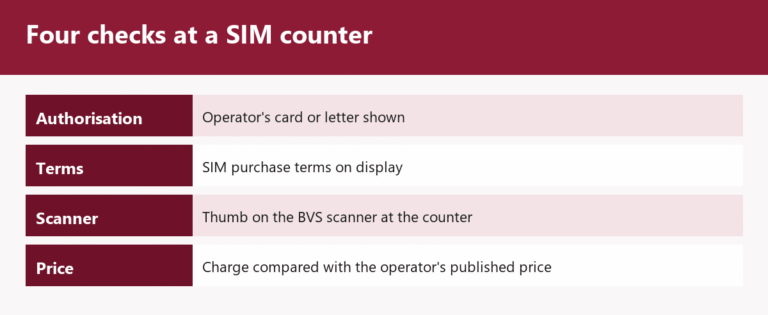
SIM Registration Franchise Locations: How to Find a Genuine Outlet
Home › SIM Registration Franchise Locations Own-CNIC checks only · Reviewed 29 September 2026 · Operator-published outlet lists A SIM registration...
Read More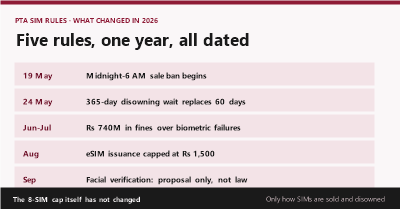
PTA SIM Rules 2026: What Changed for SIM Owners, Rule vs Proposal
Home › PTA SIM Rules 2026 Own-CNIC checks only · Reviewed 29 September 2026 · SIM rules and actions since 31...
Read More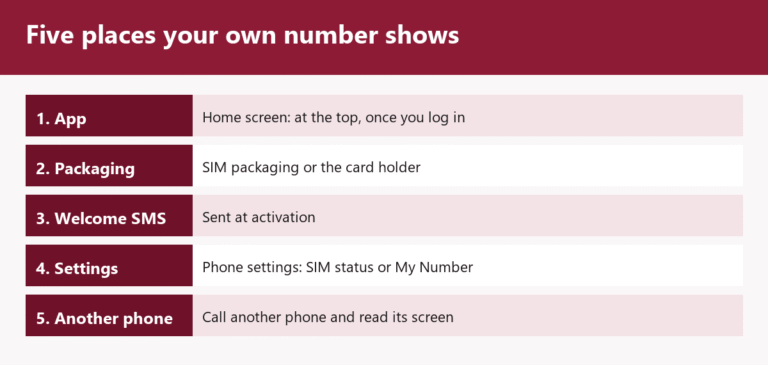
Onic SIM Owner Details and SCOM SIM Check: What Really Works
Onic shows your number in its app; SCO publishes no code but answers on 355. The own-CNIC count still comes from 668 and cnic.sims.pk.
Read More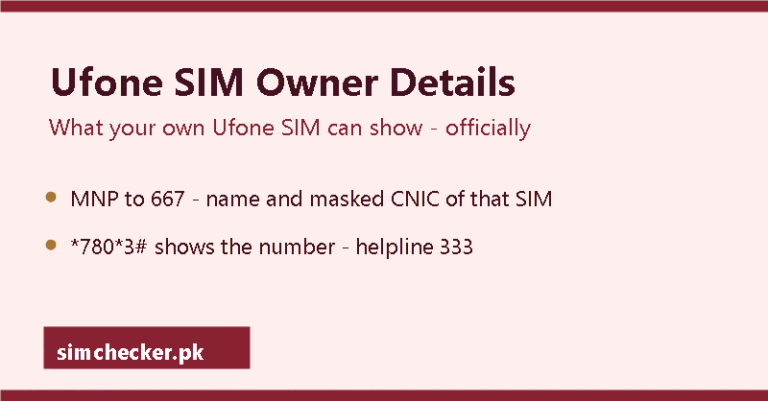
Ufone SIM Owner Details: What Your Own SIM Shows and What No Site Can
Ufone checks that work: 667 for your own SIM's name, *780*3# for the number, helpline 333 — and why the *336# family is not the dependable route.
Read MoreTelenor SIM Owner Details: Every Official Check for a SIM You Hold
Telenor's own codes, charges, helpline, transfer and lost-SIM routes for a SIM you hold, each dated to its source.
Read More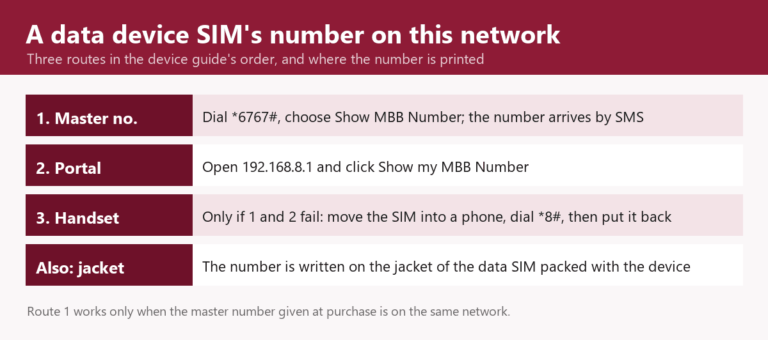
Zong SIM Owner Details: MNP to 667 and Every Other Official Check
Every official Zong check: 667 for your own SIM's name, *8# for the number, helpline 310, plus the codes app guides repeat that Zong no longer documents.
Read More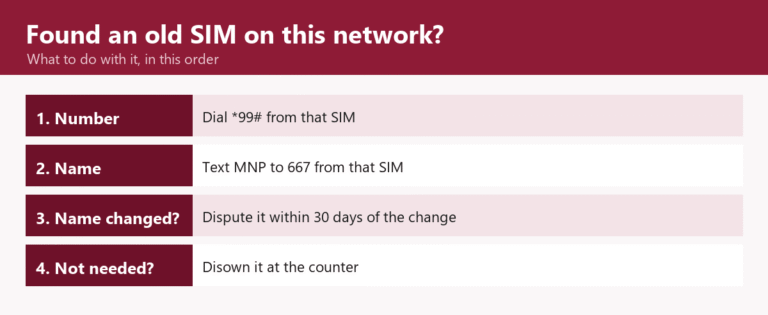
Jazz SIM Owner Details: The 667 Check for Jazz and Warid SIMs
What your own Jazz or Warid SIM can show — MNP to 667 for the registered name, *99# for the number — and the recycled codes to skip.
Read MoreEmail Address